Server Version#: Version Version 1.29.1.6316
Player Version#: WEB: Version 4.87.2 iOS 8.11.1
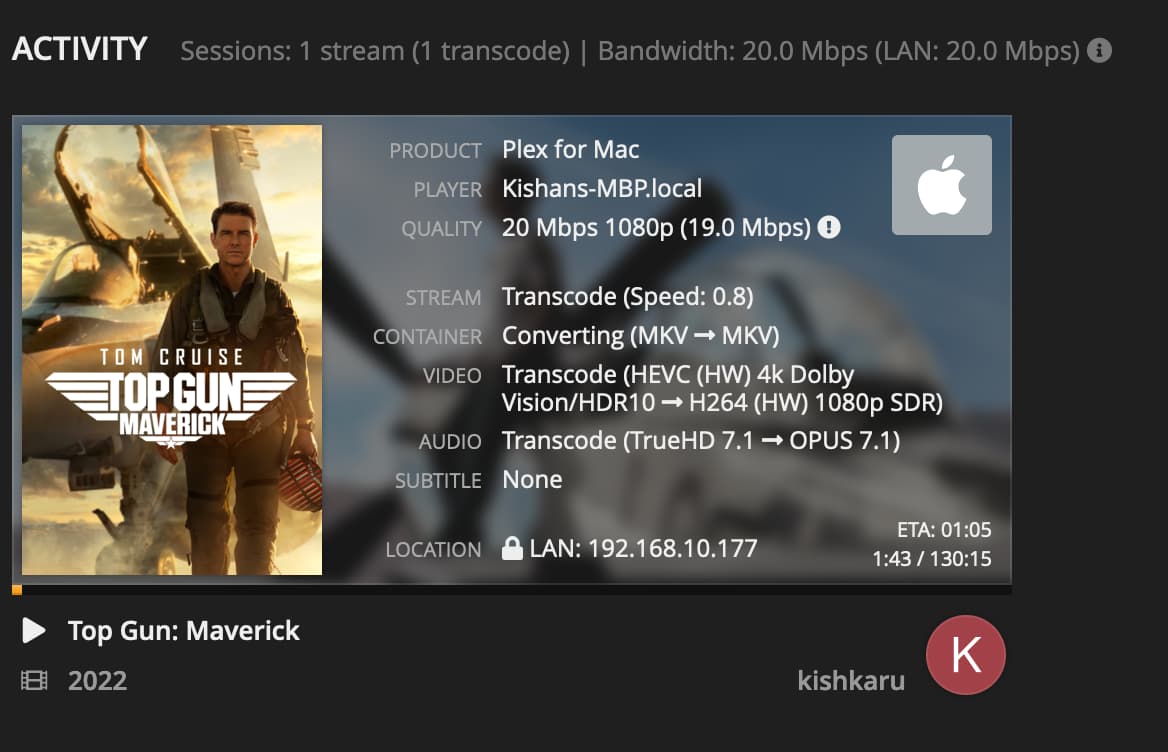
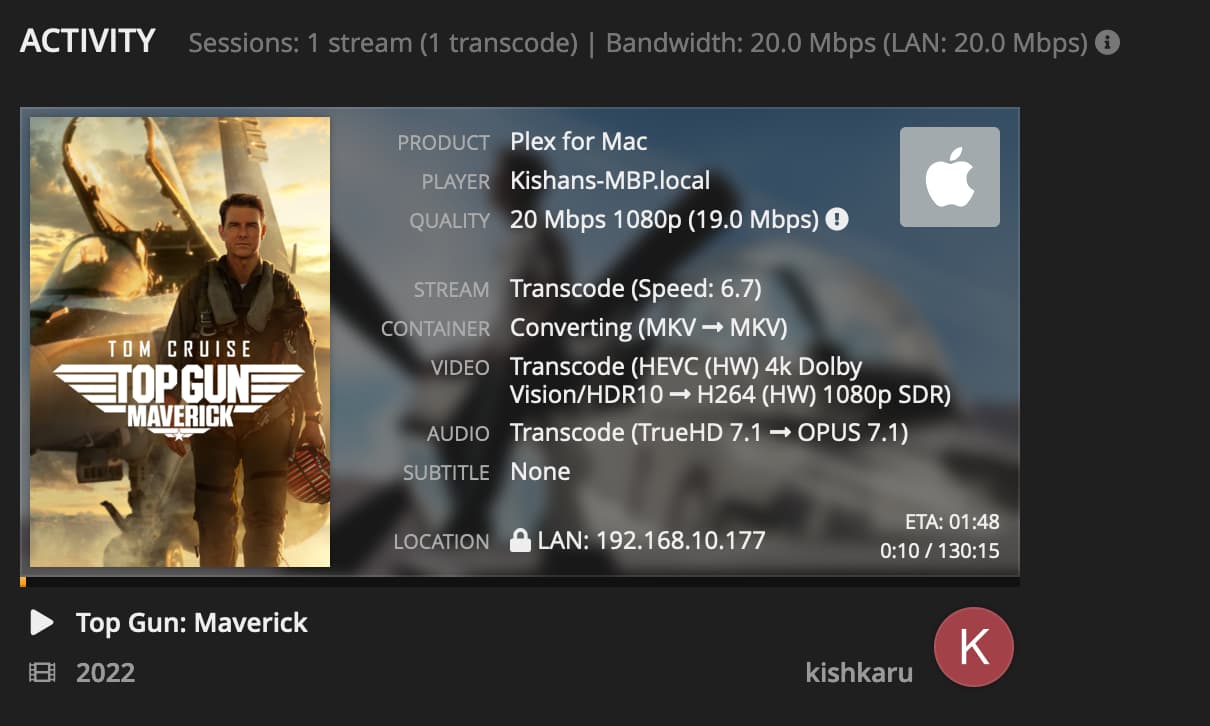
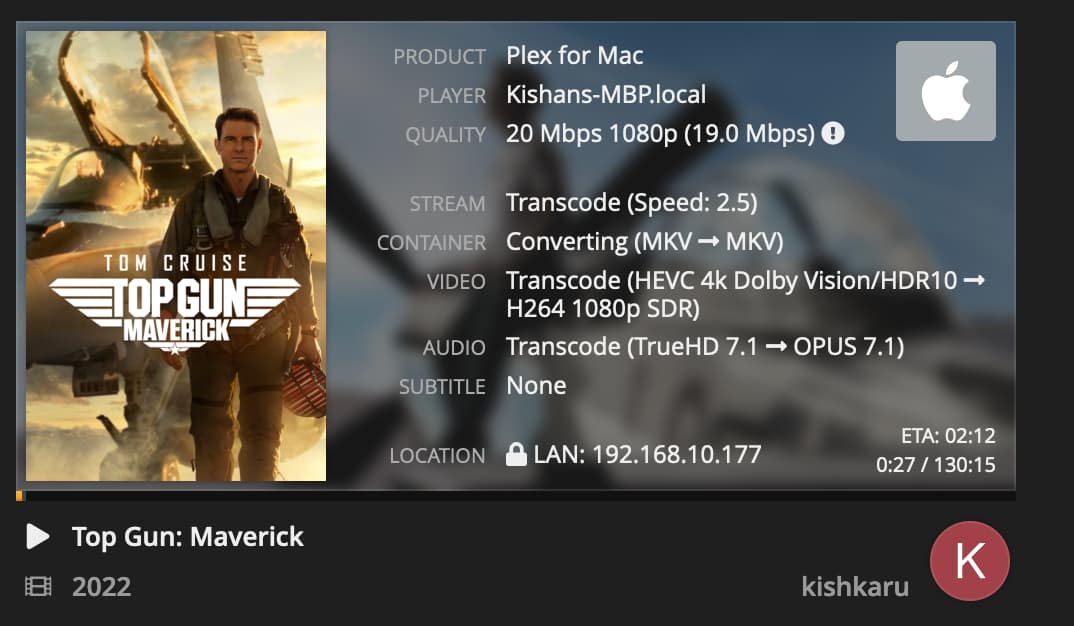
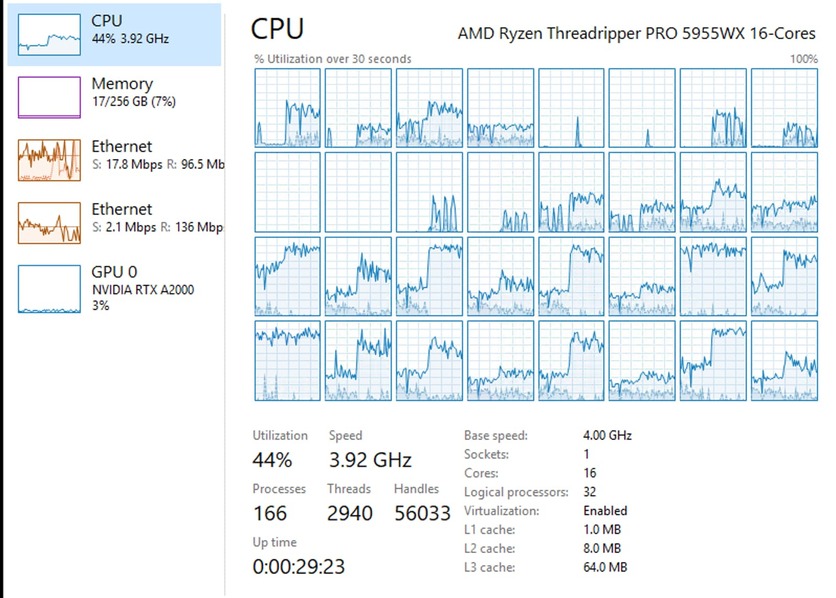
I have a Intel i7-8700K with a nvidia P2000. I’m trying to transcode a 4k file down to 1080p (8Mbps -20Mbps) and the video stutters every couple of seconds. In task manager the CPU, disk, and GUP are all well under 100% utilization. Emby is able to play the same files with out stuttering, so I don’t think it’s an issue with my hardware (or lack of hardware power). Any idea why plex would be stuttering?


Video:
Video
ID                                       : 1
ID in the original source medium         : 4113 (0x1011)
Format                                   : HEVC
Format/Info                              : High Efficiency Video Coding
Format profile                           : Main 10@L5.1@High
HDR format                               : Dolby Vision, Version 1.0, dvhe.07.06, BL+EL+RPU, Blu-ray compatible / SMPTE ST 2086, HDR10 compatible
Codec ID                                 : V_MPEGH/ISO/HEVC
Duration                                 : 2 h 23 min
Bit rate                                 : 54.8 Mb/s
Width                                    : 3 840 pixels
Height                                   : 2 160 pixels
Display aspect ratio                     : 16:9
Frame rate mode                          : Constant
Frame rate                               : 23.976 (24000/1001) FPS
Color space                              : YUV
Chroma subsampling                       : 4:2:0 (Type 2)
Bit depth                                : 10 bits
Bits/(Pixel*Frame)                       : 0.276
Stream size                              : 54.9 GiB (70%)
Language                                 : English
Default                                  : No
Forced                                   : No
Color range                              : Limited
Color primaries                          : BT.2020
Transfer characteristics                 : PQ
Matrix coefficients                      : BT.2020 non-constant
Mastering display color primaries        : Display P3
Mastering display luminance              : min: 0.0050 cd/m2, max: 4000 cd/m2
Maximum Content Light Level              : 1506 cd/m2
Maximum Frame-Average Light Level        : 459 cd/m2
Original source medium                   : Blu-ray

Audio #1
ID                                       : 2
ID in the original source medium         : 4352 (0x1100)
Format                                   : MLP FBA 16-ch
Format/Info                              : Meridian Lossless Packing FBA with 16-channel presentation
Commercial name                          : Dolby TrueHD with Dolby Atmos
Codec ID                                 : A_TRUEHD
Duration                                 : 2 h 23 min
Bit rate mode                            : Variable
Bit rate                                 : 3 579 kb/s
Maximum bit rate                         : 6 144 kb/s
Channel(s)                               : 8 channels
Channel layout                           : L R C LFE Ls Rs Lb Rb
Sampling rate                            : 48.0 kHz
Frame rate                               : 1 200.000 FPS (40 SPF)
Bit depth                                : 24 bits
Compression mode                         : Lossless
Stream size                              : 3.58 GiB (5%)
Title                                    : Surround 7.1
Language                                 : English
Default                                  : Yes
Forced                                   : No
Original source medium                   : Blu-ray
Number of dynamic objects                : 15
Bed channel count                        : 1 channel
Bed channel configuration                : LFE
I thought it could be an DolbyVision to SDR issue but it also happens with this file:
Video
ID                                       : 1
ID in the original source medium         : 4113 (0x1011)
Format                                   : HEVC
Format/Info                              : High Efficiency Video Coding
Format profile                           : Main 10@L5.1@High
HDR format                               : SMPTE ST 2086, HDR10 compatible
Codec ID                                 : V_MPEGH/ISO/HEVC
Duration                                 : 1 h 58 min
Bit rate                                 : 43.9 Mb/s
Width                                    : 3 840 pixels
Height                                   : 2 160 pixels
Display aspect ratio                     : 16:9
Frame rate mode                          : Constant
Frame rate                               : 23.976 (24000/1001) FPS
Color space                              : YUV
Chroma subsampling                       : 4:2:0 (Type 2)
Bit depth                                : 10 bits
Bits/(Pixel*Frame)                       : 0.221
Stream size                              : 36.2 GiB (77%)
Writing library                          : ATEME Titan File 3.8.16 (4.8.16.0)
Language                                 : English
Default                                  : No
Forced                                   : No
Color range                              : Limited
Color primaries                          : BT.2020
Transfer characteristics                 : PQ
Matrix coefficients                      : BT.2020 non-constant
Mastering display color primaries        : Display P3
Mastering display luminance              : min: 0.0001 cd/m2, max: 1000 cd/m2
Original source medium                   : Blu-ray

Audio #1
ID                                       : 2
ID in the original source medium         : 4352 (0x1100)
Format                                   : MLP FBA 16-ch
Format/Info                              : Meridian Lossless Packing FBA with 16-channel presentation
Commercial name                          : Dolby TrueHD with Dolby Atmos
Codec ID                                 : A_TRUEHD
Duration                                 : 1 h 58 min
Bit rate mode                            : Variable
Bit rate                                 : 4 746 kb/s
Maximum bit rate                         : 7 335 kb/s
Channel(s)                               : 8 channels
Channel layout                           : L R C LFE Ls Rs Lb Rb
Sampling rate                            : 48.0 kHz
Frame rate                               : 1 200.000 FPS (40 SPF)
Bit depth                                : 24 bits
Compression mode                         : Lossless
Stream size                              : 3.92 GiB (8%)
Title                                    : Surround 7.1
Language                                 : English
Default                                  : Yes
Forced                                   : No
Original source medium                   : Blu-ray
Number of dynamic objects                : 13
Bed channel count                        : 1 channel
Bed channel configuration                : LFE