A video I added from Synology is skipping parts, it plays fine in VLC or Media & TV player

Synology version 7.2.1 / Plex version 1.40.1.8227

I have hundreds of movies in Plex which are stored in Synology and they all play fine. Same for TV series. For some reason a movie I added plays okay but it skips parts. The movie file will play fine on VLC or Media & TV player on Windows 10. I’ve removed the movie and re-added it several times but nothing seems to allow the movie to play as it does outside of Plex. I even burned it again and it also won’t play correctly in Plex. When it’s added and I click to play, Plex just spins and spins. If I do the same on any other movie, it starts up quickly. I should also note that the movie comes in thinking it’s another movie so I have to do Fix Match (though that does happen from time to time when adding movies).

When I try to get this working I do this:

  1. Move the movie to somewhere Plex doesn’t scan
  2. Scan files
  3. Empty Trash
  4. Clean Bundles
  5. Optimize Database
  6. Move the file back
  7. Scan library files

I downloaded the logs from Plex Troubleshooting to a zip file but am unsure what, within the zip file, I should add so someone far more astute than I am about such things can see what might be the issue.

Thank you

I assume you meant ripped not burned.

That’s a file issue. Both naming for the incorrect match, and details for the playback issue. Describe your rip process to make the file, in detail.

My apologies. Yes, I ripped the Blu Ray disc.

What is bewildering is that I’m using the same Asus Blu Ray drive to rip the movie as I’ve done for the hundreds upon hundreds before. I use the same software to do so as well.

I did a recent migration (within the past 2 weeks) to a new Synology 4-bay unit. But other movies were ripped along with the one that’s not playing correctly.

Asus blu ray drive - BW-16D1HT

I use MakeMKV software - the full paid for version. Settings for that drive:

LibreDrive Information
Status: Enabled
Drive platform: MT1959
Firmware type: Patched (microcode access re-enabled)
Firmware version: 3.10
DVD all regions: Yes
BD raw data read: Yes
BD raw metadata read: Yes
Unrestricted read speed: Yes

The Blu Ray disc is put into the Asus drive and ripped to the same drive on my desktop Windows 10 computer as the other movies were.

In Synology 7.2.1, the main Media shared folder was created quite some time ago and has sub-folders for different movie designation such as "Movies, Secondary Movies, Older Movies, and so on). I upload a movie(s) to the respective folder. BTW, with excellent Plex support, the shared Media folder permissions was done with PlexMediaServer as the User or Group and given Read/Write .

After the movie has uploaded, I go to Plex and put my cursor on the movie folder it was added to and do Scan Library and the movie comes up.

All the movies I have ripped during this same week, for example, that the movie in question was ripped, are all playing fine. - whether Blu Ray or DVD.

Let me know if I’ve provided enough information for you.

Could you clarify on this point for me as I don’t understand what you mean? When you say “both naming for the incorrect match” are you saying I’m not doing that right? I’ve done that before when it gets the wrong movie. It doesn’t happen much but when it does, I use Fix Match. Sometimes I have to click the Search and enter the year and movie title and then it usually brings up the movie to be selected. When I do, then it has all the right information (Trailers, Cast, etc.).

Yes, you’re naming it incorrectly. What’s the movie?

install MKZtoolnix - open the file and remux out all the extra not needed like alternate soundtracks. It may simply be too large and high bitrate if there’s too much in the file for your system/network. I strip everything down to the best video, best audio, chapters and subtitles if needed. it makes a huge difference.

Respectfully, I’m beweldered as to how I could be naming it incorrectly when; a) the movie plays fine outside of plex (three different ways - VLC, Media & TV and Media Player, and b) any other movie I ripped within the same date (or date range) using the same blu ray drive, same software, and same method of adding the movie to Synology plays fine in Plex,

Here’s the naming in MakeMKV. It’s pretty straightforward. Pretty tough to not have it right. When I click properties on the movie (or any movie), Windows shows the correct name under General as well as Details.

Remember, there’s literally some 800 or more movies so there must be something else as I’ve been watching movies and TV series without incident that I’m having with this one movie. And again, it plays fine outside of Plex.

Perhaps it’s the new version of Synology that I migrated to (from version 6.4555 to 7.2.1) or the new version of Plex on the new unit that was installed after migration completed. But even that seems unlikely given that other movies and TV series I’ve ripped since the migration are playing fine.

I don’t think the movie title itself should matter. I only ever rip the actual movie, not any of the special features and so forth.

My setup here is excellent with internet speed, a high quality Synology 4-bay NAS with over 50% space left. The movie file in question is not any larger than most Blu Rays (unless it’s a 4K that was ripped).

I absolutely appreciate the input but A doesn’t equal B here to me.

  1. Movie in question is ripped in the same fashion as all the others.
  2. It plays fine outside of Plex.

I don’t think using the KMZtoolnix would be of much help in this case. The movie in question isn’t one I care that much about anyway. I would just delete it from Synology and not worry about it.

Thoughts?

No offense but you haven’t read the plex docs. Naming has everything to do with the matching. Name the file

“John Wick.2013.mkv”

Done.

Movie name, period, year of release. Works perfectly.

I didn’t say special features. That has nothing to do with any of what I said. When you rip JUST the movie file, IN IT is a whole bunch of other stuff. You have no idea because you haven’t used MKVtoolnix

No offense taken. I’m a huge fan of Plex but am admittedly continuing to learn new things.

I have already taken the movie out of the folder it was in in Synology and then scanned the Plex library folder it was in (this was done before our exchange tonight).

Should I just rename the movie file as instructed? Or should I rip it again with the naming structure you suggest? Either way, I’ll do as you suggest and add it back to Plex once I hear back from you.

I would be most appreciative if you could provide a link to the plex doc(s) that cover the naming structure. I’m completely curious as to why so many hundreds of movies are fine, but I’ll be anxious to see.

By the way, you’re saying naming it as you suggest would make the playback work properly in Plex (even though it plays fine outside of Plex?)

Thanks!

The naming only has to do with the match. The file itself and how you make it, is the play issues. Yes just rename it, no need to re-rip.

There are lots of ways plex will accept naming - the docs go over making it overly complicated, but that way always works as well. I have thousands of titles named as I showed you, zero issues, ever, with matching. You’ll see some old ones I even left the year off of before I standardized.
https://support.plex.tv/articles/naming-and-organizing-your-movie-media-files/

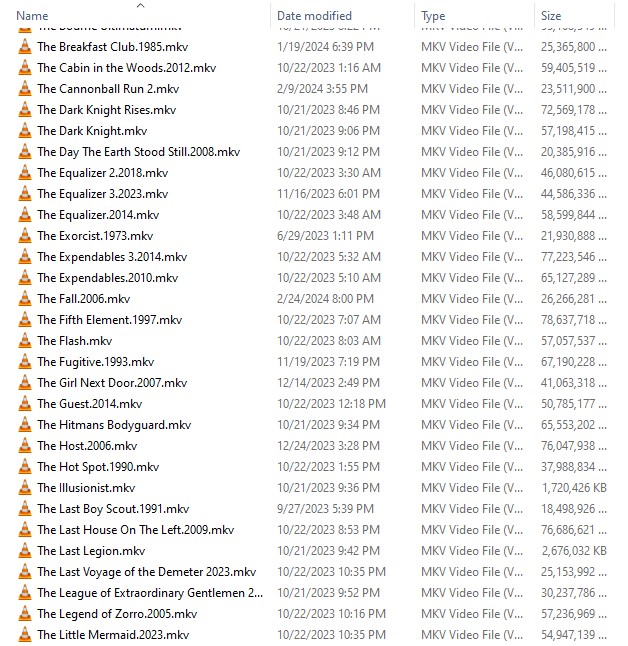
Screenshot 2024-04-24 212524

Thanks for sharing. I’ll look over later tomorrow.

The naming with the Match is really an eye opener so thanks for that.

At the risk of asking again, I’m still not quite understanding why the movie won’t play correctly in Plex. Are you saying it’s because of the March was incorrect? But that’s fixed now but it’s still not playing right. Odd that it plays the movie, it’s just skipping five seconds or so here and there. I’ve not watched much because I want to solve that first.

Thanks!

(I like the movies you show on your capture)

I renamed the file as you suggested and added to Plex. The match was correct, just as you said.

The darn movie still is skipping short segments (playback looks mostly normal, but I can tell as I can compare to how playback is outside of Plex).

So that’s the great unknown for me still - though I will review all that you shared later tomorrow, late afternoon hopefully.

Thanks so much!

This shows you how to remove the extra tracks from a file like I mentioned (remuxing) https://www.youtube.com/watch?v=O3e3qCSeczs

I think there’s a disconnect, or I’m not understanding what you’re trying to help me with (sorry).

Let me try this another way. I’ll do my best here.

  1. The audio is matching the content playing, meaning the actors lips and mouth match the audio talk.

  2. The issue is that there is skipping occurring with the movie such as this:

The Movie playing fine outside of Plex.

Scene 1 - plays for 20 seconds, next scene is about 15 seconds (just as an example). It’s smooth and completely proper as on the actual Blu Ray movie.

Inside of Plex, the same movie that played properly as above is playing the same exact scenes such as this, so portions of scenes are missed/skipped:

Scene 1 - plays for 5 seconds, skips to the next scene and plays it for about 5 seconds (and so forth).

So instead of getting 35 seconds of proper playback in the example outside of Plex, that same playback inside of Plex, it’s giving me 10 seconds". That’s not exact numbers but it’s just a way to show what I’m talking about.

So as my original post says, “A video I added from Synology is skipping parts, but it plays fine in VLC or Media & TV player”. I don’t need to remove audio (such as the English track, leaving Chinese in the example from your link showing how the program works). I just need the proper, full, smooth playback of the movie as happens outside of Plex and matches the Blu Ray the movie was ripped from.

And this is the only movie I’ve noticed that is doing this.

I would consider it the new Synology version or latest Plex version as perhaps being part of it, but then why doesn’t it affect other movies added in within days of it using the same?

I hope this helps explain things. Otherwise I’ll just leave the movie out and hope it doesn’t reoccur.

Thanks.

It has nothing to do with the server or player nor other players, which use files differently than plex. We need to see if the file itself, is too high bandwidth for your system. By default, the file includes a LOT of excess information, and plex tries to stream ALL of it when playing anything, so you can do things like switch audio streams mid-play. Other players don’t. Just follow what i suggested. It has nothing to do with any of what you think or said.

I certainly appreciate your input, truly. My mind is having trouble with how one movie out of hundreds, behaves this way. I have very large Blu Ray 4K files such as Dune - 71,762,569, Top Gun Maverick - 68,228,168 etc., and they play fine.

The movie in question is only 22,721,372 which, for Blu Rays, is pretty small, or certainly not one of the larger ones.

And forgive my ignorance, but what exactly am I trying to do if I use the program you suggest? (MKVtoolnix - I can’t seem to find KMZtoolnix).

If it were multiple movies I’d be more inclined. But this is a one-off that is misbehaving. I’d like to learn and do what could fix it (like your suggestion of the date - e.g. “John Wick.2013.mkv”) but I’m not sure what I’d be doing. The link you sent which shows how to remove extra tracks didn’t seem like it would be anything to bring the picture back as it should be.

Thank you for your patience with me. I’m trying…

I agree it’s unlikely for that particular movie in that format. But since there’s nothing special about the rip, and it’s definitely not remuxed, it’s the first thing to check.

I’m back.

I just ripped a new Blu Ray movie. It plays fine OUTSIDE of Plex with either VLC or Movies &TV players. But after uploading to Synology and then adding to Plex (scan library), it is skipping in Plex as happened with the other movie.

For example, here are the timing moments from the beginning of the movie:

Plays from 00:00-00:05, then skips to

00:19-00:22, then skips to

00:25-00:33, then skips to

49:00-55:03, then skips to

1:08-1:11, then skips to

1:18, etc.

This didn’t happen EVER before I migrated and did the new 3rd hard-drive adding it to volume1.

What could be going on? This is the video skipping, so the audio matches where the video skips as the example above shows. I play this movie outside of adding to Plex and it’s fine, same as the last movie. There must be some issue in Plex. I added several episodes of a TV series but have yet to watch to determine. I’m guessing the same thing may be happening, but perhaps not.

OK, so that’s new important data about your hardware change. While playing, look on your server dashboard. Is it direct playing both audio and video? What is the CPU use?