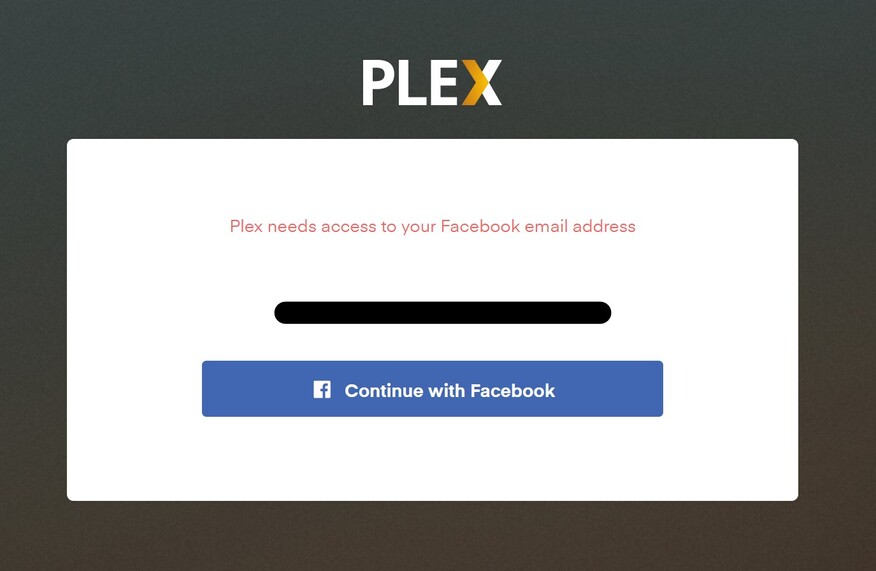
I cannot link my Facbook, Google or Apple accounts as they uses different emails to what Plex is forcing me to use without any other options whatsoever.
I have clicked continue to in the hopes that I might be given an option, any option but I just get the error “Plex needs access to your Facebook email address” which is totally different to the one I have that’s associated to my Plex account.
You guys know that most people have more than a single email address don’t you?
I have one email for Plex, another for Facebook, another for Apple & yet another for Google. All of them are different for varying reasons. Most email clients are designed to be set up with multiple email accounts in mind because they know that almost everyone has multiple email accounts for varying reasons.
I don’t know why something so trivial could be so difficult. Perhaps there’s something I’m missing. If that’s the case, perhaps someone could point out where I’m messing this up, but I have spent the last 2 hours sifting through the options on both the server & my online account & have come up with absolutely nothing.
I saw that my email address is labelled as ‘Primary’ but I cannot find anywhere where I can add in the other 3 email addresses.
If anyone has input of value in relation to the software’s need to always use the wrong email address for anything & everything that isn’t Plex, I would appreciate it.
First, you must verify that you did not inadvertently created separate plex accounts with your facebook, Apple, or Google email addresses.
If you did so, you first need to log into these accounts (use a web browser “incognito” or “privacy” window) and then delete these accounts.
After doing so, you unfortunately have to wait for one month, until these email addresses are free to be used with a different plex account.
My Plex account is the one & only. In fact, it is older than the accounts that I am trying to link & my email address is the first one ever used for signing up to services & accounts, so the chances of there being another account are highly improbable. My Facebook account is only 3 months old & I went into the settings to check whether the Facbook account was linked to anything & there were no apps or services linked to Facebook. Even the email address is only a few weeks older than the Facebook account & I didn’t have to use that on anything because my primary & original email address is meant for that purpose.
I followed those instructions to find my way around the bug but it was instructing me to do exactly what I was originally doing in the first place. So I decided to post about the bug on here.
After you replied, I figured I’d follow the instructions word for word, reading the instructions as I followed them as a precautionary measure, but I just got the exact same bug with the unchangeable email & zero options outside of a single ‘continue’ button again.
The thing is that even if there is a conflict in accounts, I cannot even get to any point where a conflict would occur since it is impossible to even attempt to use the addresses to trigger a conflict since I am not given any opportunities to try them because there is a bug in the way of even trying since it will only let me use my Plex email. Nothing else can be done because the account holder’s Plex email is the be all & end all of email addresses, as far as the software is concerned.
Could you send me the email addresses you are trying to add to your plex.tv account? Per PM, please. I can look them up, if there are pre-existing plex accounts with these addresses.
Which Plex app are you using? Is it the hosted web app at https://app.plex.tv ?
Which Web browser are you using?
Are there any “privacy enhancers” installed (i.e. “browser add-ins” etc)?
That last reply made me think to try an alternative option when you mentioned the browser & privacy options as I am using Firefox with multiple add-ons, so I went to the Microsoft Edge browser, which is pretty much at default settings due to no one in the house wanting to use it & the process worked flawlessly.
Thank you for the assistance. It wouldn’t have occurred to me to even consider that option if you never brought up the the browser.
Yes, to authenticate with a 3rd-party service, Plex needs to incorporate their API’s into the web page.
If you have filters installed which suppress 3rd-party websites and scripts, then the whole process is doomed.
I too am having difficulties logging into my account. My current password is a 6 digit password and it seems you now need 8 digits. As I have logged onto my servers they work but if I try login from a new window it states my details are incorrect.
So I requested a password reset, sent the email address of my account and have now waited an hour but no reset has come through, what has gone wrong? (Yes, I have looked in the junk box)
I am not sure if it is because of the password issue but I too can’t link my gmail account, I have followed the support link you posted but the window that opens up has my current email account in it and it won’t allow me to edit it to input my gmail account?
Yes that appears to have been the issue then as I do have privacy filters in due to both Facebook & Google’s invasive practices. Most of the time I can usually still login with most sites & if there are problems I switch them off & try again but perhaps there was another plugin that may have been hindering the process or something.
Either way. I got the desired solution & I appreciate your help in achieving it.
This is a different issue and has nothing to do with this thread’s topic.
The issue is Hotmail and its questionable practices of delaying email from plex. You will have to wait another few hours at least.