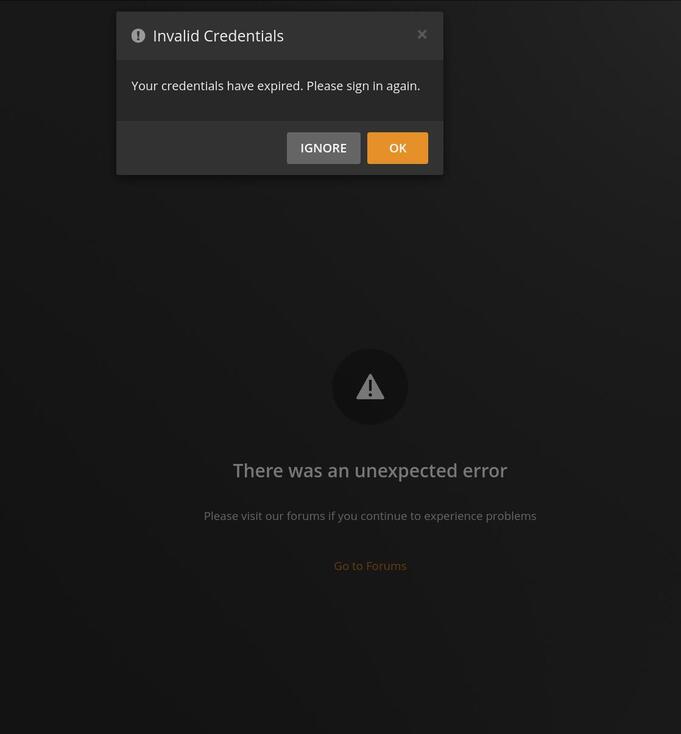
If it is believed Auth tokens are compromised then Plex should force reset all authorized devices from all accounts across the board separate from a PW reset (not advise optionally to sign-out devices).
Outside of monitoring incoming IP addresses how could one even tell if a given token was being accessed on a different device of that it was originally generated for?
Early communications also implied that those using non Plex PW auth (eg: Google/Apple/FB) need not take action. So are Auth tokens only potentially compromised for users with a Plex PW? Or do all user regardless of authentication model need to revoke all existing authorized devices?
Relying on the average user to understand the implications of this or even be aware of it seems crazy. The small percentage of us on these forums must pale in comparison to the number of users with minimal (at best) technical understanding.
Force resetting all tokens doesn’t seem to be a good solution either, as many people have had problems reclaiming their servers. Also what about the people who already did reset their tokens? I’d prefer not having to reclaim my server yet again…
The more pressing issue imho is why on earth are the tokens stored in a way that lets someone just access servers when they get access to the tokens? This is almost as bad as storing passwords in plain text! It’s a major single point of failure. Why was it not encrypted and inaccessible? Why are the tokens even stored at Plex, and not on my server? This would imply that Plex employees in theory could just access any server they wanted if they had access to the tokens.
By either changing the password and ticking the checkbox here https://app.plex.tv/desktop/#!/settings/account
or
by performing the “password reset” routine as instructed in the original email.
The latter requires you to wait for an email with a reset code, so I recommend to use the first method whenever possible.
Yes, definitely. The server uses an acces token just like all the clients do. Leaving this token intact means to leave an intrusion vector wide open.
Leave them alone. While deleting these devices will also revoke the access tokens, in the case of the server it will also give them a new “identity”. Which means you’ll have to re-create all library access grants.
The checkbox during the password change is less destructive, as it only revokes the tokens, but doesn’t destroy the device ID.
You will still be vulnerable if an attacker picks that token to try and connect to your account/server.
“Plex friend” users with whom you shared your media here https://app.plex.tv/desktop/#!/settings/manage-library-access are using their own plex.tv user account. Which means they are also using their own access tokens and thus need to perform the same PW change procedure as you.
@OttoKerner I appreciate your replies but it seems you skipped the important questions. Why were those tokens stored in plain text? Why are they stored in Plex servers? If the hackers could access my server with those tokens it means Plex employees can too, correct?
And maybe an extra question that would be important to many of us. If we only used our own user in our server, so all the clients were logged in with the main user and there are no managed users and no access to “external” users, changing the password should be enough? And if there were hacker sign-ons would be enough kicking out those clients? AFAIK they will have to login again if they are kicked out and the password is now changed so the token should not be valid anymore. Correct?
I actually don’t know if they were stored in plain text. So I can’t tell.
Because that is how the system of Plex is working. User accounts and authentication is centralised on plex.tv.
Similarly like a bank employee could also access your account details.
Why doesn’t that happen (or only extremely rarely)?
Because the person would be a) fired and b) can be held accountable.
And that is the same with Plex employees.
For years we’ve been told Plex does not know what we have in our servers. And now we moved to “We can login into your server, but trust us, we won’t do it”.
Due to the recent Plex breach, I need to change my Plex password. I did this before but didn’t check Sign out connected devices after password change. So I went to Plex account settings and selected to change my password with that option ticked.
Signing in again showed me that none of my libraries were accessible. OK onward to running UserCredentialReset.sh:
Wizard Jupiter:/System/tmp/UserCredentialReset.sh

          Plex Media Server user credential reset and reclaim tool (Synology (DSM 7))

This utility will reset the server's credentials.
It will next reclaim the server for you using a Plex Claim token you provide from https://plex.tv/claim

Please enter Plex Claim Token copied from http://plex.tv/claim : claim-<xxxxx>
Clearing Preferences.xml
Getting new credentials from Plex.tv
Claim completed without errors.
 Username: andrew.9275
 Email:    andrew.defaria@webpros.com

Complete.  You may now start PMS.
Wizard Jupiter:
That seems to have run OK. Back to Plex and again no libraries are accessible!
“Jupiter” was seen 8 minutes ago. It is logged into your account.
LAST SEEN 8 MINUTES AGO
Sign out of Plex/web (clear those tokens)
Close the browser fully
Now open fresh
Plex/web doesn know what the tool is doing because the tool can’t communicate with it.
The only action here after claiming the server is to restart the browser fully which means restart from a freshly opened browser.
( The utility, which I wrote, can’t communicate with Plex/web and tell it to reload but a Control-F5 in the browser --OR-- a fresh restart will make it update from plex.tv )
As you can see above it clearly states my email was andrew.defaria@webpros.com and not adefaria@gmail.com (I don’t care about people seeing my email addresses). How and where did it get that?!?
In any event, when I saw that I went into the Preferences.xml file and removed those keyword pairs, generated a new claim token, and ran the script. After that I was able to get into my server via https://jupiter:32400.
But I still can’t go to https://plex.tv and say Open Plex (or just go to https://app.plex.tv. I still get that I can’t connect securely even though I set the secure connection to Preferred.
Oh and strangely, my server is now going through all of my music and converting it under Conversions!
Oh and I had to regenerate an API token for Tautilli.
Use the Plex Claim Token installation method I built into the package.
It’s the exact same core code. ( I used it to create the general purpose utility )
I typically ssh into my Synology from my Ubuntu desktop.
I’m using your docker script actually! We worked on this together a while back.
#!/bin/bash
docker_image=plexinc/pms-docker:plexpass

if [ "$1" = "-u" ]; then
  # Remove old image if exists and pull a new one
  image="$(docker images | grep -i plex | awk '{print $3}')"

  if [ "$image" != "" ]; then
    docker stop plex
    docker container rm plex
    docker image rm -f $image
    docker pull $docker_image
  fi

  # Recreate docker container for Plex
  #
  # Note: Getting the right UID/GID for Plex is important. Effectively you
  # want to run as the "plex" user.
  #
  # Also it's important to properly map volumes to your media. On my Plex
  # server media is kept in simply /Videos, /Pictures and Music. IOW that's
  # what you see as the beginning of you path when you do Get Info on a
  # media file in Plex. You may use something different.
  #
  # On Synology these file systems are under /volume1/Media. So the volume
  # mapping for me are to map /volume1/Media/Videos -> /Videos as that's
  # how Plex sees them. I also symlink /Videos -> /volume1/Media/Videos
  # when I access my Plex server through the command line using ssh.
  #
  # If you have hardware transcode capabilities you need the --device thing.
  # I don't know if this is similar on UnRAID.
  docker run \
    -d \
    --name plex \
    --network=host \
    -e TZ="America/Los_Angeles" \
    -e LANG="en_US.UTF-8" \
    -e PLEX_UID=297536 \
    -e PLEX_GID=297536 \
    -h Jupiter \
    -v /volume1/PlexMediaServer/AppData:"/config/Library/Application Support" \
    -v /volume1/PlexMediaServer/AppData/tmp:/tmp \
    -v /volume1/PlexMediaServer/AppData/tmp:/transcode \
    -v /volume1/Media/Videos:/Videos \
    -v /volume1/Media/Pictures:/Pictures \
    -v /volume1/Media/Music:/Music \
    -v /volume1/Media/Audiobooks:/Audiobooks \
    --device=/dev/dri:/dev/dri \
    $docker_image

  # With the container created start plex
  docker start plex

  # This is needed to set the restart option
  docker update --restart=unless-stopped plex
fi