Server Version#: 1.22.2.4282
Player Version#: 1.35.1.2632-c6783c78
Hi I installed the Plex desktop app for Mac but I had the same issue previously on windows.
I purchased a lifetime pass a while ago and always when I want to download a movie or any kind of media actually, the player asks me to purchase Plex pass. When I click on one of the purchase options (monthly, yearly, lifetime), it shows me the webpage " Surprise! We like you too much to take your hard-earned money twice … etc …".
How can I use my Plex pass with any of the desktop apps?
I also tried to use the iOS app from the App Store on macOS and it also asks me to get a Plex pass, but it seems it is tied to the iCloud account. So even there I couldn’t get it running. Same obviously for the iOS app on my iPhone.
The only device where I could sync was Android.
When I check the web app for Plex it also shows that I purchased the Lifetime Plex Pass.
Normally it is sufficient to sign into your plex.tv account on all your clients.
Are you using two plex.tv accounts? i.e. one for administrative tasks and another for your regular watching?
Are you employing any DNS-based filters (“Pi-hole” etc.pp.) in your network?
no I’m using the same account as well as the same user for all my clients as well as the server. I don’t have any filtering the I’m aware of. at home the Plex server is behind a fritz box and I have the same issue on my client whether I’m at home or on any wifi or LTE network.
but I just have realised that the problem with the iPhone iOS app is gone when I disable the new download mode back to sync mode. it seems that the new download mode doesn’t recognise the Plex pass, maybe I have to update my server for that. for the desktop app I didn’t see any setting to change this mode.
I will update the server and test it again with download mode
Hi, I just updated the server to the latest version:
1.24.5.5173
And unfortunately the same problem occurs on all apps.
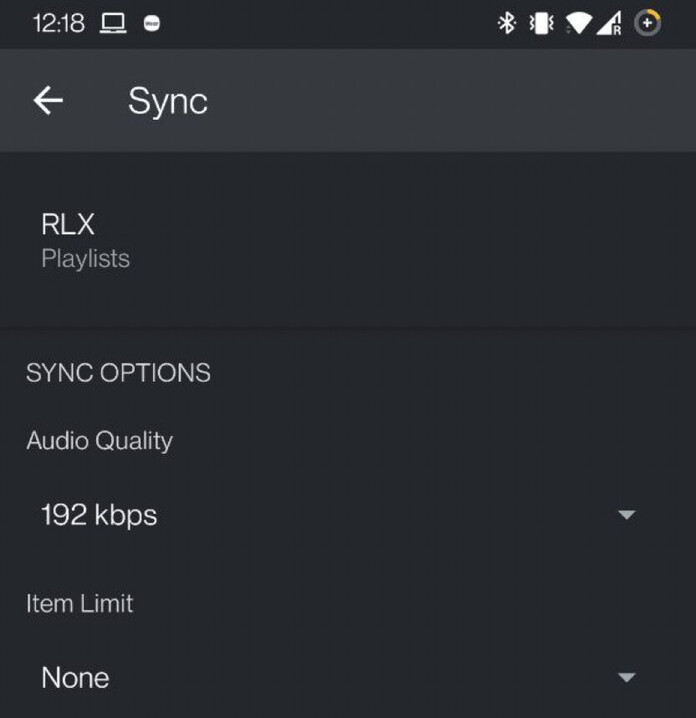
what I also realised and I don’t know if this problem is related or not. while android does not ask me for a Plex pass in download mode, I don’t see a button to confirm and start the download (see screenshot below)
EDIT:
Just to check if it works I tried the Plexamp iOS app on Mac and I could download some music without problems.
I just took a look at your account.
There is some mixup which might play a role here.
Your plex account with the Plex Pass is a member of the Plex Home of some other Plex account (without Plex Pass). This account appears to be unused.
You better leave his Plex Home.
If you are still using this Plex account (user name starts with “n”, btw.), you then should join your current Plex Home with this account.
Word of advise: use the “privacy”/“incognito” mode of your web browser when logging in to other plex accounts.