Server Version#:1.24.4.5081
Player Version#:7.25 (iOS)
Around the time the “Downloads” feature replaced the Sync feature, I haven’t been able to get either to work on my iOS apps (iPhone 11 Pro Max and iPad). I paid for the one-time app unlock sometime ago. All of the unlocked features work fine.
I have a Plex Pass, billed through the web login (i.e. not billed through iTunes or Apple Pay), and it shows up in my account settings, however Download or Sync both tell me I need a Plex Pass to continue. When I click on Restore Purchases, the app thinks for a few seconds, and then does nothing. When I click on “Get My Plex Pass”, it sets me up to be billed again through iTunes / Apple Pay.
I’ve reinstalled the app, logged out and back in, and all the usual means of trying to reset the profile, but nothing works.
Should I just stop my web-based billing and set it up through the iOS App? I’d rather not give Apple a cut for something that’s been previously working fine.
I’ve tried to search through the forum and support docs for this, but none seem to be my exact issue.
Any thoughts or support would help! Thanks very much!
This is exactly my problem. I was having no issues prior to getting a new phone (previously Android). I also did my lifetime plex pass through the web so I could pay the discounted rate vs what they charge in the app store. My phone shows that I have lifetime plex pass. My server shows I have lifetime plex pass. I use the same login for both. I thought I could do a workaround and use the web browser player to download stuff and the app would read it, but it shows up nowhere on my phone.
I reached out to Plex and they confirmed that I have a lifetime pass and to login using the same email. Which I had already been doing. I feel your frustration. But I don’t want to pay AGAIN for the same pass that I already have.
So, I tried something…I decided to purchase yet ANOTHER pass, but this time for just one month through the app store. It now allows me to download my media, BUT I do have to hit the restore purchase button each and every time. And it still shows (thankfully) that I have a lifetime pass.
Plex…there is a serious glitch in your iOS software. Please!! I know not everyone needs the functionality, but it’s something that at least a few of us specifically paid for!
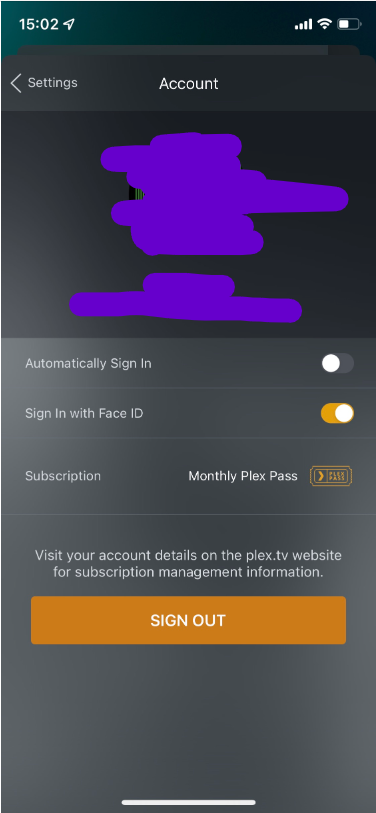
Can you send me a DM showing the account page in the app? I’d like to make sure the app is signed into the correct Plex account. Also send me the ios log after trying to restore the purchase.
Hi Plex. So far this thread has not gotten much support. The only person representing you had been MIA for a while now. Is there anything whatsoever anyone can give us on this issue?
Sorry for not providing an update. We haven’t been able to find the issue. The app should be working as it correctly identifies your Plex account. We’re still investigating.
This might not solve the issue at all, but I was having a similar problem - downloads from my Windows 10 PC to my iPad not working. I came across a fix for a different app (MakeMKV) and found that it seems to have mostly fixed my Plex issues.
Windows 10 has some a ransomware protection called Controlled Folder Access. It was blocking MakeMKV from accessing my Blu-Ray player. When I went into Windows Virus settings, I found Plex was blocked as well.
This cropped up very suddenly for me this past week, and I’m not sure why.
Sorry for the delay. I heard that this was fixed around the time of the last comment here 8 days ago. Can anyone confirm if it is fixed or are you still having issues?