Is it possible to activate remote access without signing in, ie without having a plex.tv account?
I’ve studied how to use remote access without signing in by editing client settings and setting an IP allowed without authentication.
But Plex server keeps the entire remote access capability disabled until one first sets up an account and registers the server with Plex…which is what I don’t want to do.
I looked at Plex windows registry settings in hope to find a switch to turn on remote access, but don’t see anything.
No you don’t need to have a Plex account to enable remote access. However, most Plex clients do not allow connecting to a server by it’s IP. The ones I know are the mobile apps and Plex Web.
Keep in mind that by doing this, you would allow anyone to access to your server and they would have full control. i.e. They can delete every single file.
Could you let me know how to activate it without creating an account?
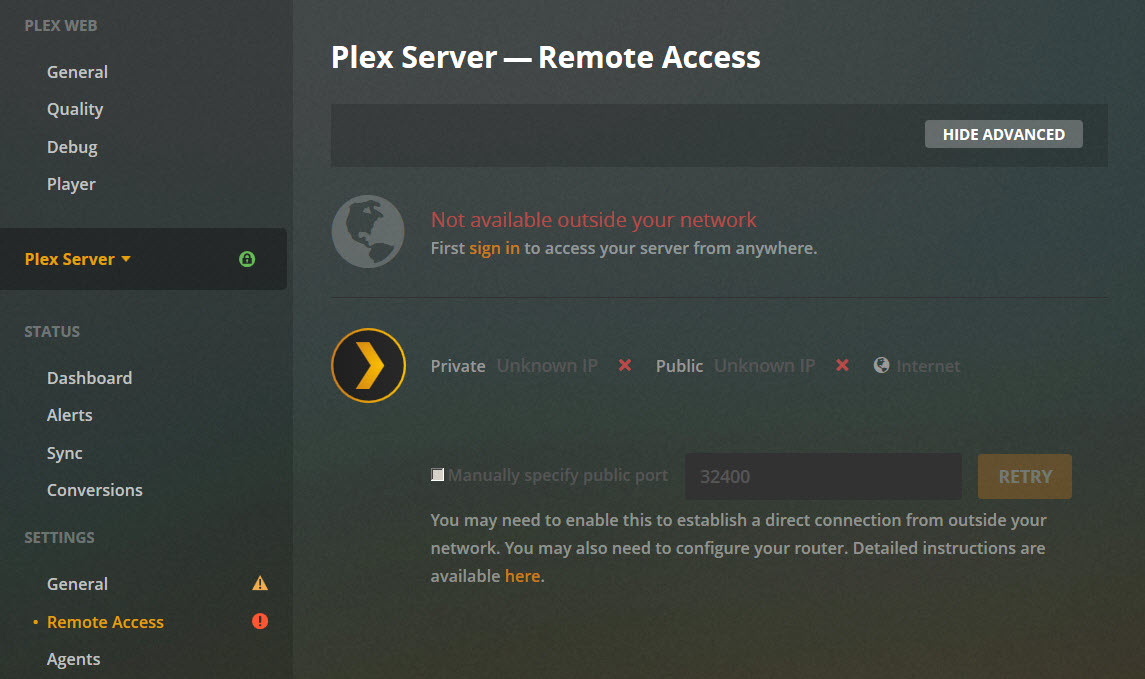
As can be seen from the attached screen, there is no option available to do so without a sign in. The checkbox to manually specify public port is dimmed and cannot be checked.
This checkbox is useless without signing in. Because the port number you can put in there will be stored in your Plex account, from where all authorized apps can retrieve it.
You ignore that page. Setup your router to port forward properly. Then on clients where you can enter a manual IP (mobile and Web), use your public IP and the port you forwarded.
If you gave Plex read-only access to the directories with your content they wont be able to delete files this way. But they could still delete your libraries you might have spent considerable time setting up and fixing metadata matches, setting backgrounds and collections, etc.