When you’re listening to music on the Plex web based app, on the bottom part of the screen you get the 5 dots for giving the track a star rating.
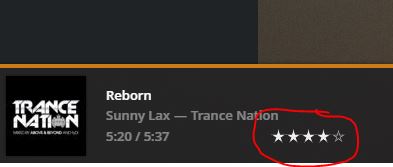
Which is incredibly useful. If you’re quickly reviewing tracks you listen for a while, set the star rating and forward to the next track. You can even be viewing the library, set filters, and work your tracks very efficiently.
But it turns out on movies and videos you don’t get the same feature:
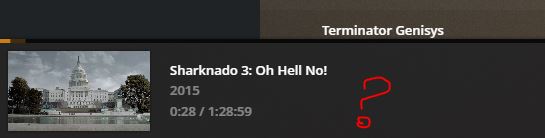
So if you’ve got a whole bunch of music videos to sort, you pretty much can’t work efficiently. You have to play your video, view what you need, go to the video info page (or return to the library), and set the star rating there. Same if you’ve got a TV series and quickly want to go over and tag episodes.
Movies and TV shows need the little dots on the bottom bar too…

