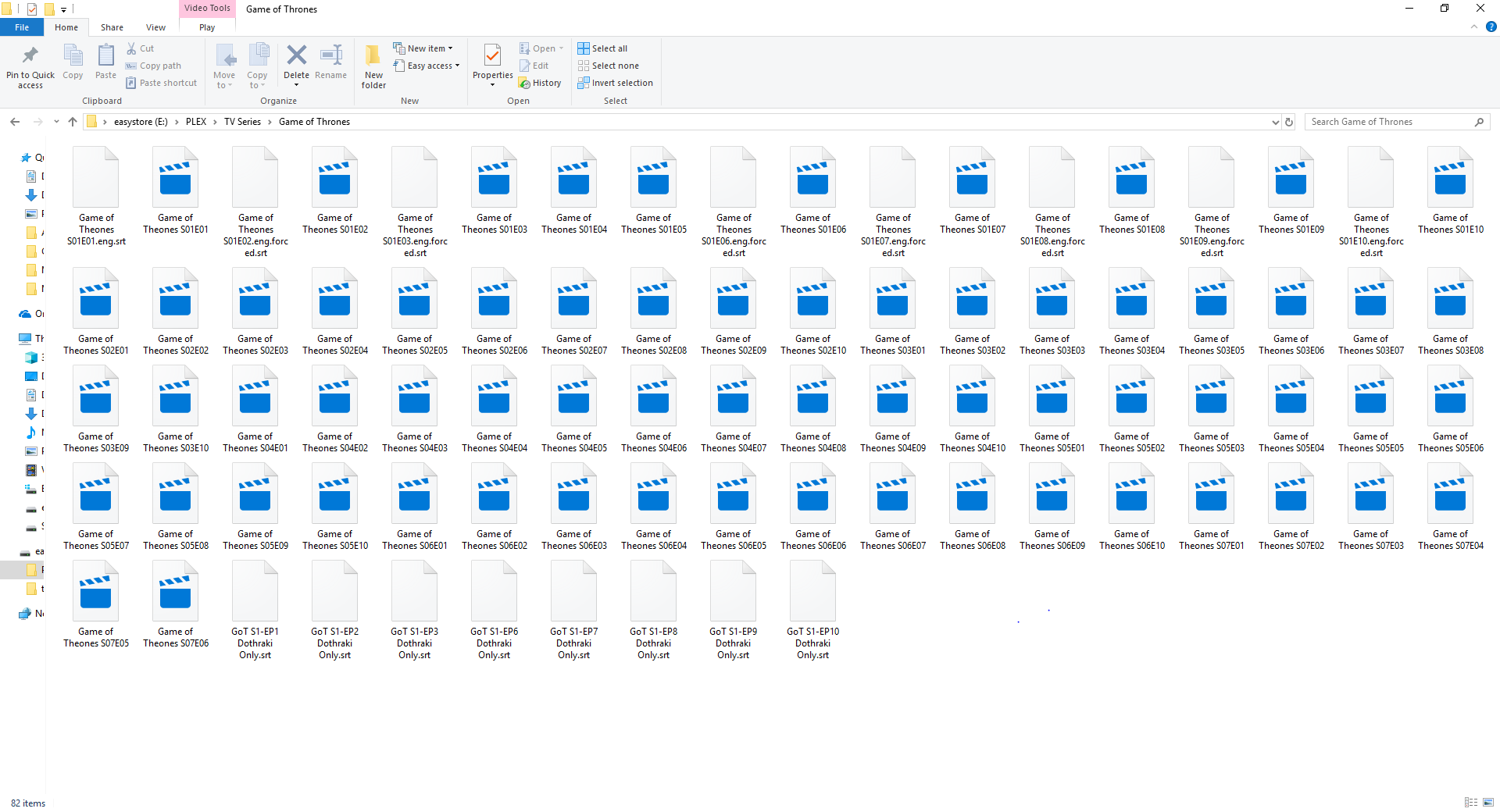
I downloaded Game of Thrones season 1 through 7 as .mkv files with the English sub files. I started watchin then notice I am having trouble having the subtitles not appears for the Dothraki parts. After I looked and a previous post, Adding subtitles to Game of Thrones, I tired the same site
https://subscene.com/subtitles/game-of-thrones-first-season/english/1147545
and put them in the same folder and tired it again. It still wont work for plex but when I open the file on my pc and add the sub file it works perfectly. I have tried the suggestions of renaming from TV Subtitles Naming Help and still no luck.
Your video files don’t show file name extensions, but your subtitle files do.
Which means to me that your subtitle files have double file name extensions. Which in turn makes it impossible for Plex to assign them to their appropriate video file.
Activate the display of file name extensions in Windows to prevent this from happening again:
https://www.howtohaven.com/system/show-file-extensions-in-windows-explorer.shtml
side note: your video files are consistently named wrong. Theones instead of Thrones.
I have the file extensions showing now and have made the changes to the file names, thanks for that, but it still is not working in plex.
You are also missing the Season 0x subfolders. External subtitles won’t work without these.
https://support.plex.tv/articles/200220687-naming-series-season-based-tv-shows/
So do I need to make a new folder per season and per episode?
I moved them into there own folders and it is still not working.
The naming of the subtitles is now perfect.
Ah I see, I overlooked the forced in the article myself, since it is only mentioned under movies. Gotta work on my reading comprehension too 
I changed the folders and analyzed the folder and it still wont play the subtitles.
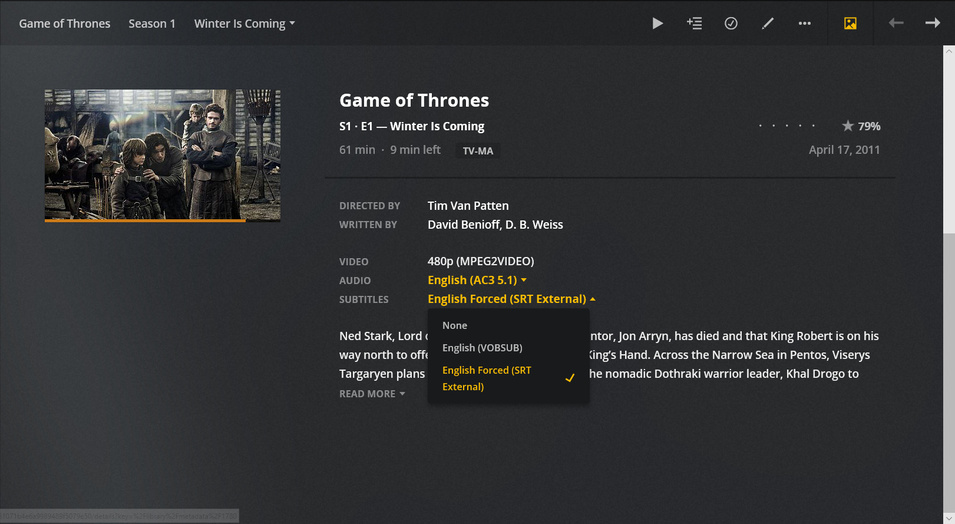
Are the subtitles at least shown on the preplay page of the episodes?
This is what shows up for me.
This means the subtitles have been recognized by Plex.
Now you must find a scene in the episode where they actually show up. Remember, they are supposed to only show up when they speak Dothraki.
Have you checked that these subs do actually fit your files? If they are made for tv rips or for the Bluray version, they may not show the subs at the right times.
You can open the .srt files with a text editor (although I recommend you install Subtitle Edit) and look at the time stamps in there. Then scub to the timestamp in your epsiode and play it.
I have been checking where they are speaking Dothraki and the subs are not coming up. They are standard DVD rips and when I use the same .mkv and .srt in windows movies & tv they work perfectly together.
Which Plex client are you using to play them?
Where they already selected like shown in your screen shot, when you tested playback earlier? Or did you select them just now for the screenshot?
I am using it between Xbox one and PC, on the Xbox I’m not sure whether it was selected or not, but it was what drew my attention. On the PC I have made sure that the .srt has been selected. I had to keep selecting it every time I made changes to the files or locations.