Previously, I’ve been able to use the Advanced Filter “Trash is True” on my TV library to show episodes that may have had their files replaced outside of Plex and that show “Unavailable” on their item pages.
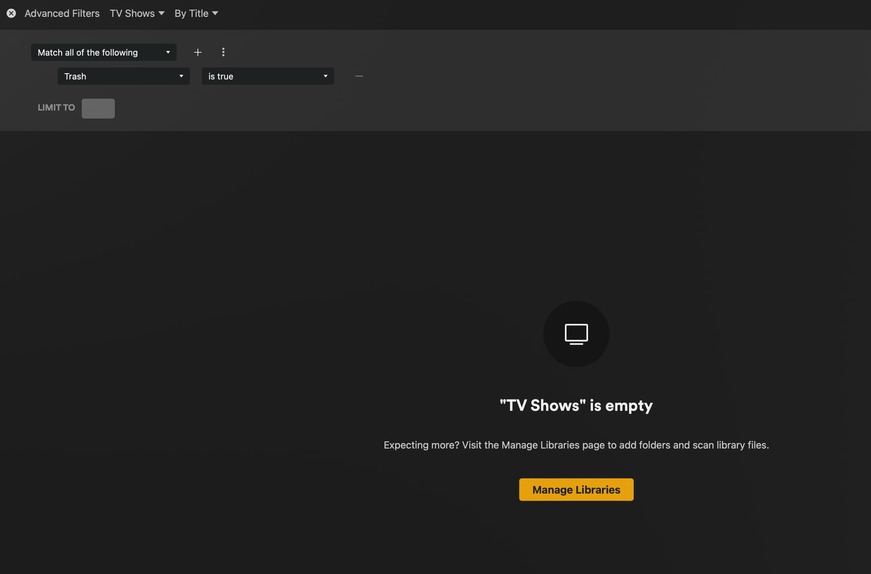
While they still show “Unavailable” on their direct episode or season page, I can no longer get anything to list with the Advanced Filter “Trash is True”.
I recently upgraded some episodes for one of my shows from an old DVD copy to a new Blu-ray copy (mp4 to mkv files), and typically use the Advanced Filter to confirm what is considered to be “in the trash” prior to running the “Empty Trash” command at the library level. This filter shows as “No Items”.
However, if I “empty trash” on the library, the “unavailable” DVD quality episodes are removed from the Library and the “unavailable” tags on each episode are cleared.
I do have “empty trash after scan disabled” and it doesn’t appear to actually be emptying the trash as I can see the unavailable items still at the episode level.
I am also able to then manually empty the trash on the library and those “Unavailable” warnings will then disappear at the episode/show level once that is done.
Question. I see you have the second drop down menu in that last screenshot set to TV SHOWS can you change it to “Epsiodes” and see if it still does the same.
also are is your TV library using the Plex Series scanner/agent?
Oh boy do I feel like a dummy now… thanks for catching that, the “TV Shows” vs “Episodes” was the reason. As soon as I flip it I see the episodes that are in the trash:

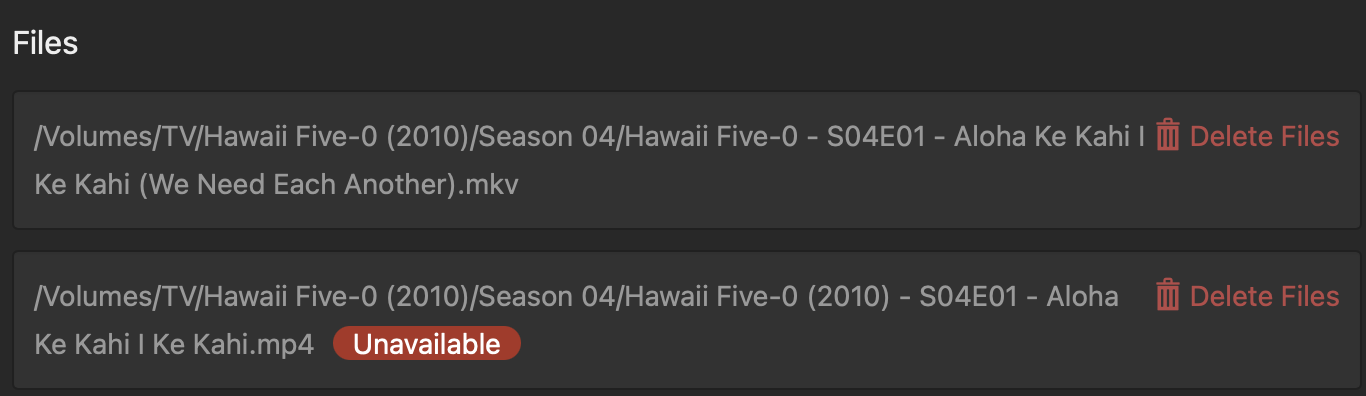
 thanks for catching that, the “TV Shows” vs “Episodes” was the reason. As soon as I flip it I see the episodes that are in the trash:
