Server Version#: 1.23.3.4707 (Synology Intel 64bit)
Player Version#: 4.60.3 (web)
I recently migrated my PMS from a Mac to a new Synology DS1520+ following this guide: https://florianjensen.com/2019/01/26/migrating-plex-from-mac-to-synology/
It mostly worked, I can access the new server using my main admin account, I can watch media in my library and all the old metadata and settings seemed to carry over. Yay!
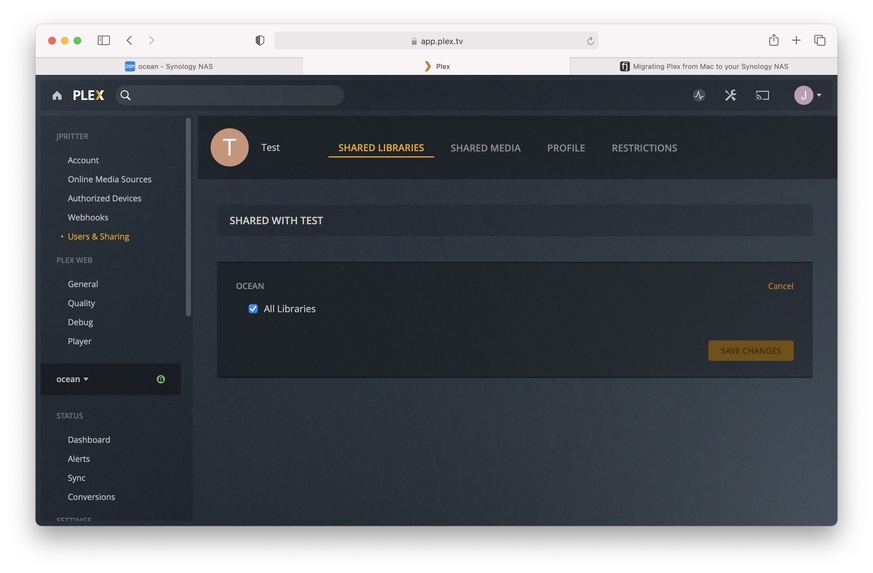
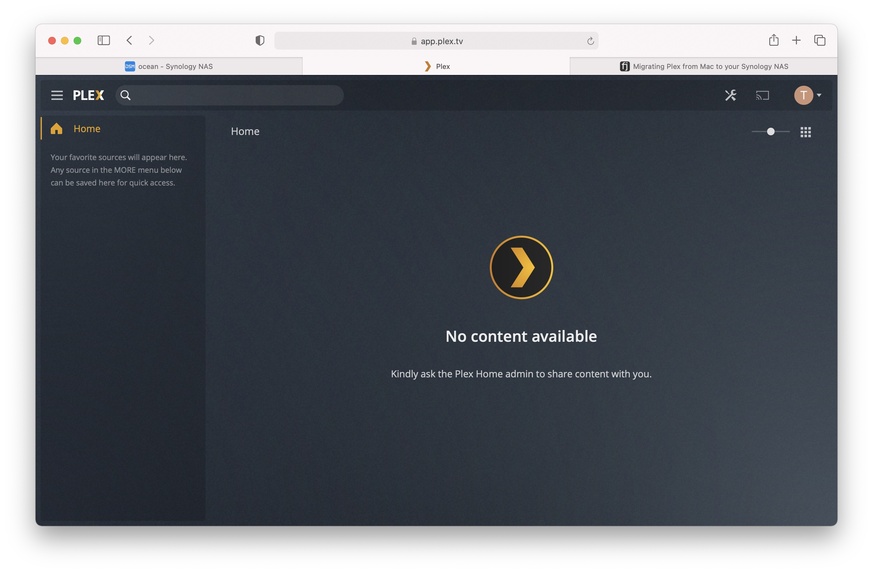
But… my three managed users no longer worked. When switching to a managed user it can’t find the new library. I deleted the managed users and recreated a new one making doubly sure to verify that they have access to the library and all restrictions are turned off. However when I switch to this new managed user the library goes missing.
I can’t find any settings that have helped. Reading some other threads I tried blowing away my preferences.xml and allowing PMS to create a new one. When the new one was created I lost access to the library entirely, even from my main account. I had to restore my backup preferences.xml to bring the library back.
Any other ideas? I’m going to attach the debug log if it’s at all helpful.
Thanks!
Plex Media Server.log.gz (13.5 KB)