Server runs on a Windows 10 computer
All clients are running plex media player on windows
Server and players have all been upgraded to latest version
All network connections on server and clients are set to “Private” in windows
All network connections are wired, nothing is using wifi
All devices are on the same network segment 192.168.1.0/24
uPnP is enabled and working on my router, I see port 32400 forwarded
windows firewall allows plex server through
Server has a DHCP reservation
Secure connections are set to “preferred”, when I disable, I can’t reach the server at all, even on the LAN !
Tried restarting, rebooting, deleted the uPnP port on the router so it could rebuild, nothing works.
This started within the past week, could have been a windows update that caused it. I always see warnings of indirect connection. What gives ?
share your network layout.
Post the devices being connected
usually it should be nearby if local lan until you cant see the server . Ignore client . Check what is server is saying local nearby or ?
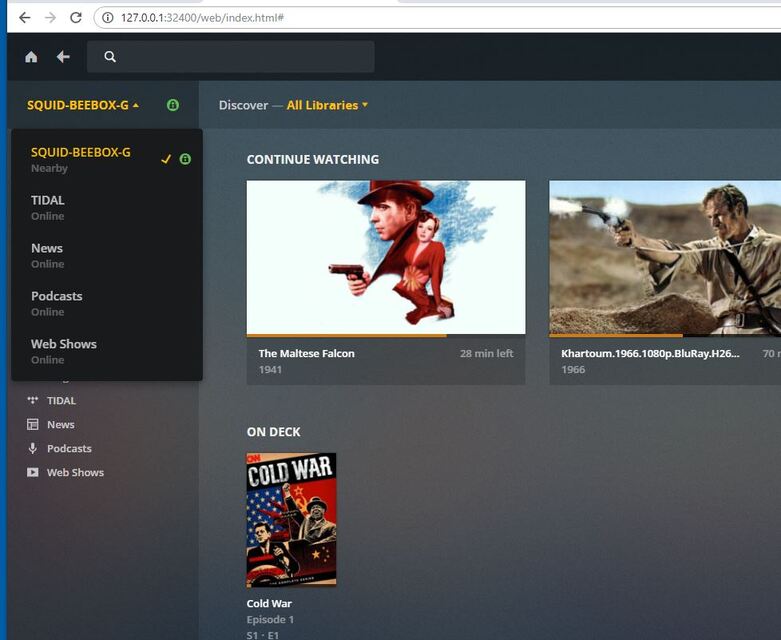
Below is a screenshot from the server. It says “nearby”
The servers and clients are all windows 10 computers. The media lives on a NAS and the server maps a drive letter to the NAS via SMB2.0. The NAS wired, not wireless. The NAS is not running any plex software.
It’s a one segment network, 192.168.1.0/24 . I have a 24 port switch with 3 windows PCS, 2 are windows 10 home, 1 is windows 10 pro. 2 access points are attached to the switch. 2 NAS, and an IP camera are attached to the switch. Also my router from the ISP. I have a 150/50 fiber connection from ToT in Thailand. I am not running any VLANs on the switch.
found a firewall on my router, turned it off, no help
my router is a ZTE F670
this is the only service control entry on my router
Discovered that If I turned off the windows firewall on the machine that runs plex server, the problem goes away.
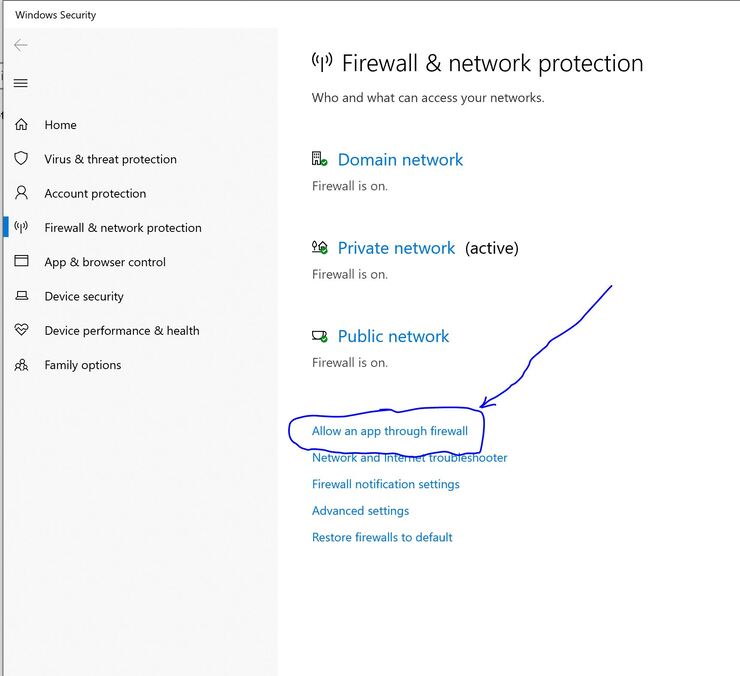
previously, I had allowed plex through the firewall using the firewall app in settings. (see first screenshot below)
Apparently that didn’t work. I had to run the full blown firewall desktop app and create both inbound and outbound rules for plex media server before plex was actually allowed through. that worked (see second screenshot below)
problem solved now
These rules should get generated automatically by the setup .exe – unless the Windows firewall is deactivated during the setup.
I think it did, but something happened since. I’ve had a few windows updates, they tend to screw things up, like changing my connection from private to public.