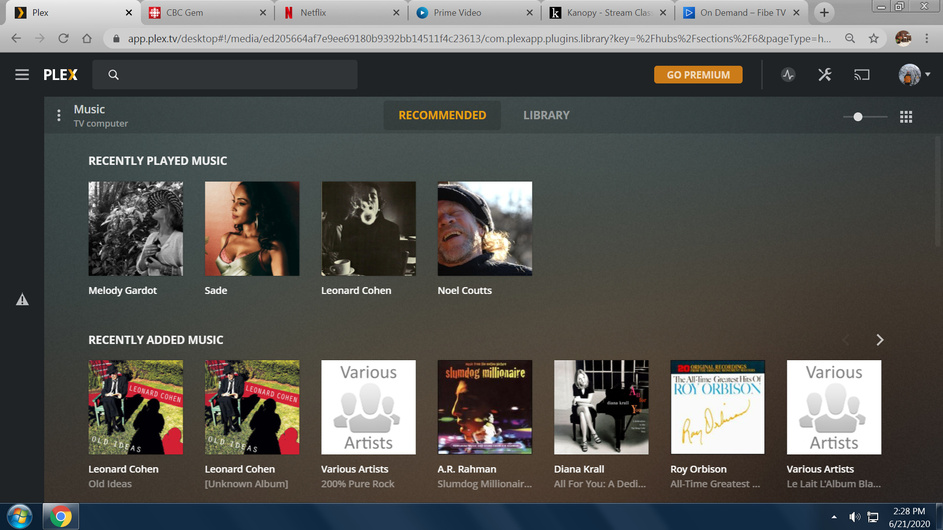
Yes the actual error is copied and pasted. I am just using the plex.tv and launch. It has worked for years, but this is a new error. It happens in chrome and Microsoft edge.
After upgrading to the above release, I experienced the same issue on Windows 7, Chrome. I uninstalled that version and installed the last previously working version: PlexMediaServer-1.19.3.2764-ef515a800-x86_64, but the issue remains.
When the server first loads I can see the sidebar for a few seconds and then it collapses and the error triangle appears. I was able to access the sidebar by going to Settings and Plex Web—Debug on the menu and without making any changes I selected Home and the sidebar appeared and seems to be holding. However, if I close and reopen the server, the error returns.
I am a novice with this product so any assistance would be appreciated.
Plex 4.30.2, Windows 10 10.0.18363, Chrome 83.0.4103.97, PC 64bit. I have the exact same issue but only on Chrome - About 95% of the time, when the server first loads I can see the sidebar for a few seconds and then it collapses and the error triangle appears. It started happening about 2 to 3 weeks ago. So far Edge seems ok but I’ve only just started using it instead of Chrome.
I have the exact same events. Windows 7 throughout. The computer with the Plex media server installed now gives this same warning when using Chrome, and now Firefox. Now, the Plex ap in my laptop (Win 7, Chrome) does the same. After a few seconds, the main menu disappears and this warning warning triangle, appears. What is truly odd, is the inconsistancy of the phenomena. Sometimes you see the sidebar menu for a few seconds before it disappears, sometimes not.
I have done the “repairPlex”, and I have restored Windows to a previous state. I have disabled the pop-up blocker in Chrome.
This seriously affects my ability to use the Plex interface, since I can’t see my menu of movies. (one workaround: click settings, go to libraries, click on the movie library)
Does anyone know what is happening here?
Does not work. Whatever is causing this doesn’t appear to be influenced by the content of the menu.
There is some kind of conflict within the Plex interface, the browser, and/or the operating system. I reset my Win 7 to a date 2 years ago-didn’t fix this. Also Mac users reporting same problem, so not an O.S. issue. My Chrome browser always has this problem, but, strangely, my Firefox is usually, not always, O.K.
Is there some way to disable the “pop-up” feature of the Plex sidebar menu, and restore a permanently displayed menu of the libraries? That was the older interface, and it worked flawlessly for me.
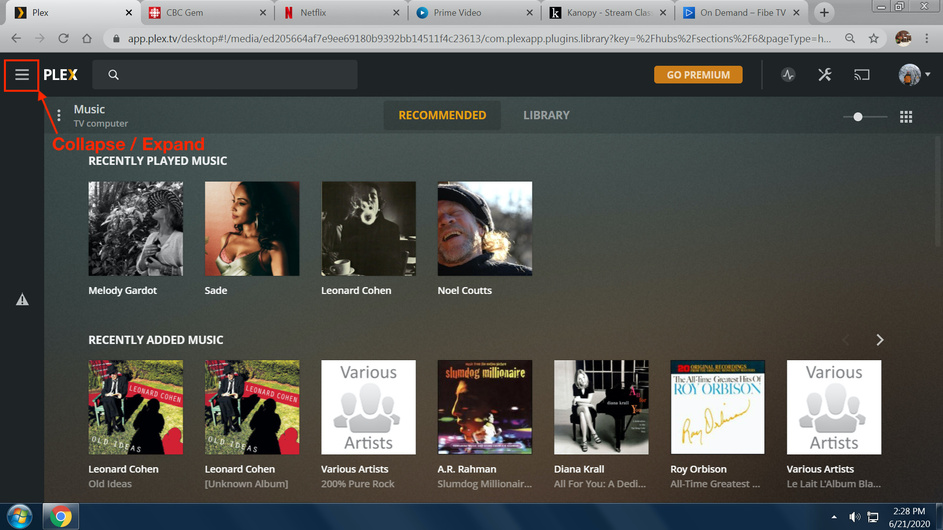
You should be able to expand the navigation to get the actual error message (instead of just the icon indicating there’s been some kind of problem). If you could share that, this might help.
When my curser is on that top button, a bubble message says “expand”, but nothing happens when I click (left button, right button gives MS menu). When my curser again hovers over that same button, the bubble message says “collapse”, but, again, nothing to click on. The two messages appear to alternate., but neither activates anything.
When my curser is over that triangular warning half-way down, a bubble message says 'an unexpected error has occured". When I click on that triangle, this is the screen:
If it’s happening in one browser, but not another, this might be related to some add-ons / plug-ins you have installed in that browser.
To confirm this or rule it out you could disable all add-ons and check if the behavior changes. If the error goes away… one-by-one reenable them to see which one is causing it.
The screen shot is of my Chrome browser window, which is always malfunctioning in the Plex window, aside from the occasional 2-3 seconds of sidebar menu display on launch. It has no extensions or add-ons.
The plex ap window in my Firefox browser seems to be functioning correctly most of the time now. It has shown exactly the same Plex error on some occasions in the past. I cannot identify what has changed with Firefox, other then a recent browser update. No plug-ins or extensions here either.
Addendum to my other note: my Plex ap in the firefox browser is exhibiting the exact same problem. So, it is not a browser specific problem. Worse, it seems to be sporadic.