Server Version#: 1.19.2.2702
Player Version#: Android 7.31.0.16802 - multiple devices
I’ve been struggling with this for a while now and I can’t find any satisfactory solutions on the forum, so I thought I’d best make an effort and see if there’s any solutions or there for my problem. I’m more than happy to assist with further troubleshooting if needed.
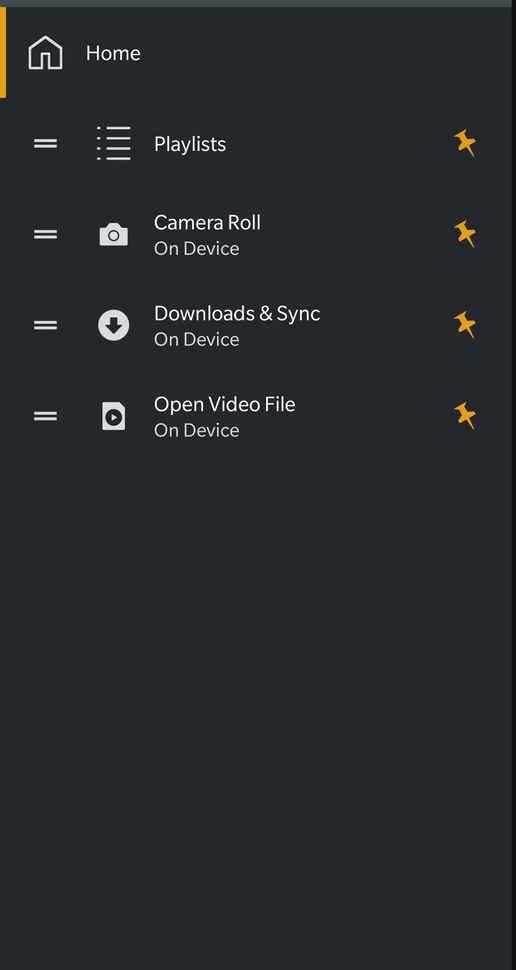
Anyway, the problem. Nothing complicated, I simply don’t get any server content when using any android plex app with a Plex Home managed user. The main user works fine, but anyone else gets no server content whatsoever. Local media (camera roll etc), but snot related to plex, is available.
This problem only affects the android plex app. Roku, Web and LG WebOS versions all work fine for all users.
I’ve tried clearing cache, wiping data, full reinstall of the app, all to no avail.
I’m not sure when this issue started as I’m not a managed user and the other members of my household rarely use android apps to access for Plex. With the lock down going on my wife wanted to start playing music to our Sonos speakers and that’s when we discovered this issue.
The only thing I’m seeing on the logs that seems relevant is “Auth: authenticating user as guest” whenever I use the app as a managed user vs “Auth: authenticated user 1 as face13” when using the android app. Managed users authenticate properly when using the other apps that work, “Auth: authenticated user 24787840 as [managed username]”. This clearly suggests that managed users are being treated as guests. I have guest access disabled.
So, I tried enabling the guest account. I gave full access to the guest with no restrictions. Exactly the same problem as before for the guest, and all the managed users still.
I’ve seen posts on the forum similar to this issue dating back to early 2019, with no apparent solutions. If I’ve missed the solution, I apologise, and I’d love it if someone could share it with me. Otherwise, I’d love to hear from anyone at Plex who could help me out with this.
Thanks