Server Version#: 1.43.0.10492
Player Version#: 2026.3.0 Platform 16
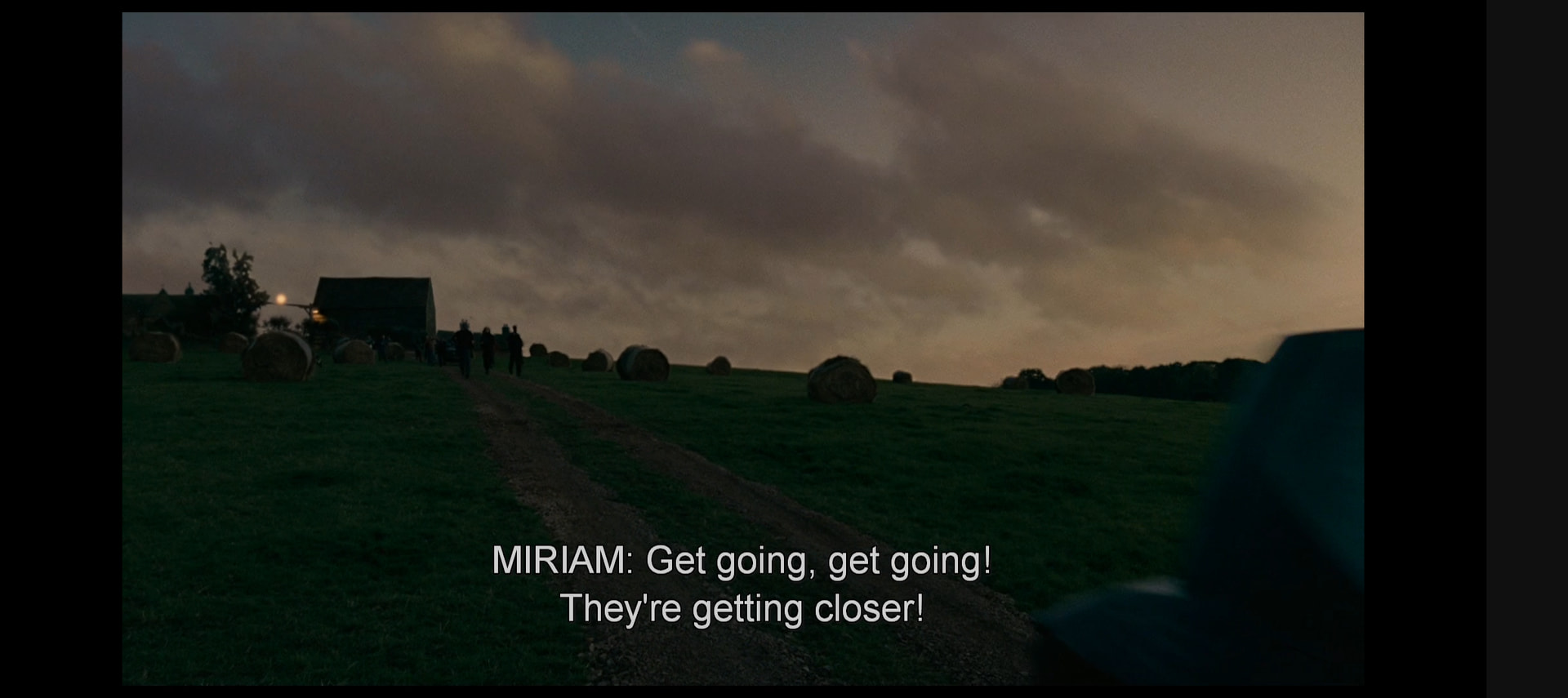
Hello, on android while playing navigation bar is hidden but leave artefact of bar itself viz photo on right side:
Also experiencing this on S23
Same issue on galaxy s21. The grey background for the navigation bar doesn’t automatically dissappear.
If you rotate your phone you can get it to dissappear.
The problem started occurring recently (in the last few updates)
Same issue here, if I just press play the first time it goes fullscreen there is no issue, but as soon as I tap the screen anywhere the navigation bar shows up and from there on the grey bar stays there
(slightly updated in August 2026)
Android 17, Pixel 9a.
Client version: 2026.16.0
Observed behaviour: Android’s “3-Buttons” Navigation bar’s background gets stuck whenever the user invokes it, even after it has been dismissed.
Expected behaviour: Once dismissed by the user, there’s no remain of the navigation bar.
Rotating my phone or touching the screen sometimes help.
Video shared here: https://forums.plex.tv/t/android-navigation-bar-getting-stuck/937191/16
Do I need to share logs?
Good morning, Plex employees. Bump.
Glad I’m not alone but it’s annoying.
S25, rotating does help
Mine is doing this too, I’m glad that rotating the screen helps. But this seems inconvenient and a bit frustrating..
Friendly reminder that this is still annoying.
Android 17. Plex Client version checks… 2026.11.0.
I’m using another unofficial client in the meantime, but it doesn’t have some of your nice features like scalable PGS subtitles…
Please, tell me someone is working on that.
Still not fixed in Version 2026.13.0 (971050312) (Beta).
Please.
Still not fixed in 2026.15.0.
It seems to happen when my phone is rotated so that the front camera aperture is to the right side of my screen.
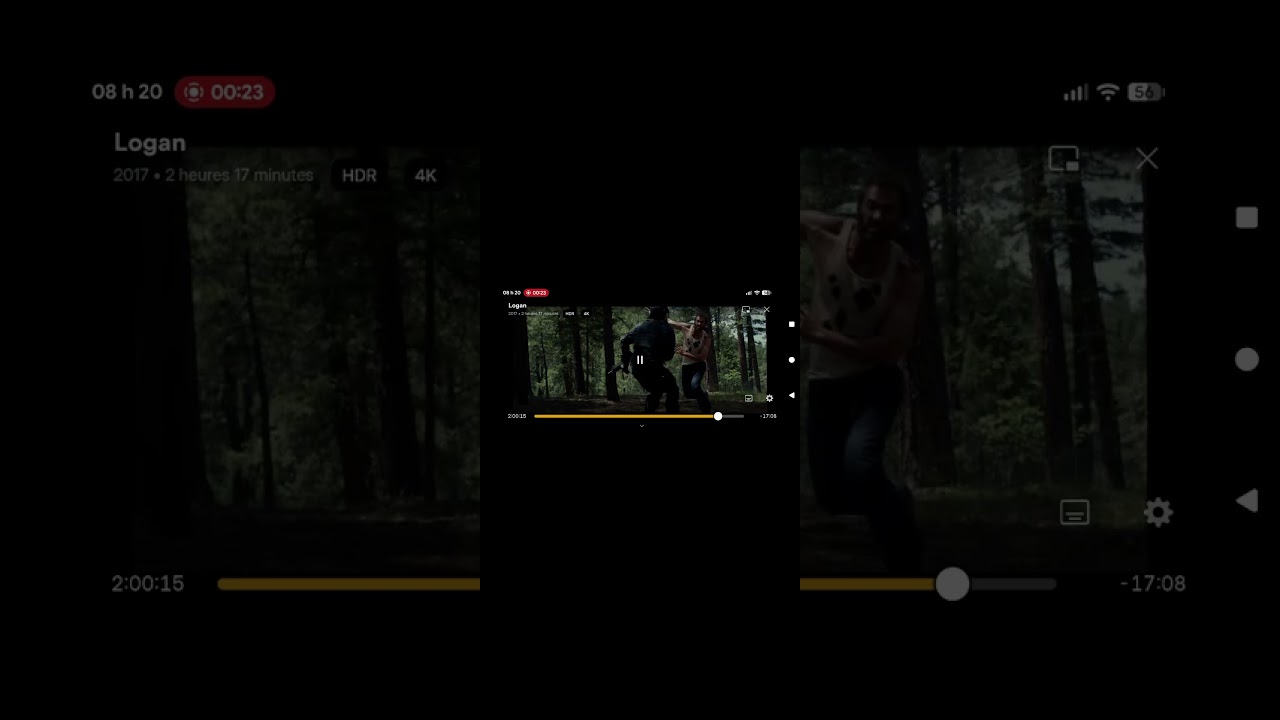
Reminder that Plex for Mobile (Android & iOS) - #54 by PlexReleaser did not fix the bug. I might try to make a video of this.
OK. Here’s a video of the behaviour. It should be VERY useful. What you see at first is expected behaviour, but when the gray bar appears it’s the bug. Not only it is distracting, but can also decrease the available viewport size.
I’ll keep using Plezy in the meantime.
SPOILER FOR: the movie LOGAN 
The lack of fix is truly insulting, especially since other players have no issues.
I am able to reproduce this issue, but only if the control bar is on the left side of the screen. If i rotate my phone 180 degrees so the control bar is on the right, this doesn’t happen.
Sorry, I thought that someone had already responded in this thread. An internal issue was created for reported problem some time ago. Sorry it’s taking so long to resolve but we will get this resolved. I do not have an ETA for when this will be resolved, unfortunately. Thank you for your patience and again sorry for the frustration this has caused.