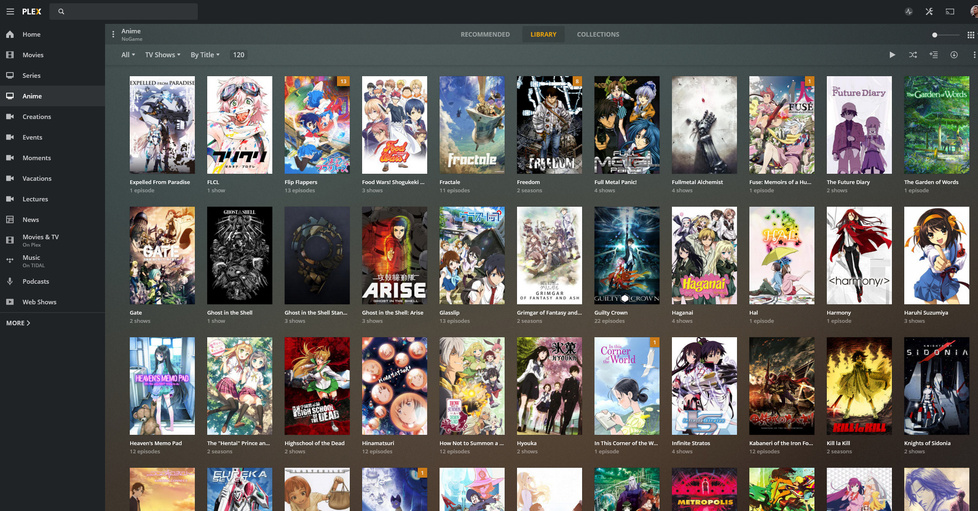
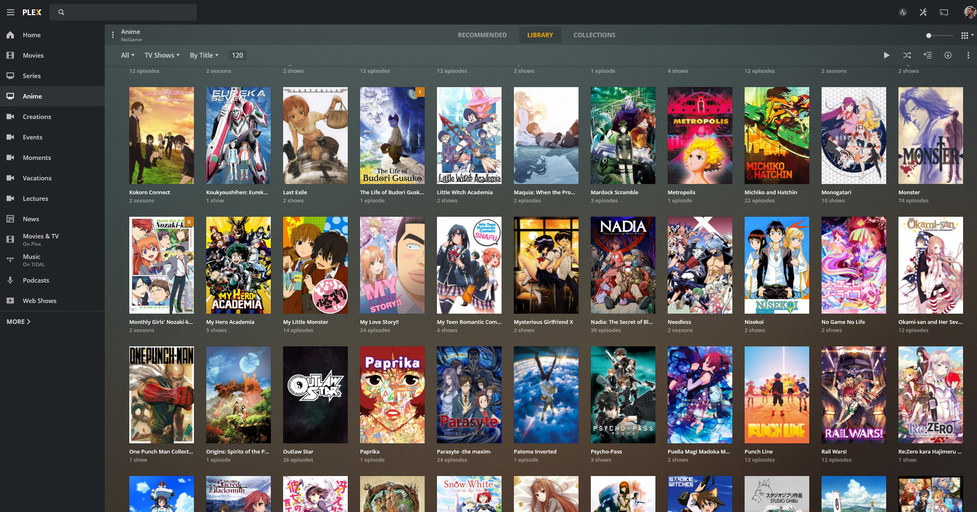
Anime Library, HamaTV and ASS is WORKING... but how do I USE it?

I got the HamaTV agent and Absolute Scanner working, it really wasn’t hard.

But even after paying the “RTFM tax”, it has NOT helped my understand how to actually USE this plugin. There are too many odd grammer shortcuts in the Readme, and WAY too many inferences to concepts or actions that a new person just wouldn’t know, let alone know how to find out. I need the internet’s help.

I can tinker. I know enough to tinker. Here’s what I know:

  • I understand that Anime isn’t really “Season” based
  • I understand how AniDB catalouges this
  • I sorta understand and appreciate what the heck Hama and ASS are even doing for me (crazy mappings between agents, etc)
  • I understand how Plex Collections work
  • I would most likely use the “Hide Seasons” option for shows that are complete without season entries at the end of the process

What I DON’T understand, is what I actually need to DO to my folders and file names to get the right combination of results from Hama and ASS.

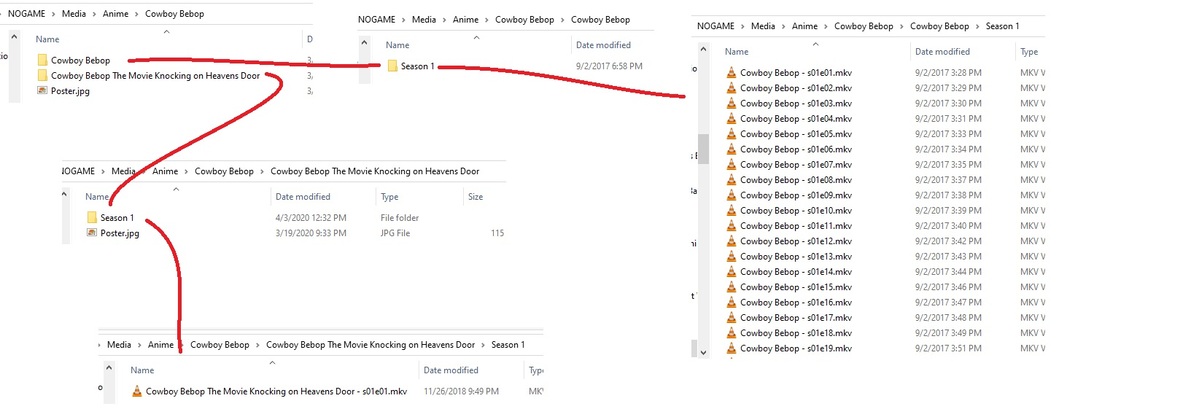
Currently, my folders and MKVs are all structered for TheTVDB. Specifcally, only, completely for TheTVDB. Well, IMDB and/or TheMovieDM for my Anime movies, which reside in Plex “Movie” Library, not “TV Shows”. Now that I’m re-creating my Plex server in Unraid, I want to do my Anime Libray right, using Hama and ASS, combing TV Shows and Movies, plus OVAs in whatever way is ideal.

Here are 3 examples. If I can get specific and detailed answers to how to make these 3 examples look like I want, I believe I can figure out the rest. The REASONS why the answers ARE the answers would be helpful too. Thank you for your time.

Example 1: Cowboy Bebop

Example 2: Black Lagoon

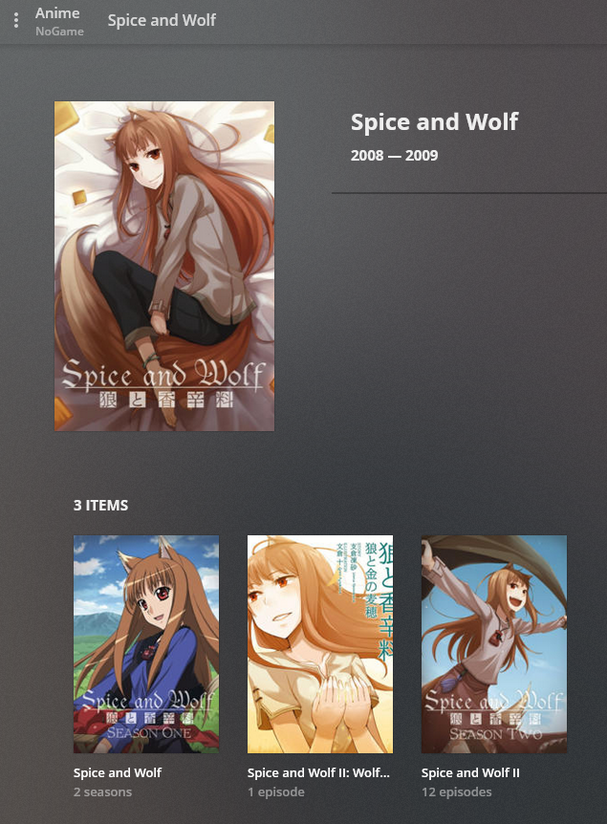
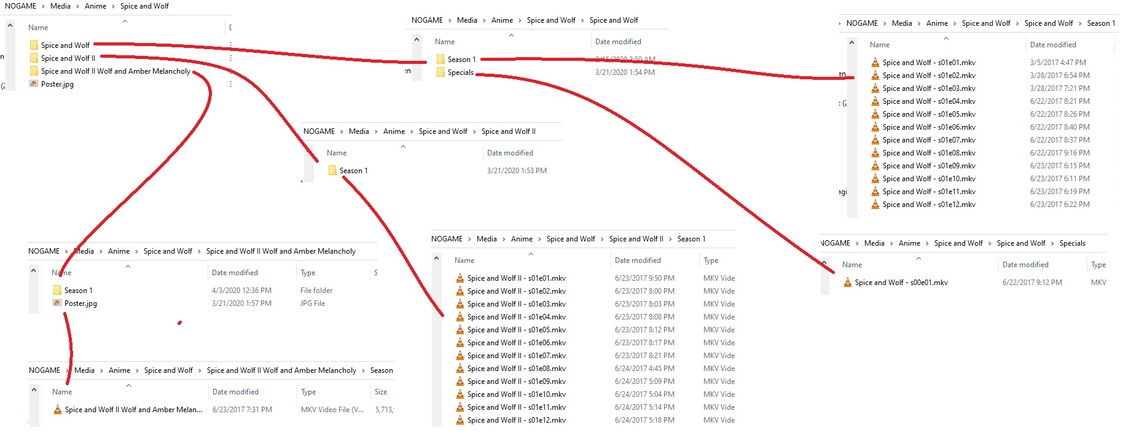
Example 3: Spice & Wolf

Spicy Wolf is a tough one. The “OVA” for the first Series was not “it’s own” “Anime” in the same way that the OVA for “Season 2”, or “Spice & Wolf II”, was. The first Series OVA was a “Special”, and resides in AniDB as a Special for the first Series. The Second Seroes OVA has it’s own Entry. It’s a tough call to decide what I want here, and I have a feeling there is only one answer, whether I like it or not. I have a feeling THIS is the only real answer for Spicy Wolf:
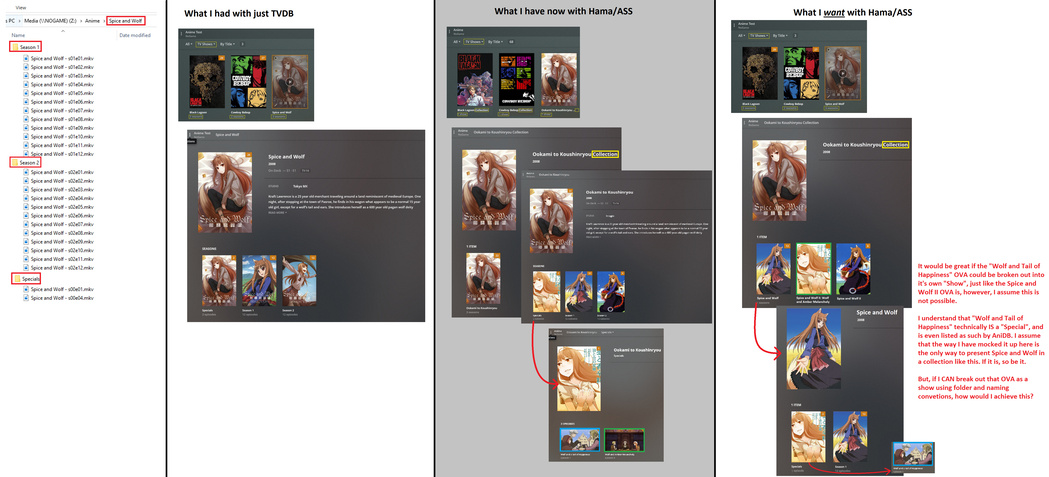
Mocking up these images took longer than I thought it would. I hope the charts make sense. I’m looking for help on WHAT folder and files names I need to use to achieve what I want. Again, my folders/files, as they CURRENTLY are, are shown in the Charts. They’re based on TheTVDB.

Thank you for your time.

1 Like

Oof, you’re going down a rabbit hole. I gave up on getting Hama and ASS working like you want it to long long ago. All of the Anime Series are on TheTVDB, and since most things (Plex, Sonarr, etc) use TheTVDB as their primary agent, I decided it was just better to go that route. I’ve moved All of my Anime movies properly into the Movies Library (you can keep them as specials if you want but collections makes them accessible from either library, so I am ok with that), and named all of my series using TheTVDB Method w/ Filebot. It’s just a much easier thing to do.

I have over 650 TV series, more than 1/2 of which are Anime, and I’ve never looked back to trying to get Hama and ASS working that way. You’ll have less of a headache if your conform.

But at the end of the day it’s up to you. If you choose to stay on the path you’re on, good luck to you.

1 Like

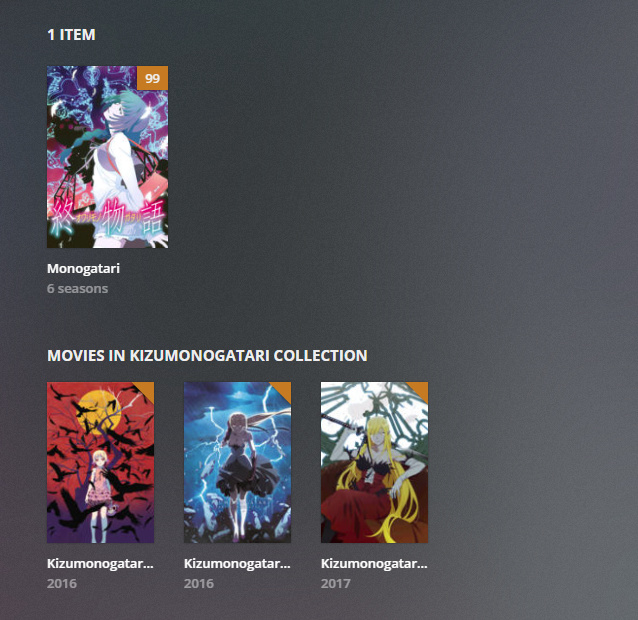
Oh snap… yeah I’m not surprised to hear this. Collections with Movies and Shows tied together was my other line of thought. Using Hama and ASS was always a dream, assuming it worked out. I really want to see my Monogatari series separated with each Series as a Show and gathered in a Collection.

I really appreciate your input. I’m glad my files are still TVDB ready if I just need to jump back to it.

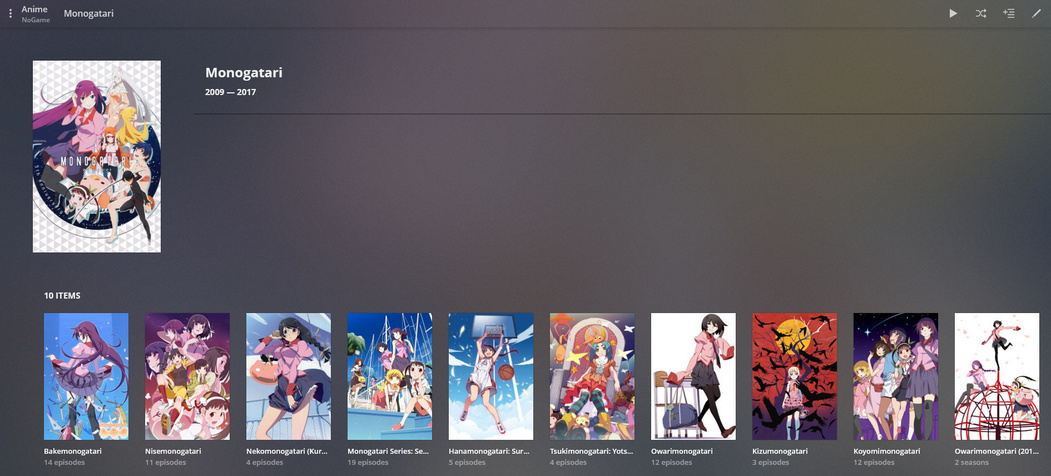
Well, I can understand that, TVDB has them at least broken out into separate seasons… here’s what mine looks like:

Edit: Here’s what the collection screen looks like

1 Like

Yup, exactly like mine was before I put the Windows Server to rest. Minus the collection part, I hadn’t started doing that by the time I began the Unraid server.

1 Like

Did you continue with this OP or move to collections? In the same situation and getting the folders structured correctly is a nightmare. Thinking about just going back to the TVDB agent and trying collections.

1 Like

Actually I dove in and it’s working great, it’s amazing and I love it.

I’m working from home and fairly busy right now. So I can’t spend much time writing, but I would love to return the favors of those who have helped me. I’ll come back on my lunch and give you some tips, in about an hour from now.

@AmadeusRed

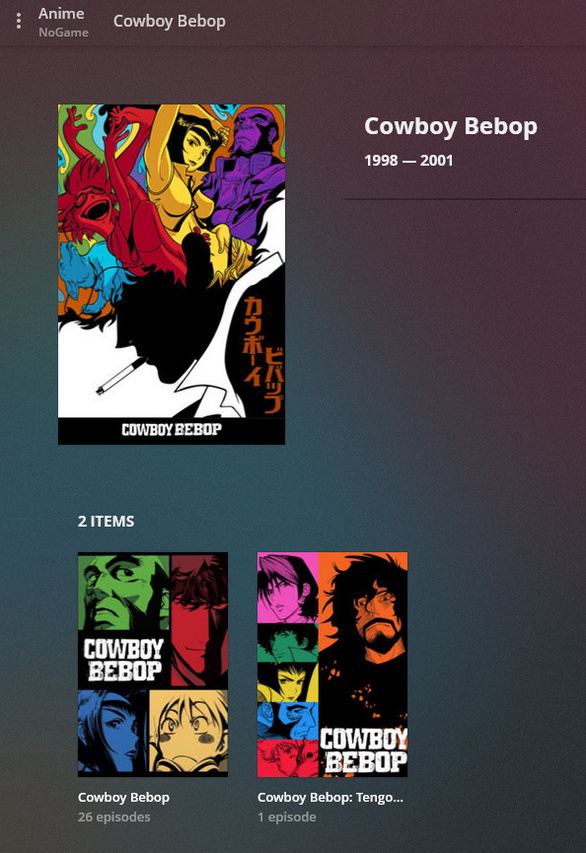
K let’s help a Brutha out. Here are screenshots of the 3 shows I mentioned, what the resulting presentation in Plex looks like, along with the folder/rename structure.

NOTE, HamaTV / ASS still make use of Collections, and that’s because most “Seasons” are loaded as separate shows, so to group them up you gotta use a Collection anyway.

Note also, movies are actually present as if they were a “Show”, which I didn’t really understand at that start, but it makes perfect sense given that this is a TV Show Library in Plex:

I hope the folder images make sense. It was the quickest way I could think to do it.

Black Lagoon


Right-click and view image to see the folders in full size

Bebop


Spicy Wolf


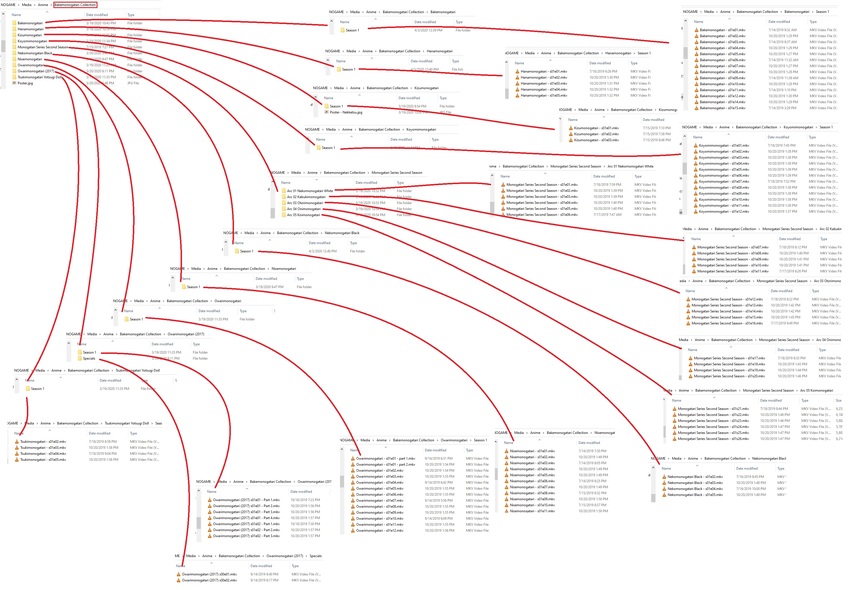
Bonus: Monogatari


You will find that you have trouble putting in 2 Shows that are essentially named the same. Example, “Owarimonogatari” and “Owarimongatari (2017)”. Even with the folder structure, Plex will try to overlap them as the same show, that thing where you see 1 show and each episode shows a little “2” in a small square icon in the top left of the episode tile. I encountered this with My Hero Academia, which also has shows stored in AniDb as “MHA”, “MHA (2016)”, “MHA (2017)”, etc.

The trick is to move one of the shows OUT of the main Anime folder (I have one called “Anime - Processing”) and leave only 1 show IN the folder. Allow Plex to scan and identify it, then manuall Unmatch it. Now move the second show in and rescan the library. The moment you see the second show getting created in the Library, cancel the scan and hit the options for that show and Unmatch it too. You will now have 2 unmatched hows. This is kind like when you have 2 movies overlapping and you want to “split” them. Read any guide about keeping Blade Runner in plex. You can’t “split” TV shows, so this manual unmatching allows you to do your work. Now that you’ve got both shows unmatched and NOT overlapped into each other, match them, choosing the correct shows from the list.

Try some of this out, keeping ALL of your Anime in a “Processing” folder, as I described above, and move each show in 1 at time, slowly building each folder and file structure as you need it. That’s how I did it, and it worked great. It took a while, but it’s worth it to me. You will find that most shows take the Japanese name, so rename and lock the fields as you see fit.

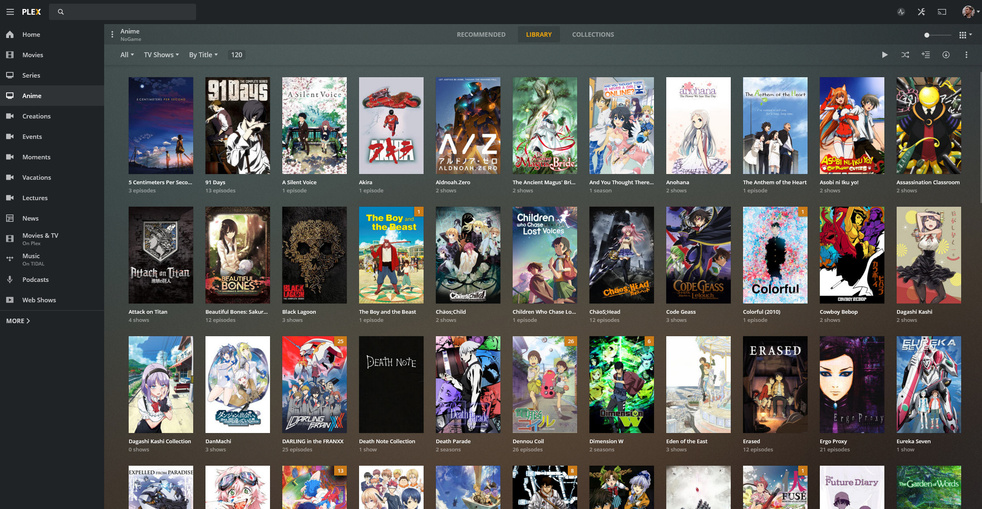
Let me know if you have any of the same shows that I have, see my library images below, and reply here. I’ll show you my file structure so you can imitate it.

My Current Anime Library


2 Likes

Thanks for the detailed response! I was able to configure the names from being in Japanese by going into the agents settings for Hama. It makes a lot more sense of why everything is structured this way. The only question I have left is did you ever have any trouble with duplicates? I’ll use MHA for example. The series shows up as one option (MHA 4 Seasons) and then the collection right next to it (MHA 4 Season + movie). And this is all under the library category.

Yes, it was a weird quirk I noticed as well. You’ll find that as you click around in the library, eventually the duplicate will go away.

Oh, and also, sometimes when you go into the Collection, you’ll see the Collected items where you normally expect them, but then you might also see a section lower that’s titled “Tv Shows in ‘Collection Name’”. This was really weird, something to do with that duplication issue. They would never go away on their own, so I tried editing them and deleting the Collection Tag. This made them go away, while the original Collected items remained. It was weird fluke, but that was all that was needed to get rid of them. A couple times they came back when I would scan the library again, but then it stopped.

I’ll add too, I have both Fullmetal Alchemist and FMA:B in my FMA collection. I simply CANNOT get FMA:B and the move Sacred Star of Milos to “match”. I haven’t figured it out yet, it’s really, really weird. When trying to match, I get the spinning logo for a moment then it just stops completely.

When it first happened I wondered if my IP had been blocked out of AniDb or something. I’ll figure it out eventually.

Again thanks for the help, it’s always nice to know someone before me has experienced the same problems.

Did you get this all working using HamaTV? I have been trying to get Owarimonogatari Season 2 right but it shows in anidb as two episodes and doesnt pull anymore information

This topic was automatically closed 90 days after the last reply. New replies are no longer allowed.