Im sorry, I’m not sure what you mean. I thought my Apple TV supported DTS-HD?
Why does 1917 get converted from True-HD to FLAC to PCM losslessly while The Bourne Legacy gets converted to a lossy format?
Im sorry, I’m not sure what you mean. I thought my Apple TV supported DTS-HD?
Why does 1917 get converted from True-HD to FLAC to PCM losslessly while The Bourne Legacy gets converted to a lossy format?
No, it plays the the DTS core contained within the DTS-HD audio
Well am I correct in saying that in my case 1917 is being converted losslessly to PCM?
If so, is there a way I can tell Plex to convert the DTS-HD MA 7.1 to a lossless format that my Apple TV 4K can handle?
My goal is to have lossless audio out of my Apple TV.
No. Only the DTS core is being decoded, not the HD extension. The only way to get lossless with DTS-HD in Plex is with passthrough, which is not supported on the Apple TV. Even TrueHD is transcoded to FLAC, and then sent to the Apple TV. If you want true lossless audio, then an Apple TV is not the ideal device.
Hey thanks for the information.
What would be my ideal device?
If you want audio passthrough and 4K HDR, the only device that truly supports that is the Nvidia Shield
Do I need the shield pro?
It’s a much more capable device than the tube, and what I’d recommend.
Sorry for the noob questions about the Nvidia Shield but it would act as a Plex Client just as the Apple TV did but would be more capable because it supports the lossless audio formats you mentioned?
I see some people run Plex servers on their Shield Pro and thats not what I was looking to do. Just wanted to make sure im understanding what you are suggesting.
The Pro can act as both client and/or server (though I run mine as client only, and have an Intel NUC as my server).
Great! Thats what I needed. Are there any major video or audio formats that it doesn’t support that I should be aware of?
No, it should support everything that the Apple TV does, and more
Thanks for the details. This helps when answering questions on the forum.
No worries! 
Thanks for the tips. Im about to order a shield pro!
I just started buying physical media a few months ago and then got a 3.1 klipsch system with a receiver. Now im looking at going to a 5.1 system and in the process, im learning about all the different nuances of the codecs to get the best experience.
That’s a gateway drug, if ever there was one.
“I dont have a problem, I just need 2 more speakers. Then ill be done.”
or at least thats what ill tell the wife…
Hey guys, on the advice of @DaveBinM i picked up a shield pro and wanted to post my results for the sake of comparison. I will do 2 posts, 1 with 1917 info (Dolby Atmos) and the other with the Bourne legacy info (DTS:X). Both of the below posts are on the Nvidia Shield TV Pro with Audio passthrough on.
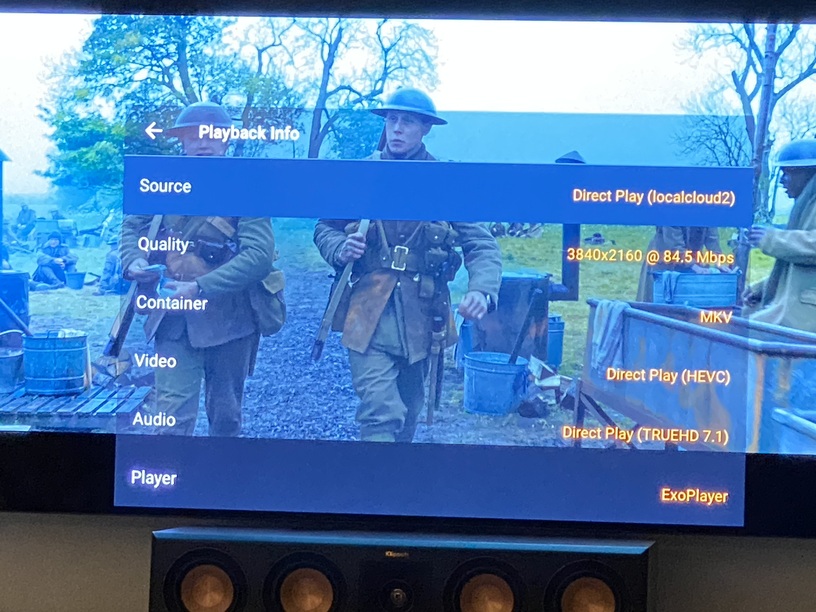
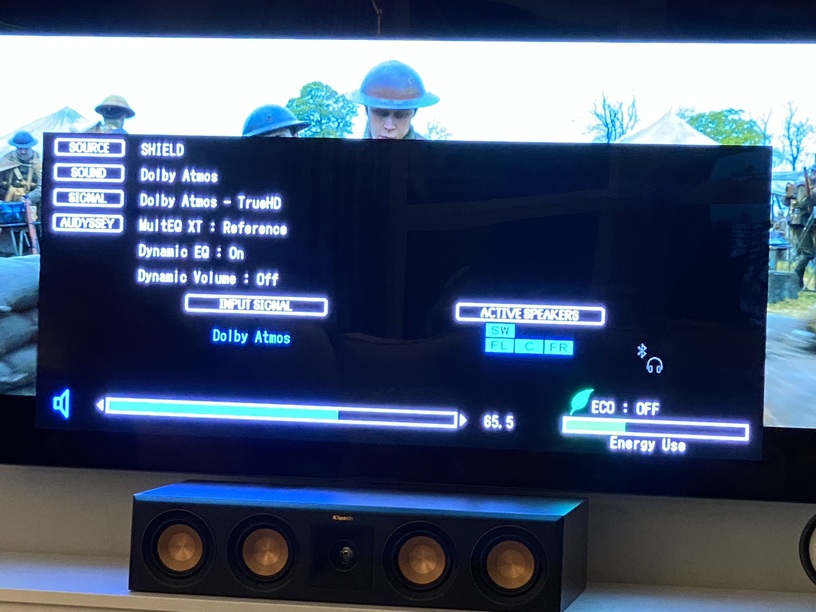
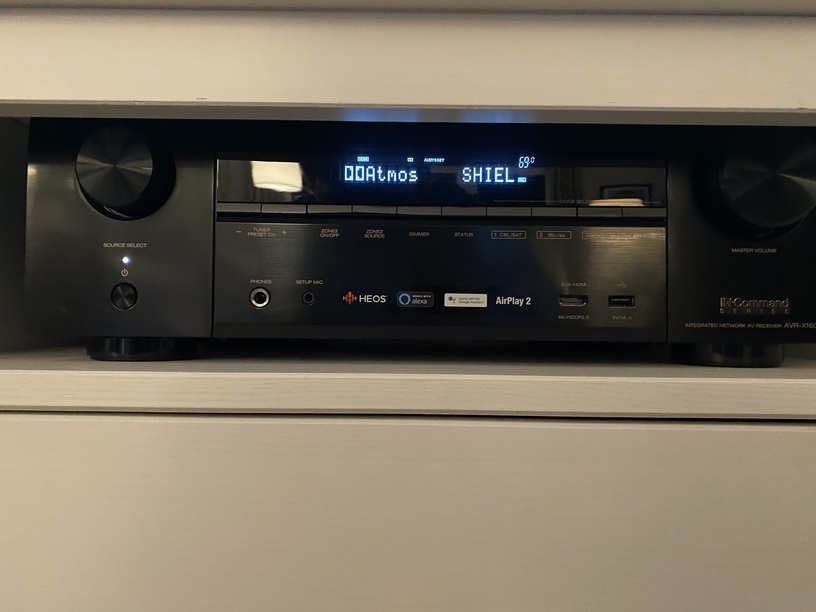
1917 (Dolby TRUE-HD with Atmos) on Nvidia Shield TV Pro:
See below comments
Plex Server:
Plex Client:
Denon AVR1600H on screen info:
Denon AVR1600H on Display:
You can see that TRUE-HD is being passed from Plex through the Shield Pro and to the AVR with no conversions. All lossless.
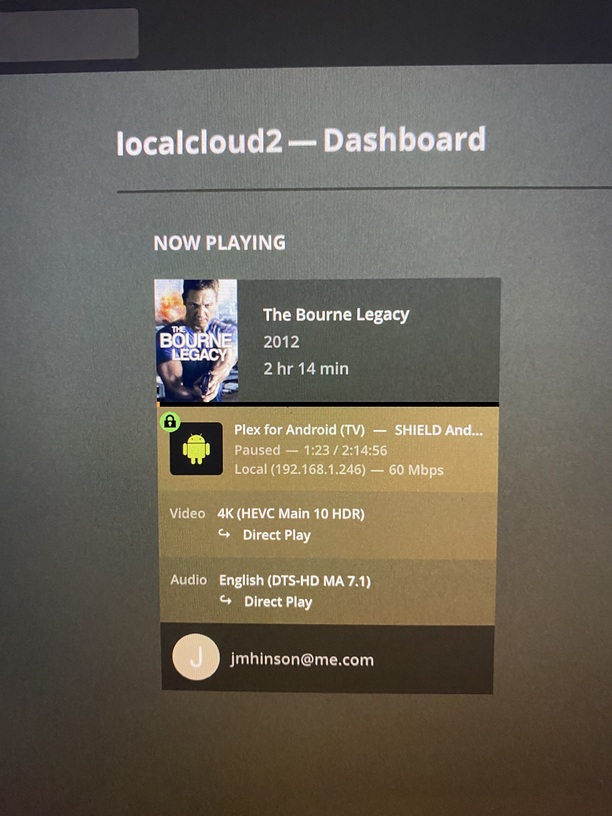
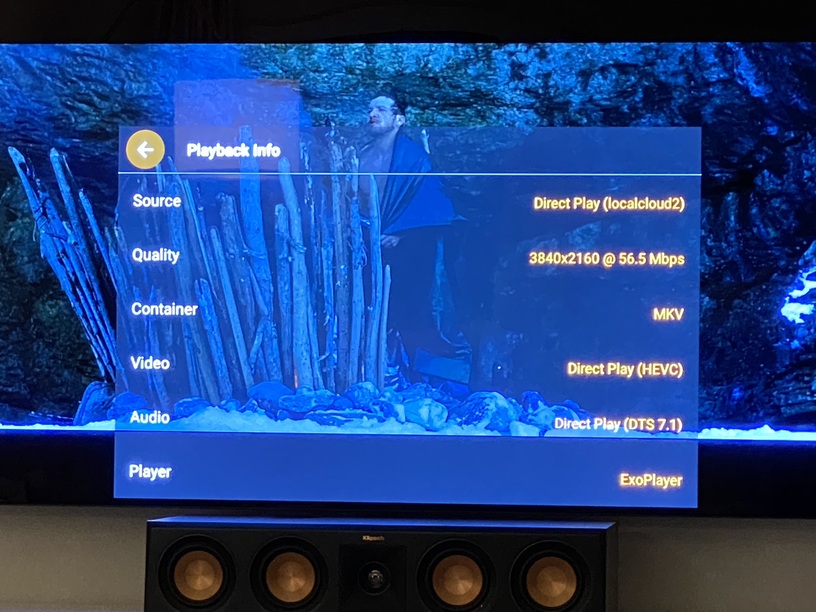
The Bourne Legacy (DTS:X) on Nvidia Shield TV Pro:
See below comments
Plex Server:
Plex Client:
Denon AVR1600H on screen info:
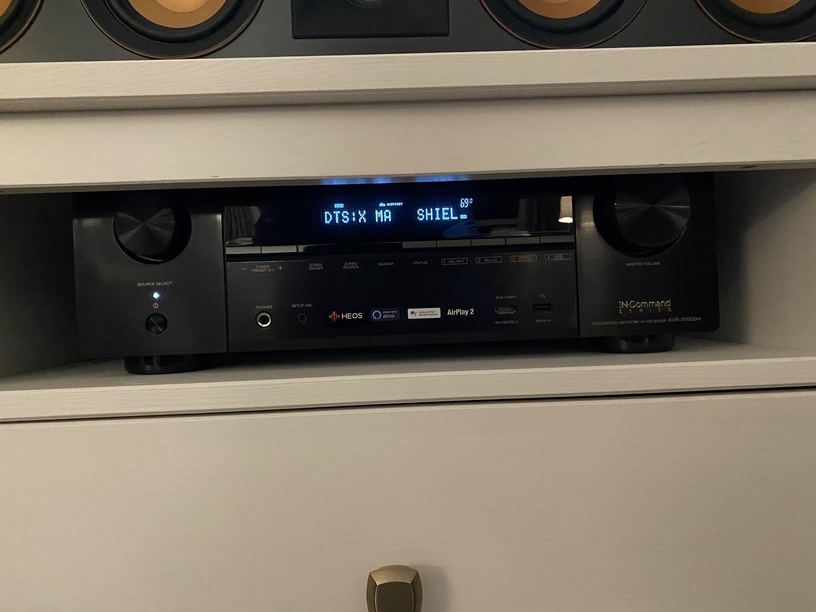
Denon AVR1600H on Display:
In this case, it appears that DTS-HD MA 7.1 is being passed from the Plex Server but the client registers DTS 7.1 not DTS-HD MA 7.1 like above. Is this just an abbreviation? I was under the understanding that DTS is compressed while DTS-HD MA 7.1 is not.
I think this is just an abbreviation on the client side, not a reduced audio standard because the AVR Info and Display both say “DTS:X MSTR” and “DTS:X MA” indicating it is receiving Master Audio (uncompressed).