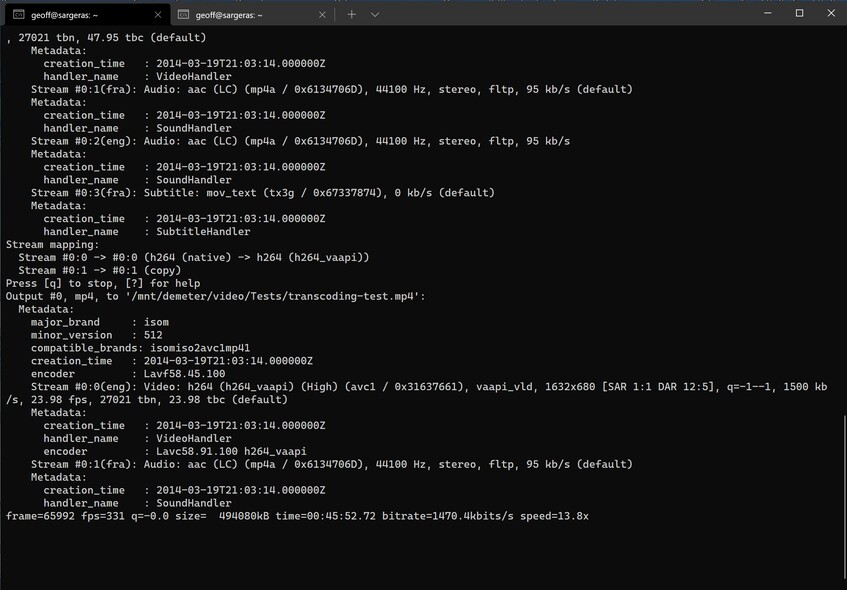
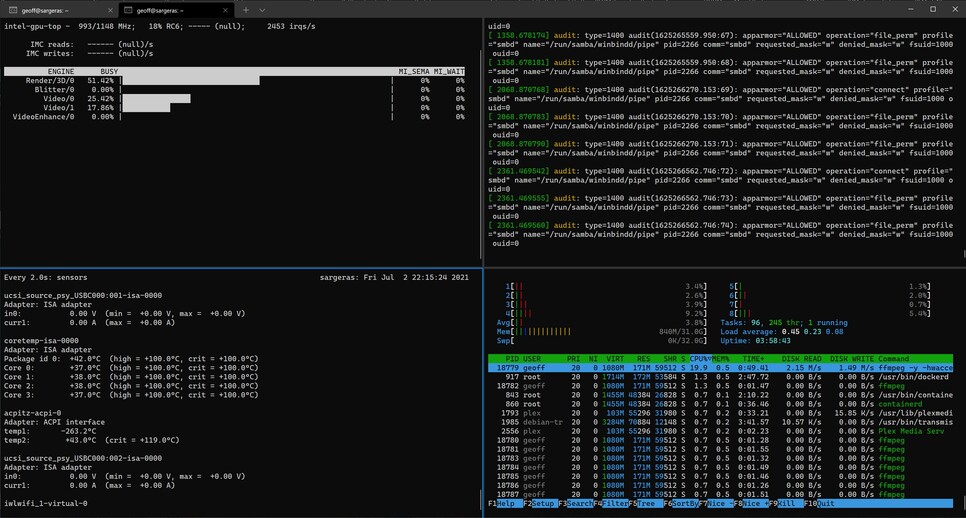
@ChuckPa I cant use the script on current setup (docker / fedora) but since I have a vested interest in a solution here quite happy to do a clean ubuntu install if it will help
I’m running on a i5-1135G7 so a different model to the other examples.
@ChuckPa Do you think it’s something to feedback to plex dev’s or not, that a simple ffmpeg command calling on QSV to do a transcode does not cause any kernel panics or crash the system. Whereas we can’t transcode anything with plex without causing system hangs.
Is there something more that they could suggest we test to be closer to how plex uses ffmpeg?
@geeooff I don’t think it matters you can’t manage the HDR file since we can’t even manage h264 to h264 without a crash good effort so far though.
There has already been many crash reports submitted prior to this, the only new information is that @geeooff has been using ffmpeg by itself and has not caused a GPU hang with the process he is following.
I mean on the new nuc’s, plex in general will crash with any source file just not always on the first try. This we showed many times already.
This was @geeooff first message showing he can repeatedly transcode files using ffmpeg without any crash.
Good point. I had forgotten you mentioned that before.
That gives @geeooff something to test if he’s able to on his current setup and gives me a reason to try something else again to see if the QSV implementation works.
Replace the transcoder executable with a Shell script that prints out all the command line arguments to a log file and exits cleanly.
Now run that manually, using the PMS-supplied pieces which run with regular FFMPEG (The transcoder communicates with PMS and the Codec licensing – which is proprietary)
It’s immediately obvious what you need to do.
Now you have a way to test.
If QSV were used , it would break other hosts which can’t use that.
There are several AMD platforms which rely on vaapi to function.
I don’t know how such a thing could be implemented .
I also, unfortunately, don’t know if RocketLake has achieved critical mass yet to warrant such specialized development manhour attention – but I could also easily be wrong.
In all that, I think the best solution, since we’ve known about this for months now, is to get the i915 fixed upstream.
Linux kernel – i915 driver development / support team.
This is a problem (panic) as the i915 operates for the user-space VAAPI driver.
User-space drivers (applications) cannot cause kernel panics. The i915, because it directly interfaces to the hardware and user-space memory, can and, in this case, is the root cause of the panic.
You are right to use “standard” way to use hardware accelerated transcoding.
FFMPEG’s QSV plugin is Intel only, it won’t help Plex to support more platforms (hello, AMD).
Though, I noticed increased performance with QSV compared to VAAPI (14x vs 17x).
Maybe you can implement QSV proprietary support as a preview feature for platforms which support it? VAAPI could remain the default stable implementation.
I’m curious how you support Nvidia Shield TV. Is it VAAPI also on it, or NVENC ?
Well I did have high hopes for the 5.13 kernel release, but while it did solve my NVME drive issue, still getting same problems with transcoding in hardware.
From the kern log, not much has changed from before:
Jul 6 10:00:44 palpatine kernel: [ 721.078120] i915 0000:00:02.0: [drm] Resetting vcs1 for preemption time out
Jul 6 10:00:44 palpatine kernel: [ 721.080029] i915 0000:00:02.0: [drm] GPU HANG: ecode 12:4:4ab6fff5, in Plex Transcoder [5127]
Jul 6 10:00:46 palpatine kernel: [ 723.030420] i915 0000:00:02.0: [drm] GPU HANG: ecode 12:4:4ab6fff5
Jul 6 10:00:46 palpatine kernel: [ 723.031441] i915 0000:00:02.0: [drm] Resetting vcs1 for stopped heartbeat on vcs1
Jul 6 10:00:46 palpatine kernel: [ 723.032014] i915 0000:00:02.0: [drm] Resetting chip for stopped heartbeat on vcs1
Jul 6 10:00:46 palpatine kernel: [ 723.226506] i915 0000:00:02.0: [drm] ERROR Failed to reset chip
Jul 6 10:00:46 palpatine kernel: [ 723.226554] i915 0000:00:02.0: [drm:add_taint_for_CI [i915]] CI tainted:0x9 by intel_gt_reset+0x209/0x230 [i915]
Jul 6 10:00:46 palpatine kernel: [ 723.433443] show_signal_msg: 21 callbacks suppressed
Jul 6 10:00:46 palpatine kernel: [ 723.433446] Plex Media Serv[4072]: segfault at 0 ip 0000000000000000 sp 00007f0781cb9778 error 14
Jul 6 10:00:46 palpatine kernel: [ 723.433450] Code: Unable to access opcode bytes at RIP 0xffffffffffffffd6.
Jul 6 10:01:00 palpatine kernel: [ 737.186001] Fence expiration time out i915-0000:00:02.0:Plex Transcoder<5127>:21ee!
Jul 6 10:01:06 palpatine kernel: [ 743.332039] Fence expiration time out i915-0000:00:02.0:Plex Transcoder<5318>:4!
Interestingly when I have that fault, it then prevents a reboot cycle from executing. server shuts down and hangs. Reboot is needed to bring plex back to a stable state (until of course I try and transcode again).
Unsure where to take this to next to be honest. @ChuckPa you mentioned the i915 driver support team, does anyone know the mechanism for reporting a fault with them?
@DarthBJW@jmt089@geeooff@ChuckPa I see there’s an open bug for GPU hangs on a Tiger Lake NUC, referencing VAAPI and Plex and more. Unfortunately looks like it hasn’t been touched since it was opened two months ago. I noticed it doesn’t have a platform tag (e.g. platform = TGL), maybe that’s why it’s escaping visibility.
Maybe all of us with NUC 11’s (or otherwise) just need to raise i915/VAAPI bugs and/or reference the existing ones and comment on them, generate some visible demand until there’s some progress… Or would that too pushy?..
Good to hear your NVME issue is sorted now btw @DarthBJW! After my last post I had another recurrence, so I disabled ASPM in the BIOS, and updated the kernel to 5.12.14 (from 5.12.9), and it’s been stable for 3 days without any issues so far, so that’s progress


 good effort so far though.