I actually did this last night. It’s not a big deal for me, but the interface is not the best for my young children. Streamyfin seems like it may be the answer…
many/most of the replies in here are related to AppleTV client.. not many alternatives out there..
I don’t doubt the new interface is ‘okay’ for touch-devices… HOWEVER, using a remote(with limited abilities), the horizontal navigation is the objection..
I’m way less concerned with the UI and more concerned with quality playback. Infuse doesn’t have the best UI but the videos play perfectly.
for folks who maintain 1 library per type, the new UI is fine… for those with multiple(10) movie libraries and/or TV Libraries, the horizontal navigation (using a remote control) is a step back for some.
Yep - I’ve got almost a dozen. Next Plex will say - “well, you shouldn’t have so many…”
And then there’s the issue of TV Shows with lots of episodes in a season - horizontal scrolling is NOT the way they should be presented.
I’m frustrated that since this beta was started I was told that progress was slow because they had to be sure that any fixes did not introduce any regressions.
Now, over a year later, they released a mobile app with innumerable regressions, and we still don’t have an Apple TV fix.
This  x1000!!!
When do we get a new build for TestFlight? It has been over a moth singe the last build
It’s there now…
You may need to follow these instructions
Many thanks. It worked
Hi Plex Team,
I see the latest preview release from today notes there is still a known issue where “Apple TV HD may still experience playback issues with specific codecs or profiles”.
I’m assuming this relates to the issue where direct streaming Dolby Vision videos results in a highly red/orange saturated image in the current Plex app when viewing in HDR. I’m not in the beta testing group, but I wanted to confirm if this is the issue you guys are working to solve in the beta Plex app so that it’s on your radar.
If you would like me to do any testing on my Apple TV 4K (2017 1st gen) or provide any details about the media files that have this issue, I’m more than happy to assist.
Thank you in advance.
I just installed the latest beta on my Apple TV 4K 2022
In general, as you know, there is lack of features such as quick audio change
ASS/PGS subtitles cause long loading of content
Almost every single high bitrate file struggles to play smoothly, like there is buffering every few seconds, - found out it’s because of transcoding, for some reason HEVC video is being transcoded now on Apple TV. Unplayable.
!!! There is no deinterlacing at all !!!
That’s what I got for today quick test.
One thing I am happy for is the fact that stuttering is gone.
HEVC is Transcoding, fix announced early next week
There’s a bit of a UI regression I didn’t see mentioned, mostly around shows with daily or frequent releases.
Here’s the same The Daily Show view in the current (old) Apple TV app

And here it is in the New Experience (2025.13.0) build. The biggest difference is a lack of the airdate anywhere, making it hard to browse and pick a show based on knowing the date.

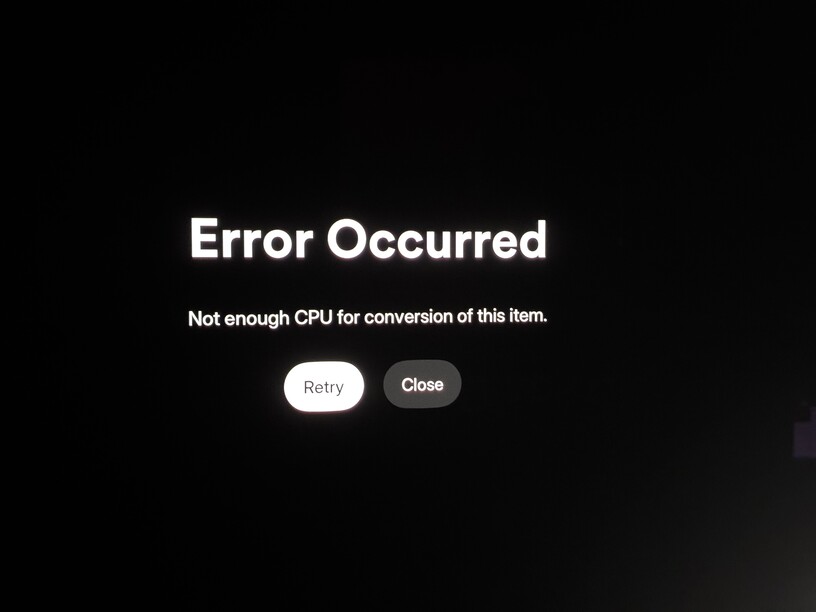
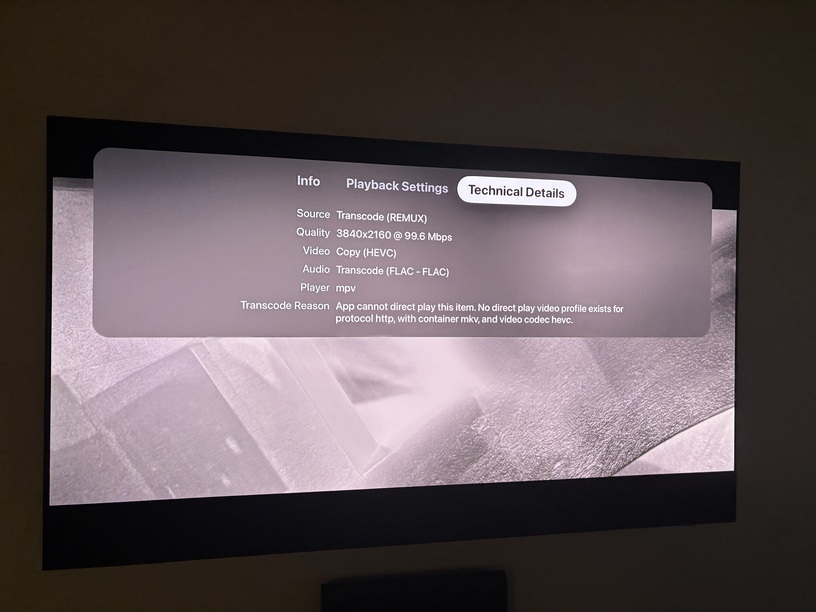
There’s a bug with 2025.13 where all HEVC content requires transcoding. Looks like your server may not be setup or capable of doing so. Craig is working on it.
my ‘remux’ server is a separate docker and is quality focused and has the disable video transcode flag enabled… since we aren’t allowed to have said flag on a per library basis.
Just me or in the new experience preview for Apple TV that was just updated is hdr still blown out and way too bright?
What HDR profile are you seeing this with? HDR10? DoVI (5/7/8?)
@ChuckPa @Craig_Holliday please also add deinterlacing to the new experience player.
I have some series for children which require it.
Also, recent playlists is missing on the Home Screen.
And I found a bug, in library view, if I select “unmatched” filter, it shows nothing and the possibility of changing the filter disappears, this cannot be remediated without reinstalling the app completely
