Thank you very much for your help with this issue!
1 Like
This is not a panel issue. If it was, then why is the infuse app working fine on the apple 4k tv for the same videos? Even the plex app on my smart tv has no issues with color banding. It is strictly the plex app on the newest generation apple 4k tv that the color banding issue exists. And it is only happening on 4k HDR videos.
I also want to add that I had the older apple tv before upgrading and never had any color banding issues with that either. If I had known this was gonna be a problem I shouldve upgraded to a Nvidia shield instead lol.
Using a samsung Q90T.
I didn’t say it was entirely a panel issue, or that there wasn’t an issue with the app, I just pondered if some panels were more susceptible to showing this than others, as what showed up reliably for some people did not show up for others with the same video, using the same Apple TV model, and the same app version.
1 Like
No idea, but saying it is a panel issue would mean that all apps would not work. Which is not the case.
It’s obviously not the entire issue, but I would not be surprised if it played a part, when all other things are exactly the same between setups, except the TV used.
I have no idea how yours is setup. But again there are no issues with the plex app outside of the apple 4k app with the same panel. I have no issues directly playing the 4k HDR file from my computer either.
Hell I dont even have issues airplaying the file to my TV.
I have a Sony X900H and experience the same issue for what it’s worth
1 Like
Same issue with Sony XR-A80J77, LG Oled Panel, and Apple TV 4K 2021. Everything perfect with Infuse and same movies.
here’s another example :
Disney’s Soul, around the 1:10:19 mark. The 1st photo is an untouched UHD bluray dump played by Plex, the 2nd is the same UHD bluray dump played by infuse, note the banding on the upper right.
Plex :

Infuse :
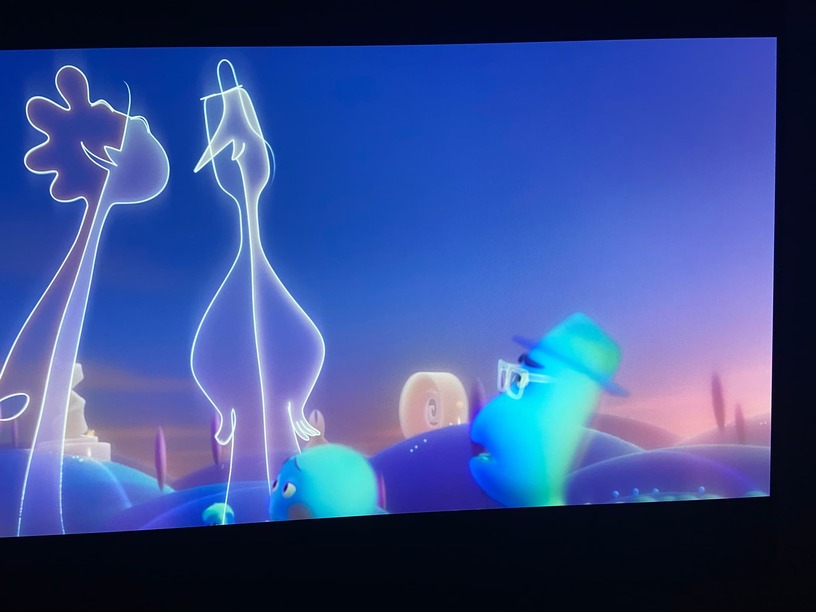
The Disney+ app on the same AppleTV 4k renders the movie flawlessly as well.
Same hardware, different results, this shouldn’t be the case.
The problem is not related to panels, I’m using a Samsung QLED (Q95T). It’s clearly visible on every HDR video as all the videos are considerably brighter (like if you enable dynamic tone mapping on your tv) than they should be when compared to Plex on the old Apple TV 4K or Infuse. The banding/posterization is visible in bright areas like skies and it might be more visible in some videos than others depending on the quality, graining etc.
Also see the same 4K HDR color banding on my TCL R617 and the new 2021 Apple TV 4K.
Infuse pro app has no issues with the same movie files.
1 Like
I’m Done with the New Apple TV 4K 2021 from HDR banding issues to forced inferior 1080p to 4K upscaling to no Youtube HDR support to no Dolby Vision support on Plex.
I’ll be using the native LG Oled Plex app which does everything that Apple TV can’t from now onwards.
1 Like
I’m actually starting to notice this isn’t limited to HDR videos. For example, watching Star Trek TNG in 1080p x265, the beige backgrounds of the enterprise are often color banded. Again no problem in the LG plex app.
Maybe it’s just not as obvious in SDR? Or maybe it’s an x265 issue?
1 Like
I’m getting this issue on my nvidia shield too and a Google/forum search brought me here.
Will create a separate thread.
The 7.23 Plex client app on AppleTV 2021 is absolutely incredible, HDR on a projector looks fantastic, I believe some sort of DynamicToneMapping happening. I don’t know if it’s a bug but I like it more than MadVr’s tone mapping.
Update - Using the 7.23 client, the issue still persists.
This issue is still appearing on my BenQ TK850 4K projector (using 7.24 1284 build).
My setup:
- DS918+ with 16GB RAM
- Plex pass
- Apple 4K TV 2021
- BenQ TK850 projector
Here is an example of what I mean. The file I’m playing is HEVC 3840x2160 @ 153Mbps, with Direct Play.
When I lower the “Brilliant Color” project setting, it gets better in Plex. The issue does not appear whatsoever with InFuse, so this seems like a software bug with Plex.
3 Likes
No DTM at all. The ATV 4K sends fixed, wrong values (4000/1000) for the HDR metadata (MaxCLL/MaxFALL) via third party app. The projectors need correct values.
Same problem, but different device.
Colorbanding is present with Plex on an iPad Pro 2018, where as Infuse works fine on the same device.
Any update on this? It‘s kind of annoying that i‘ve to use another app like infuse for HDR stuff.
