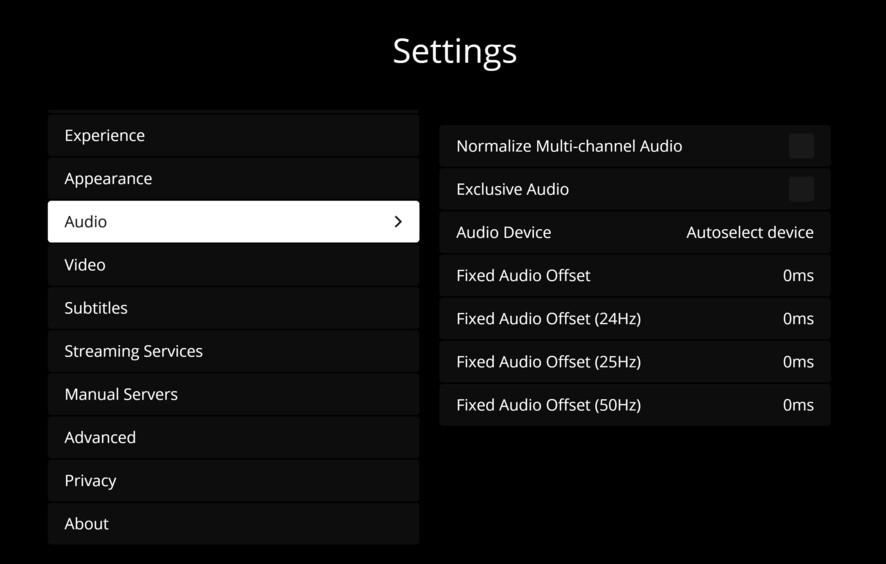
Server Version#: 1.28.2.6151
Player Version#: 1.24.2.3216
Plex media player is able to play movies with surround sound including atmos. Plex HTPC does not. It will only show PCM no matter what I try. I would just use pmp but I have so many issues with it. Please help.
You need to tell it to do the pass-through.
Enter its Settings, set the audio interface to your HDMI output.
Set the Type to HDMI as well.
Set the number of channels.
Then enable the checkboxes of each sound format that your AVR can decode on its own.
I must be doing something wrong. I don’t see those settings anywhere.
Set Audio Device away from Auto select to the actual HDMI output.
Got it! Thank you so much! It works!
Had this problem too. I really hope I don’t have to manually change input device when I turn off my AVR. BC then Plex becomes no better then Kodi…
Should remember those settings - does on my install.
The only change I ever have to make is if I use my BT headphones as opposed to my AVR.
Once I change back to AVR via HDMI the custom settings are all there.
Same if I restart the HTPC and turn on the AVR (note, my AVR is typically always on 24/7 and has been for many years)
Same here! I’m very grateful! The reason I dropped Kodi long ago was that I had to manually change input device every time I turned of my AVR
Plex HTPC will remember the all devices you select and the order in which you selected. So it’ll automatically pick the ones you selected most recently when the device appears. If a device goes unseen for a time (30 days IIRC) then it will forget the device.
Occasionally a driver update or such will change the device’s ID and you will need to select it again as well as set the settings on it but otherwise you shouldn’t need to set these again.
Using a Denon AVR and Windows 10, even though I select HDMI and configure for passthrough, the Plex player keeps reverting to ’ auto select device’.
I’ve read many threads here and on Reddit about people experiencing this problem. From there I’ve noted silly suggestions about order of powering on/off the AV receiver, which is not practical. It’s not like Windows forgets the AVR when it’s powered off.
If anything, there should be an option for Plex to default to the Windows default audio device if it can’t remember the last setting.
Has anyone manged to fix this?