You are getting multiple features mixed up.
1 - The settings for automatically picking the subtitle, is to pick from subtitles you have already added to the movie. This does not automatically find subtitles for you.

This is an example. You see I have 2 different audio tracks, Japanese and English. My preferred language is English, so PMS has chosen the English track for me. Without that setting, PMS will pick the first audio track which would have been the Japanese one. Now, since PMS has chosen an English audio track, it will not pick a subtitle since English is my preferred audio language.
In this example, this only has a Japanese audio track. Since this is not English, it will pick a subtitle track for me. I have an English subtitle, so it has chosen this automatically for me.
This is how the automatic selection works.
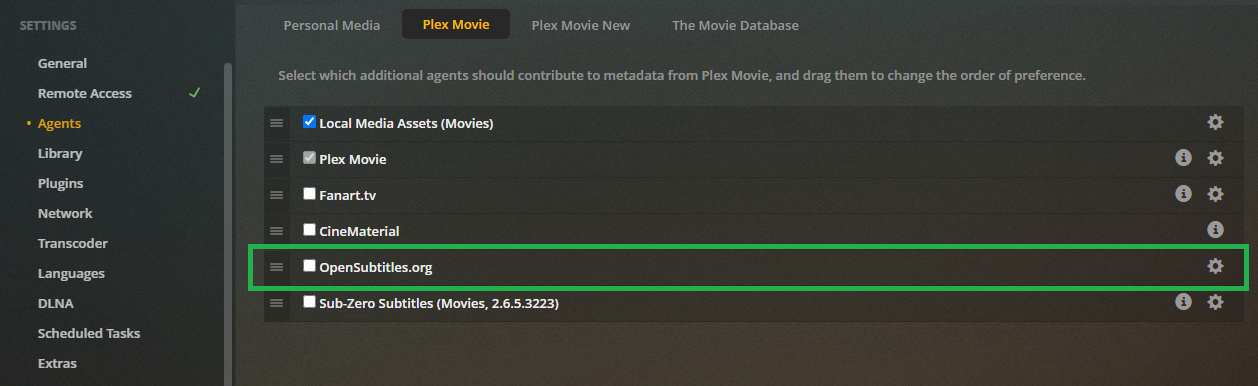
2 - There is a feature to automatically find subtitles and add it to your library. This is in your PMS settings and works when your movies are added to your library. I also have a 3rd party plugin called sub-zero which also looks for subtitles from other sources besides Opensubtitle. I fI enable either of these, they will look for subtitles.
This does not always find subtitles though. Just like matching your file to the movie, there are calculations if the subtitle might fit your file and only grabs them if there is a high score.
I prefer to find the subtitles and add them manually myself.
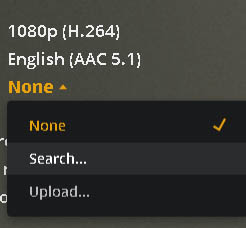
3 - From this image, it shows that subtitles have not already been added so there is nothing to automatically pick.
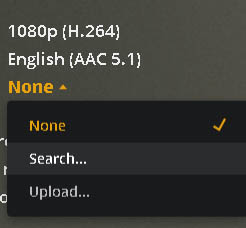
The search option will allow you to manually search and find a subtitle. This is the same search used for #2 above, but allows you to pick instead of picking automatically. This selection is only temporary. It does not become a permanent part of your movie like it would in #2. The other option “upload”, is to add a subtitle file from the device you are on to your PMS library.