Bump. Plex subtitle settings need an update, still can’t set subtitles off as an overall defalt. Huge hassle to turn them off manually for every video.
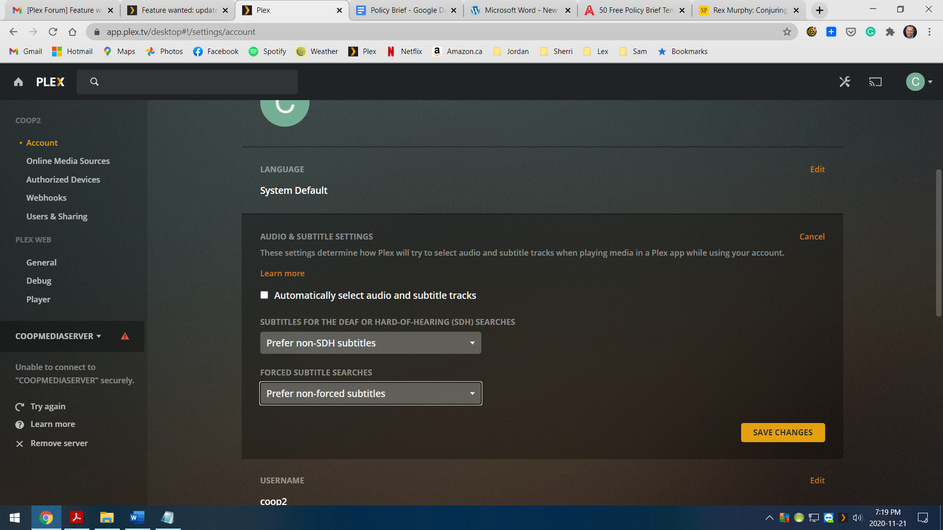
- Open https://app.plex.tv/desktop#!/settings/account
- Edit
Audio & Subtitle Settings - Set
Auto-Select Subtitle ModetoManually Selected
Unless you manually pick a subtitle, none will be displayed.
If you want Plex to automatically show “forced subtitles” for foreign audio, set the option to Show with foreign audio (e.g. for Star Trek scenes where Klingons speak Klingon in an English audio track)
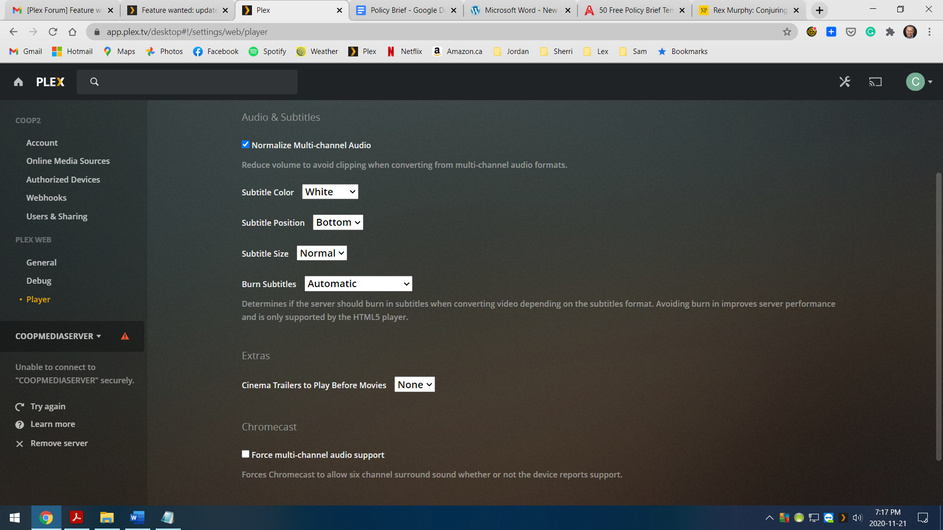
I took the liberty to move this into its own thread as it was only loosely connected to the other thread.
The fields I’ve mentioned will show if you check Automatically select audio and subtitle tracks. Without that, Plex will probably simply pick the 1st audio track and no subtitles.
If you check it, you can configure the audio/subtitle handling according to your liking.
I will try that. Unfortunately nothing seems to be working on the fire tv app lately, ever since last couple of updates cant play most TV series files, just hangs forever wont even load the file. On occasion when it does, tons of connection cant handle things. Never had this problem in the past and have a great mesh network fine on all other streaming platforms. Files in queation are about 1Gb Im getting close to move to another platform if this latest problem cant be solved
