Server Version#: 1.28.2.6106
Player Version#:
<If providing server logs please do NOT turn on verbose logging, only debug logging should be enabled>
Sorry if I’m not providing the proper Server or Player version as I’m unsure which is which and where to find.
Hoping you can help. I have backed up Plex Media Server via %localappdata% along with registry of Plex. I used WinZip to get the files and it’s saved them fine. I noticed the last couple of efforts to get a backup are producing errors in WinZip. The errors in the zip file show:
Warning: The following file is open by another program. If that program
Warning: writes to the file while WinZip is zipping the file, the zipped
Warning: file may be corrupt: C:\Users\Bill\AppData\Local\Plex Media Server\Logs\Plex Update Service.log
I stopped Plex in Synology by shutting it down as well as from Windows task bar Plex icon just to make sure.
Files used to be 6,062 files and folders but now shows 762. I’ve added more music and some movies now than I had before. Is this a WinZip program problem, or something with Plex? I’ve not updated the software for many months now but want a backup before I do a new update. Could it be an update to Plex is needed first? Please advise. Thank you so much.
I’m a bit confused… do you run 2 Plex Media Servers (1 on the Syno, 1 on your Windows machine) or are you using the Syno only as storage for your Windows Plex server?
If it’s the latter, you can keep your Syno running – just make sure the Plex Media Server app on Windows is actually stopped. If you keep getting that error after stopping it from the task tray you could double-check/verify if Plex is still running from within the Windows Task Manager.
Edit: PMS 1.28.2.6106 is an awfully old version (this version was released in August last year)… you might want to consider upgrading your server.
If you are running Plex Media Server on Synology DSM 7 system, see FAQ 33. The procedure will stop Plex Media Server, make a backup of the Plex database files, then restart Plex Media Server. You can schedule it to run on a regular basis.
I’m not the most skilled on this but to answer your question, I have only the one Plex Media server I believe. I use the Plex app within Synology which then launches into Windows browser such as Firefox. I add movies and music via Synology and then Scan library files in Plex which is launched from Synology. I did try to see if stopping Plex in the taskbar in Windows as well as stopping Plex in Synology would help alleviate the error in trying to get Streaming services to show up in Plex.
I realize my version of Plex is older than I usually do. This is why I want to try and make sure my backup is right (I am seeing errors with WinZip when I try to back it up). I will update the Plex software once I make sure it’s a good backup of data. Any help would be much appreciated.
I have DS720 which is the 6.2.4 Would that not do the backup of Plex database files as you point out? I’ve used Hyper backup before but it’s been a while so I have to re-familiarize myself with that.
Do you know of any reason the WinZip would report those errors (which seem to be related to log files?) Should I be confident in the backup if that’s all it is? I am concerned because the number of files is much smaller than a backup from more than a year ago (760 or so versus 6062).
I removed the computer server in Plex so all I have is the NAS - DS720. Having them both was creating a bit of confusion (though I don’t recall why). I believe support at Synology or maybe Plex had suggested I do that. So it’s just the Synology that we would need to back up. I have done this several times in the past but it’s just that I’m getting a couple of error messages in WinZip (that may not be any issue?) so I want to make sure I have a full, complete backup before I update the Plex software version.
What I’ve done is to do the instructions such as %LocalAppData% and then the Plex Media Server under Local folder is copied to a WinZip file. I then do an export of the Registry (Computer\HKEY_CURRENT_USER\SOFTWARE\Plex, Inc.).
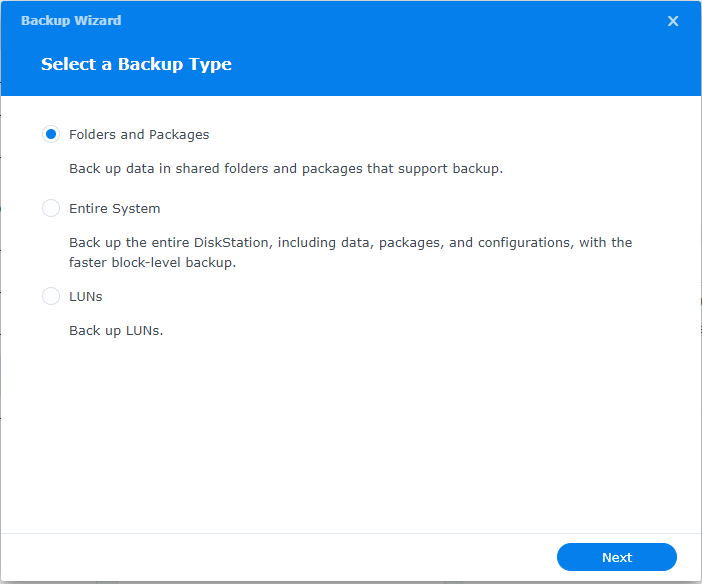
I also have done a backup within Synology using Hyper BackUp. I believe I set it up to do it automatically but you can guide me on that.
I hope I didn’t muck anything up in my reply but I thought I would give you a bit of information on what I’ve done.
In that case you’re backing up the wrong content. What you seem to backup are the leftover of your previous Plex Media Server setup in Windows. That’s got nothing to do with the server running on your Synology NAS.
That explains why I’m getting the error in WinZip whereas I didn’t before? Thanks for the clarity. I never even considered that.
Okay, so can you walk me through doing a backup of Plex on my Synology NAS (if I’m saying that right).
I’m slightly confused because I do launch Plex inside Synology platform software but it appears that’s irrelevant to backing up Plex correctly. Can you advise?
I have used Hyper Backup in Synology as well as backing up to a USB drive attached to Synology (but it’s been quite a while since I did that). Here’s a capture of the Plex folder in Synology. Would this be what I want to backup? And once it is backed up, then I use Hyper backup to reinstall in case there was ever a problem?
Awesome. Now let me ask you this: If I have this set up to do automatically already, I shouldn’t need to do anything else, right? Or would you suggest setting up a new Hyper backup thing (I’ll have to revisit how I did that - I took notes and captures so I should have no problem)?
So I can just download the DS720_1.hbk (there are three of these files in the backup folder I created while setting up Hyper backup). So there’s _2.hbk and _3.hbk in that folder now all dated today around 4 am which I’m assuming was when I set it up to backup.
Do not place the backup in the Plex shared folder (The DS720_1.hbk in your screenshot). The Plex folder is reserved for Plex Media Server. Do not place anything there.
Summary: This shows how the backup task is configured. Selecting “Done” returns to the main Hyper Backup window. You will see the task in the full list of backup tasks. You can run it manually or wait for it to run when scheduled.
Just an excellent, thorough layout of the steps for doing this backup. It looks very familiar to what I did when first setting up the backup using Hyper Backup. I’m going to archive your instructions and captures as they’re excellent.
I am so appreciative. I was going kind of nuts trying to figure out why the backup I was trying the past couple of days wasn’t working well and never considered it was because it was Windows - and since I don’t have a server for that in Plex any longer, I don’t need to back anything up there. Doing it as you laid out above with Hyper Backup will do what I need. I think it has already backed up as there are files in the backup folder I created in Synology (not the Plex folder as you caution) but I’m going to go through your steps and then I will update the Plex software to the latest version.
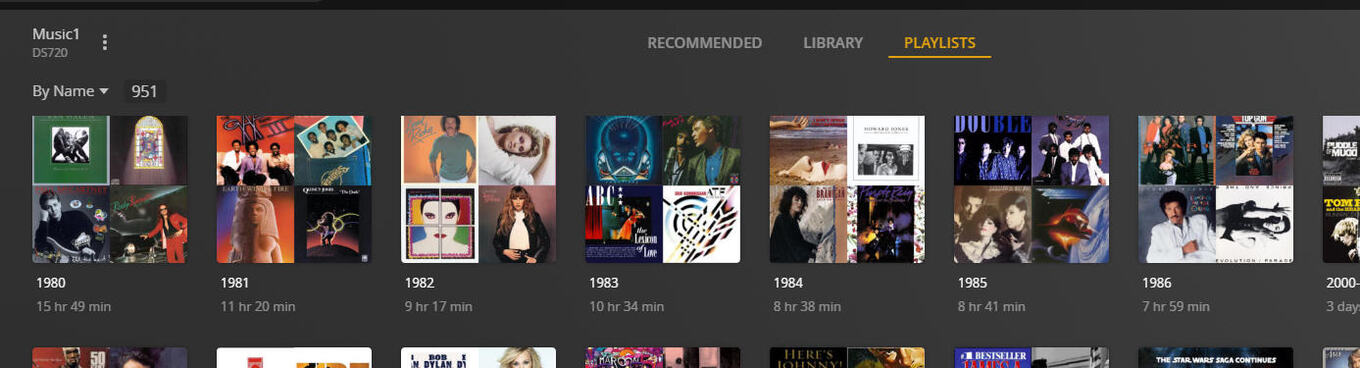
I’m always so worried because there was a time when Plex removed Playlists tab. They did bring it back but I always worry that all these music playlists I have would be lost if Plex removed Playlists again. I’ll just ask you if you can confirm that playlists are still there? Would you mind?
I just want to make sure as I did a massive amount of work getting these playlists into Plex. I can’t imagine Plex would remove that Playlist link for music and movies.
VERSION I HAVE IS 1.28.2.6106, so yes, that’s the version I’m still running.
The DS 720+ has a Celeron J4125 CPU (Gemini Lake).
It is OK to upgrade to 1.29.2.6364, the version available in Synology Package Center.
I AM NOT FINDING A WAY TO DOWNLOAD THAT VERSION. THE ONLY VERSION AVAILABLE IS THE 1.32.6.7521.
Do not upgrade past 1.32.1.6999. Hardware accelerated transcoding and HDR to SDR tone mapping are broken on Gemini Lake CPUs on later releases.
THE VERSION I DOWNLOADED A FEW DAYS AGO FROM SYNOLOGY:
1.32.5.7516-8f4248874-x86_64_DSM6.spk
So you’re saying I should not install that version? I just checked and their website download version is now 1.32.6.7521-24e4dff81 which is the version you mention as their current beta release.
I don’t see a way to get a version before either of these I downloaded so where do I find a version 1.32.1.6999 that is safe to download?
Can you please advise as to what to do?
PMS 1.32.6.7521 is the current beta release. On your NAS, hardware accelerated transcoding works. However, HDR to SDR tone mapping is still broken.
I’M NOT SURE WHAT THAT MEANS OR WHAT THE IMPLICATIONS ARE. I’M AMAZED SYNOLOGY WOULD PROVIDE A PLEX UPDATE OFF THEIR WEBSITE THAT WOULD NOT WORK AND I WOULD NEED A VERSION QUITE A NUMBER OF RELEASES BEFORE. I WOULD HAVE UPDATED THAT THIS WEEKEND. SO YOU’RE SURE I CAN’T UPDATE THEIR LATEST RELEASE?
[/quote]
If you can point me to where a newer version is (1.29.2.6364) that would be appreciated. How long do you think I should wait until updating to a newer version? Hard to say I guess, I was just wondering.