I would like to make a backup of my PMS content ((viewstates, metadata, settings, etc.) before I do some ‘risky’ operations suggested by QNAP to resolve some folder naming issue which is likely affecting Plex.
So I googled and found this Plex article explaining how to go about it.
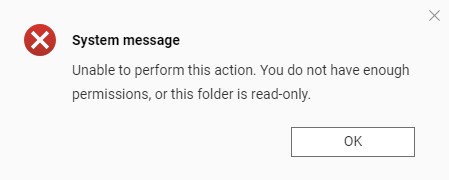
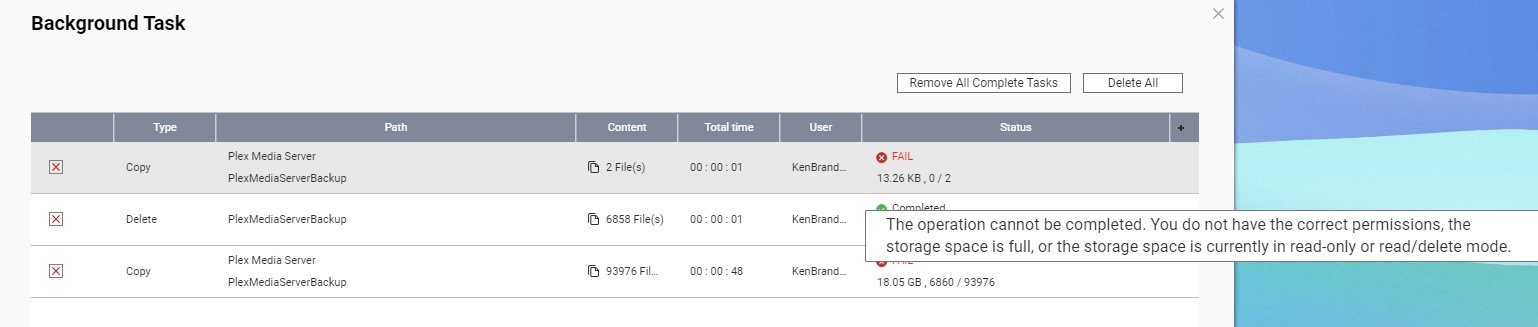
However, the problem is that the Plex Media Server folder is inaccessible in File Station. When I try copy it, I get this error message:
(FYI, I’m admin and I have all the permissions to the folder.)
On my QNAP I make a shared folder from the PMS folder path /.qpkg/PlexMediaServer for easy access in FileStation, then copy the contents and paste them into a new folder someplace else if I want a back up. if I need to restore just move the contents back
Hi,
Thanks for the reply.
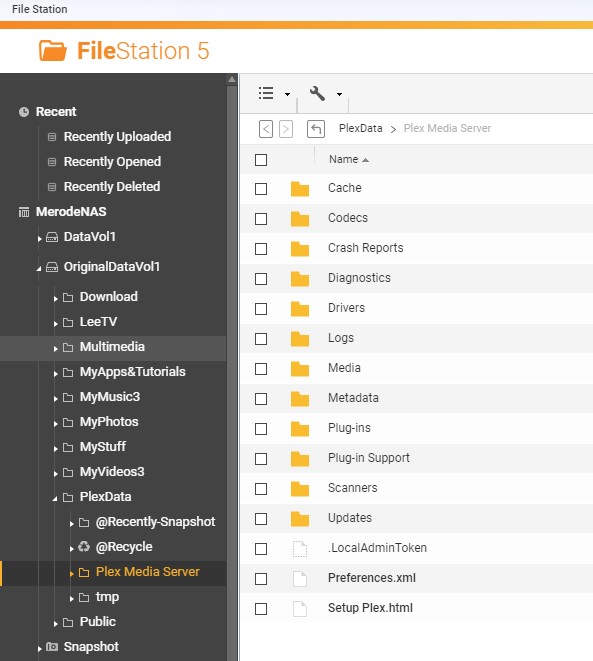
The thing is, I already had ‘access’ to the PMS folder, it was always there in File Station as I explained in my initial post above. When I wrote the above post, I couldn’t even view the content of the PMS folder but oddly, now I can.
However, the problem arises when I try to copy the content to another location…it always fails whether I try in File Station or in PuTTY via SSH!
It always seems to come down to a question of priviliges while I’m in fact accessing it with my administrator account I created and for which I have read & write access.
This only occurs with the PMS folder and the QNAP people have no clue and obviously redirect me to Plex support to solve this issue.
So…what’s the problem then?
BTW, my PMS folder path is different from yours. I don’t even have a ‘.qpkg’ folder at all on my NAS. Mine is located at ‘/PlexData/Plex Media Server’.
Still unable to copy some essential files in the PMS folder!
So I finally managed to do exactly what you describe in your previous post. So I have a shared folder that points to the original PMS data folder inside the ‘.qpkg’ folder and it now shows as containing close to 16GB of data which reflects it is phyiscally accessible while I previously I only had that ‘PlexData/Plex Media Server/’ placeholder whith was a few kb in size (but also showing the full content of the PMS data folder in File Station).
Trying to think what could be problem. I did not have an issue myself copying files from there to another shared folder I made and I just leave permissions as they were by default for admin access. ( i log in as admin, not a separate user that i gave admin access
My QNAP is still on firmware 4.5.4 since i had no reason to update which may be the difference.
Damn! That’s often a problem I’ve noticed, too much outdated info in many of the Plex articles or in the forum
I’ve waisted so much time on this issue…hopefully this now gets resolved soon and this thread will help others for…at least a couple of weeks!
Right now, I’ve given the admin account R/W privileges to the PMS folder but it’s taking forever.
For what I can remember, the admin account couldn’t really be disabled, you just stopped using it. Because I noticed it was still enabled and that rang a bell.
However, I always login with my created admin account so I’ll now try logging in with the admin account as soon as it finishes given privileges to the PMS folder.
I’m sorry I’ve been AFK a lot recently. Normally, I’m on these things in a few hours.
Yes, we can resolve this in short order.
Given you’ve waited and wasted so much time,
I’m willing to do a remote desktop with you (facetime audio as well if you wish)
so we can get it done and get your server back up and running tonight.
I have things here as an example but it might be just as quick to just do it.
Your choice.
Maintaining the support articles is a major task.
If you, or anyone, finds outdated info – PLEASE LET ME KNOW!
No problem! I’m just glad to finally get the attention. This post was unanswered for 5 days and now I’m getting plenty of help so it’s all good!
A remote session would be great! Would it be with TeamViewer? I don’t use facetime (I’m on Windows) but we could do WhatsApp maybe for the audio?
I’m on Brussels time (CET, GMT+1) so I’m about to go to bed now. Anyway, QNAP is still busy setting the R/W priviliges on my PMS folder so…I’m guessing it could go on for hours.
Let me know what are good times for you and what is your time zone and we’ll figure something out.
Thx in advance!
I downloaded AnyDesk and for WhatsApp, if you’re using a laptop, in case you weren’t aware, you can also use a web version of WhatsApp which therefore requires no install (but still requires the phone app to work).
It just avoids having two devices for the remote session like I’ll need to do since I’m on a desktop with no mic.
See you later! (I guess we’ll take it private from here on)