I have a large number of albums for a few artists (jam-band live concert recordings). The largest number of albums for an artist is about 1500 over about 25 years.
The album names contains the date. The release year is also filled in. Unfortunately there is not a quick way to filter down to a particular album.
Either of these changes would be a huge help:
Have the search return matches that have a partial match in both the artist and album fields (ie. searching “Band Name 2020” would give me their albums with 2020 in the album title. Currently this returns 0 results.
… or …
Add a way to jump to or filter by year in the artist’s album list
Given this seems to be a relatively specific use case…
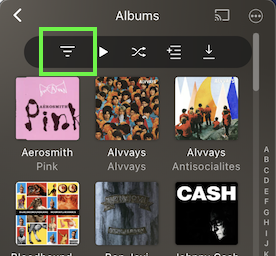
You can already access your library in Album view and filter by Artist Name and Album Year Released.
Thanks @tom80H. I did see this feature but it seems super cumbersome. If I could store these filters for re-use it might be more usable.
I don’t really think the use case is that specific though, when it comes to improving search to include multiple fields.
For instance, if I want to hear Beatles - White Album it would make sense for me to search for “beatles white”. However, I will get nothing back which is rather confusing. If I type “white” I get White Stripes, etc. and if I type “Beatles”, well they have quite a few albums on their own so I have to dig into the artist results and scroll through them. This is maybe not a big deal at a desk but at the gym or in the car it becomes a large distraction to not be able to quickly type in exactly what I want.
Perhaps you could close this and I can re-open more specific to improving how searches are performed?
You actually can… adding that filtered list of albums (or whatever) to a playlist will create a new smart playlist.
Searching for a mix/fragments of artist/album names shows me those albums in the search. If there’s “too many” hits, that search result section will show an arrow in the section title. Clicking on the section title will display all results in that section.
@tom80H Thanks for the tip on the playlist, I didn’t realize that.
So if you search for the artist name AND the album name together you will see the correct album? This would be exactly what I need. Maybe I just have a different configuration setting or some bug or issue with my metadata?
So if I search Foo Fighters I get “Foo Fighters - Concrete and Gold” but if I search Foo Fighters Concrete I get nothing.
But, it also happens on Plex Web, so I think it is not necessarily the plexamp version. My server is on Version 1.21.4.4079. I actually just rebuilt the server over the weekend and I thought this was working before but I hadn’t really used it much before then so I wasn’t certain.
I tried rescanning the library. Is there anything I can do to force it to rebuild the search index? Or maybe ask in a different part of the forum?
Can you do me a favor and check at which point the result will no longer show that album when typing the search term? Start with Foo Fighters and expand the search term 1 letter at a time… I’m curious if there’s maybe some odd Unicode letters that throw Plex off
Edit: apologies… just fully read your last post and noticed you already got it to work (while not using the embedded metadata)
Might still be interesting to see if there’s some odd character replacing a regular one in the embedded album name that might have caused that. Unicode characters can be quite a pain
@tom80H It was at the point that I typed the first ‘C’ in Concrete (or the start of whatever term that wasn’t in the artist field) that it would end up saying there were no results.
At this point though, I switched ‘Prefer Local Metadata’ back on and the search is currently still working as expected (across multiple fields) so I’m not completely sure how to reproduce the issue or specifically what resolved it. I’ll try to narrow it down if it recurs.
 →
→  →
→