Server Version#: 1.32.8.7639
Player Version#: ATV 8.29 (7486)
Log: I will have to upload logs later on due to having verbose logging enabled.
OS: MacOS 13.6.3
Machine: Mac Mini Server 2012 2.3ghz Quad
Event:
Last week I was trying to watch a movie with my girlfriend on watch together, we got about five minutes into the movie before it crashed and became non responsive and went down.
Observations:
I remotely accessed the server and noticed that the CPU was grinding inbetween 650 and 750% approx. Instead of the remained there for quite some time, even though there was no transcoding scheduled tasks or any kind of activity going on.
My first reaction was to shut down the Plex instance, which is what I did.
After this, I tried again to play the same movie, and the same issue reoccurred.
After this, I tried a viewing the details page and playing a whole host of different movies and tv shows to try and ascertain if this issue was widespread, it wasn’t.
I also noticed just viewing the movie detail page or going into the collections would trigger the CPU usage event.
There seems to be no issues playing media from any of the other libraries, eventually came to the conclusion that this issue was only affecting the films library, and after that I came to the conclusion it was only affecting a particular subset of films that had been recently added. Strange thing is all the new movies that were added after this batch of movies worked fine. Your first thought might be, It’s the encoding of particular movies, it’s not.
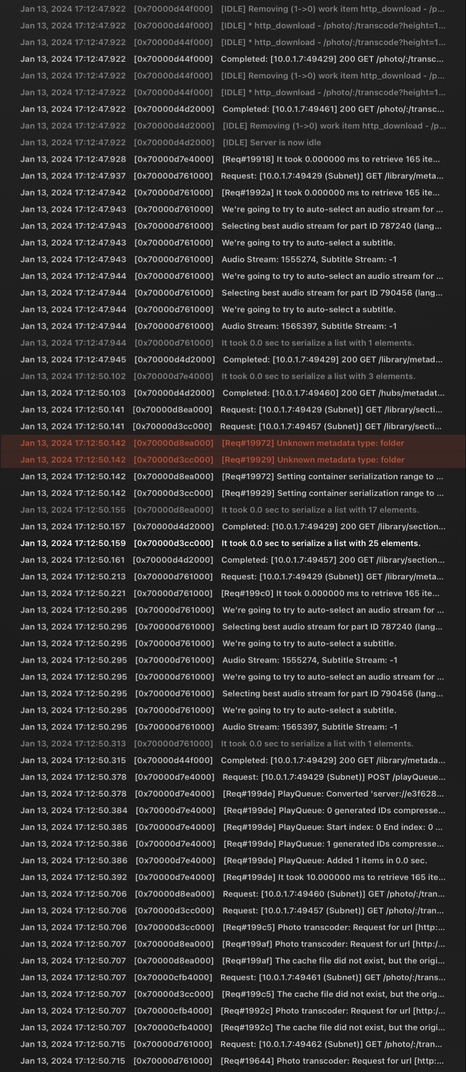
So then I looked in the console and noticed a few yellow and red warnings, one red warning stated something about invalid meta data, or something to that effect.
So I manually tried every single movie and found the range of movies which weren’t working, and I removed them from the library, cleaned the bundles and optimise the database, and then re-added a 3 back one at a time and tested inbetween.
At first, it looked like it worked for the couple
Of these test titles I added, so I added back the whole batch and then the issue resurfaced.
At this point to rule out it was anything to do with the movie files themselves, I created a test library and pointed it directly to the folder where those batch of movies were, and everything worked like normal.
The next thing I tried, was logging into a new user, starting a fresh Plex installation changed a few initial settings, shut down that instance, and then copied over the two main databases minus the metadata to see the database structure.
Everything loaded minus the artwork, and when I tried to view the details page of those particular movies, the exact same thing happened on a fresh user with no meta data tied to it before I even attempted to play the movie.
So at this point, I came to the conclusion, it’s definitely a database issue.
So after this I placed a .plexignore file in the folder to remove the offending movies and combed through the logs, got nowhere and then just moved on because I haven’t had the time nor the patience to figure it out.
I’ve never really had any major issues with Plex during the 12 years that I’ve been running a server, so I am not really that experienced with deciphering console logs and relating output to a particular issue let alone knowing how to fix them.
So I was hoping some more experienced users here might know what the issue might be and how to help.