Hmm, the logs don’t seem to cover what the issue is (seems like it got cut off), so we’ll need to grab some additional data from you, if that’s okay? 
Try this one.logging2.txt (153.8 KB)
It’s not more logs we need, but the response from your server from a certain endpoint, if that’s okay? You can do it in a web browser

Patience, I’ll let you know what to grab, just wanted to check that was okay with you first.
If you’re able to grab the response from your server’s /grid endpoint, it would be super helpful. You can find it by using something like
http://<IP>:<PORT>/tv.plex.providers.epg.cloud:<PORT2>/grid?beginsAt%3C=1579266000&endsAt%3E=1579161600&type=1%2C4&X-Plex-Token=XXX
where you use your server’s IP and port numbers, then the port number for your epg provider, and your Plex Token. You can DM me the results
These support articles might help if you need more info
I am also seeing the same issue as @nromero88_gmail_com. I just set up Live TV for the first time today. Everything seems to work fine except for the “Browse” tab in “Live TV & DVR”. The moment I click on it I get the “There was an unexpected error” page. This is happening for me in both the hosted version and the local IP version. I am running PMS version 1.18.9.2578. Both hosted and local are getting a 404 on the following call:
https://RedactedIPandGUID.plex.direct:32400/tv.plex.providers.epg.cloud:4/sections/2/all?type=4&includeExternalMedia=1&includeAdvanced=1&includeMeta=1&X-Plex-Container-Start=0&X-Plex-Container-Size=50&X-Plex-Product=Plex%20Web&X-Plex-Version=4.22.3&X-Plex-Client-Identifier=498n4ruoa27cun8jpd1ua6qt&X-Plex-Platform=Chrome&X-Plex-Platform-Version=80.0&X-Plex-Sync-Version=2&X-Plex-Features=external-media%2Cindirect-media&X-Plex-Model=bundled&X-Plex-Device=Windows&X-Plex-Device-Name=Chrome&X-Plex-Device-Screen-Resolution=1920x966%2C1920x1080&X-Plex-Token=RedactedPlexToken&X-Plex-Language=en&X-Plex-Text-Format=plain&X-Plex-Provider-Version=1.3&X-Plex-Drm=none
I found the relevent log in the Plex console logs, though it doesn’t seem to provide much helpful information:
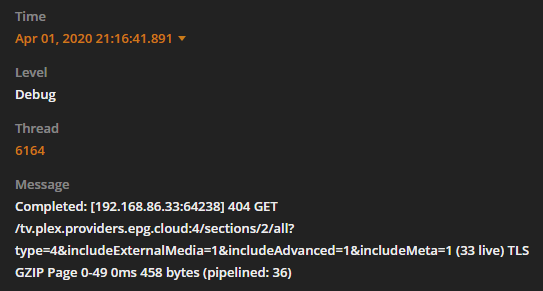
My phone (Android Client, app version 7.30.1.16475 (90b25cf6)) doesn’t show an error when I go to the “Browse” section, it displays the following:
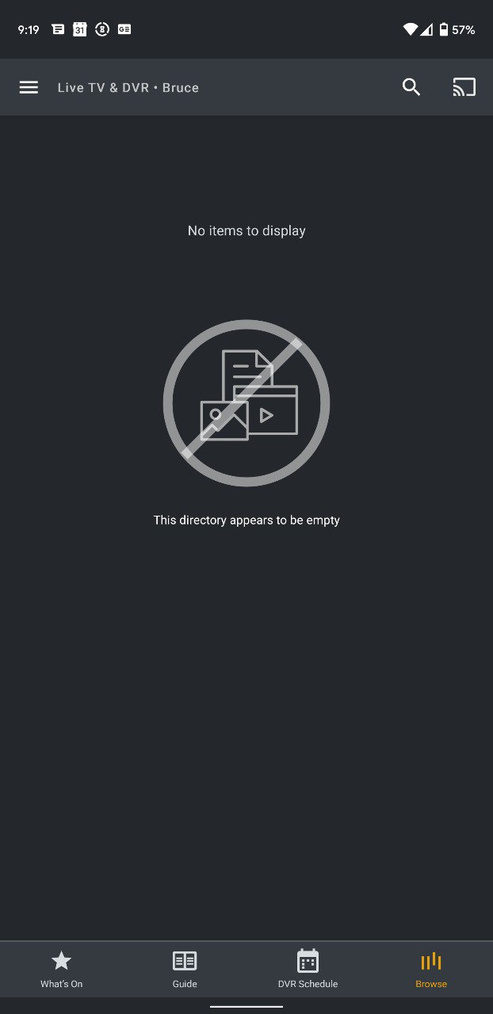
To be honest I’m not really sure what this browse section is supposed to do, I’ve never done Live TV before today. I would appreciate any help and would be more than happy to provide logs or help to debug.
Hmmm, if it’s across clients, I might ask our server team to have a look. 
So, oddly enough it’s working now. I did nothing different. I am wondering if it simply had to download all the content, though I’m not sure why it would throw a 404. The Browse tab is working on any client that I try it on. So at least for me this issue is fixed.
I am getting an error too when clicking on the ‘Browse’ section under Live TV DVR. This occurs for all users on all clients (iOS, Web and Windows Client)
Also having this exact same issue, trying to browse in Chrome under Windows.
Our engineers are aware of the issue, and are working towards a solution. Thanks for your patience 
Hello. Just wanted to note here that the same issue is occurring for me. I will avoid clicking the Browse button until a solution is found. Just curious, when a fix is implemented, how are users notified? Will this thread be updated?
Same here with all browsers and smart tv client apps.
This was fixed in 1.19.5
See release notice
- (DVR) Failures to load browse screen shortly after setting up DVR (#11604)
Download available here by signing in with the Plex Pass user as 1.19.5 is still beta
https://plex.tv/downloads
