[BUG] Home screen non accessible after bugged Watch Together

Hello,

Me and my friend can’t access our Home screen anymore after a Watch Together.

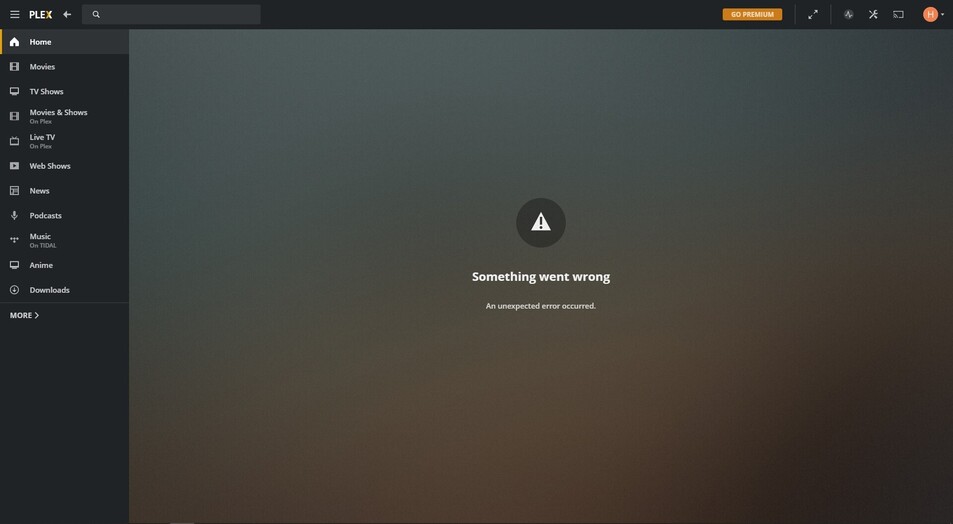
Here is what we get :

When we press F5 we can see for half a second the home screen with the two buggy Watch Together sessions. Then the screen above appears.

On my Android phone however I see the two buggy Watch Together sessions but it says “No access” under them and when I click Delete, nothing happens.

This means that we can’t join Watch Together on our desktops anymore.

Any idea on how to unbug this ? It isn’t linked to the server as I’ve tried purginf the database, readding libraries etc…

Fixed itself today, the sessions disappeared with no intervention from my part.

Thanks for the report. I’ve made an issue to track this internally and we’ll get this fixed ASAP

Hi, I’ve had this happen a few times already. It seems to happen if you delete/modify the video file after the session has been created.

The first time it happened to me I was able to remove the bugged out session on my android phone, but the second time I got the same “no access” error as you did (oddly enough it worked fine for my friends). In the end what fixed it was removing the session through an ios device.

This should now be fixed in version 4.52.2 on https://app.plex.tv

This topic was automatically closed 90 days after the last reply. New replies are no longer allowed.