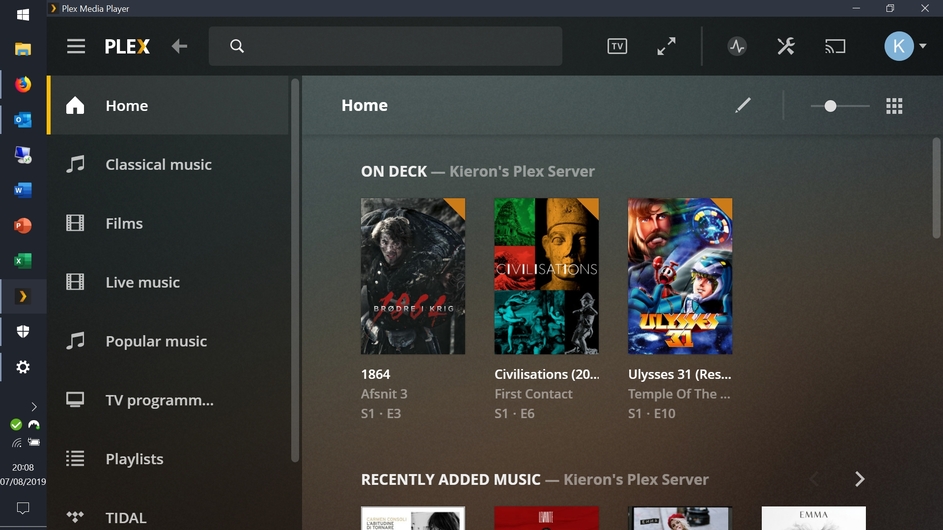
Server Version#: 1.16.3.1402 (latest)
Player Version#: 2.39.0.1005-1b0839a8 (latest)
I use PMP on 2 Windows PCs.
One has 4k resolution and UI scaling at 200%. PMP works fine - the web player in Firefox and PMP are both scaling at the same ratio. Screenshots of both below.
The other has 1080p resolution (laptop monitor) and UI scaling at 150%. The web player in Firefox looks fine, but PMP displays everything WAY too large - it looks like it’s scaling at 200% instead of 150%. Screenshots of both below.
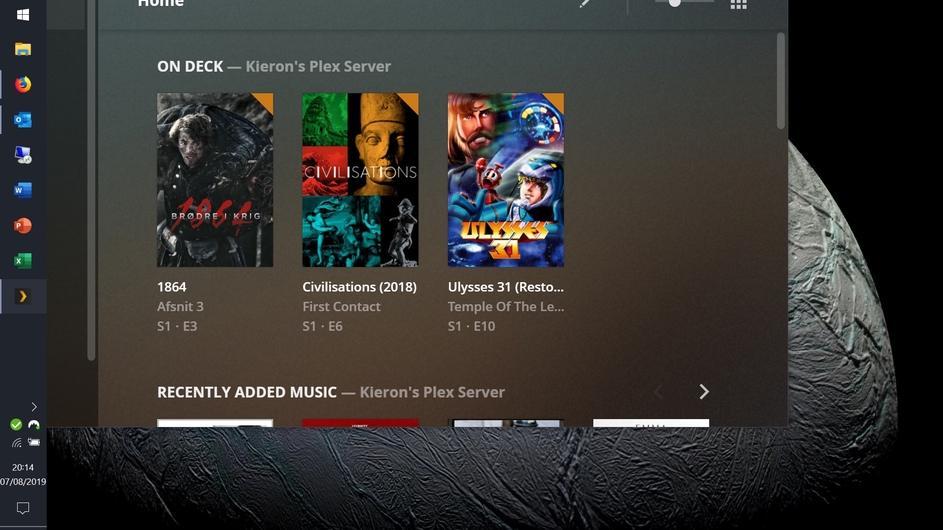
As an additional problem, when I open PMP, the window is positioned off the top and left edges of the screen. (PMP doesn’t remember window position and ignores the ‘start maximised/minimised’ setting in the Windows shortcut, so it starts like this every time.) Screenshot below.
Changing the UI scaling on this machine to 100% resolves the issue - PMP is now scaling at the same size as the web player in Firefox. (Screenshots of both below.)
The issue here seems to be with 150% UI scaling - 100% and 200% both seem to be fine but it doesn’t seem to behave with 150%?
Confirmed that this is affecting any non-integer UI scale ratios: PMP will round them to the nearest 100%.
There is a temporary fix for this for anyone who has a 150% UI scale: in Control Panel > System > Advanced System Settings > Environment Variables…, add the variable QT_SCALE_FACTOR and set it to 0.75. Close PMP and re-open and it should now be scaled at 150%. (However this might also affect any other QT apps that you run.)
Alternative fix: find Plex Media Player in the start menu, right click on it, go to More > Open file location. There, where you see the ‘Plex Media Player’ shortcut, right-click on it andclick ‘Properties’. Then, in the “target” box, where you see “C:\Program Files\Plex\Plex Media Player\PlexMediaPlayer.exe” or similar, after the quote mark, add –scale-factor=1.5 (for a scale of 150%). So now in the Target field you have something like:
“C:\Program Files\Plex\Plex Media Player\PlexMediaPlayer.exe” --scale-factor=1.5
Click OK, close PMP, reopen it from the start menu, should work now.
Don’t use this and the system environment variable at the same time or they compound!