@sa2000 said:
Hosted Plex Web has just been updated to version 2.9.3 which has a fix for Plex Mix
everything works #1 with 2.9.3 on PlexWeb (plex.tv)
Good Job team 
@sa2000 said:
Hosted Plex Web has just been updated to version 2.9.3 which has a fix for Plex Mix
everything works #1 with 2.9.3 on PlexWeb (plex.tv)
Good Job team
I have Plex 2.13.0, movies, TVshows, video work very fine playing in Chrome (Linix Mint 18.1) but music not at all even though the dashboard loaded up no problem.
@manta307 said:
I have Plex 2.13.0, movies, TVshows, video work very fine playing in Chrome (Linix Mint 18.1) but music not at all even though the dashboard loaded up no problem.
Hi. Welcome to the forums. Please do try to post in related threads or raise new threads.
You have posted in a topic relating the Premium Music Libraries Plex Mix feature.
Suggest you raise a new forum topic describing your problem and attaching screenshots of any errors and providing related logs
See
https://support.plex.tv/hc/en-us/articles/201643703-Reporting-issues-with-Plex-Media-Server
https://support.plex.tv/hc/en-us/articles/200250417-Plex-Media-Server-Log-Files
https://support.plex.tv/hc/en-us/articles/201611836-Plex-Web-App-Logs
This is STILL a problem unless you play a song, then from the bottom bar (where the controls like pause and skip are) you click the 3 dots and select “Queue Plex Mix.” If, from anywhere else, you click on something that says “Play Plex Mix” (notice the small change in wording) it doesn’t work. For example, in the track listing of a specific artist it shows “popular tracks.” Selecting “Play Plex Mix” from the 3 dots on one of those songs does nothing.
Perhaps there is a re-emerging issue here as what @havens1515 is describing is the case for me as well.
It seams like this bug have returned (plexweb hosted). Works when using the playbar … but not on the 3 dots (…) on the track …
This has silently been fixed 
It appears to have been fixed
See Plex Web - #257 by chrishoage
That release was added 9 days ago. I got the problem 2 days ago, and it was “fixed” yesterday. I better do some extra checking, because i don’t think it is fixed completely now.
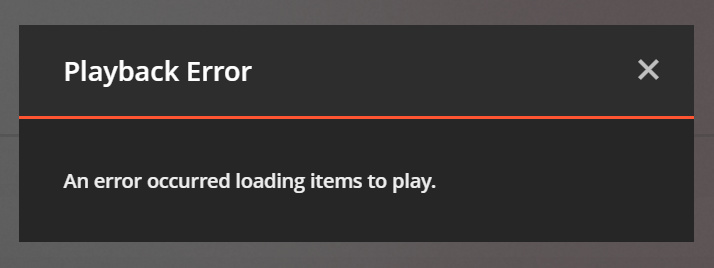
I just did some extra checking and did find the error again. This only happens on certain albums (not tracks). Which means, that every track in the album shows this error (all tracks are playable).
The album was a multi-disc album (Olly Murs - You Know, I Know, Deluxe). So I tried the same on another multi-disc album. Which worked okay. So it was not because of multi-disc. Which must mean, that there is some “problem” with the album itself - I guess. Strange thing is, that all tracks can be played without any problems.
I have attached the PlexWeb debug and verbose logs, because I can’t find any errors in any of these. When this “Playback Error” occurs, Chrome DevTools console shows a warning (and not an error):
[Warning] No type was found for undefined
Call stack (from FireFox when error occurs):

Server Version#: 1.14.0.5465 (QNAP)
Player Version#: 3.75.3 (PlexWeb hosted)
Chrome Version#: 70.0.3538.102 (Official Build) (64-bit)
PlexWeb debug and verbose logs:
plexweb-debug.zip (21.0 KB)
Google Chrome DevTools console log:
chrome-devtools-log.zip (1.1 KB)
PlexWeb “Get info” XML from single track:
169652.zip (1.1 KB)
As suggested. I have PM’ed you the DropBox link, which contains the album (zip).
I use the following music folder structure:
/Audio
/Audio/Music (Music library)
/Audio/Music/O
/Audio/Music/O/Olly Murs
/Audio/Music/O/Olly Murs/Olly Murs - You Know I Know (Deluxe) (2018)
Music library (Plex Premium Music) is pointing at the /Audio/Music folder
Open Plexweb (hosted) and go into the album. Click on the ... (3 dots) on any song in the album and select Play Plex Mix in the context menu. This results in the error previously reported.
When playing one of the songs in this album and selecting the Queue Plex Mix in the playbar. Nothings happens. Dev console shows: