Server Version#: Version 1.23.2.4656
Player Version#: Version 4.59.2
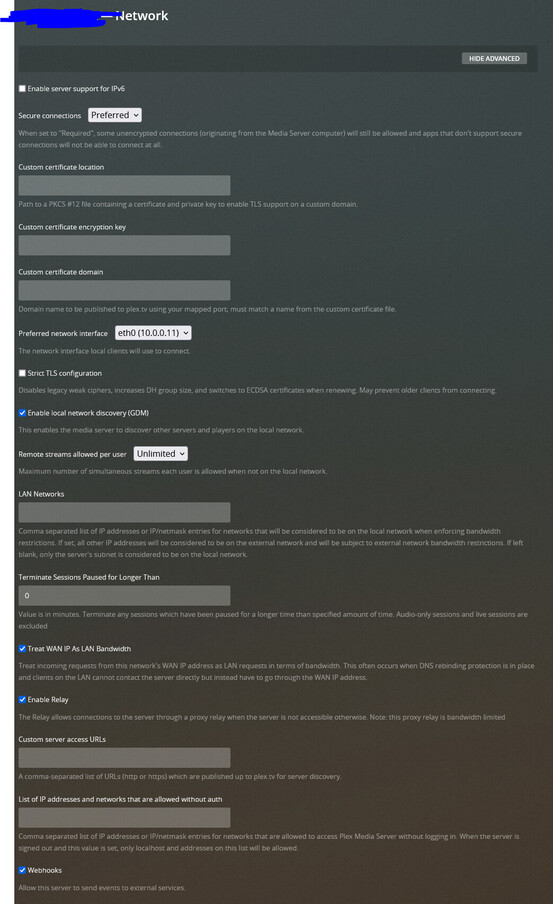
I am running plex on an ubuntu 20.04 LXC via proxmox. Everything has been working fine and on Monday I updated proxmox, and apt upgrade on ubuntu (which updates plex server as well). I have no idea what happened, but after updating I can’t access plex directly via lan. When I use a browser I can connect to server via app.plex.tv, but not directly at 10.0.0.10:32400. When I try and access via direct it just freezes forever in browser with PLEX screen: https://i.imgur.com/WVdwNEg.png
Plex app on my android phone and shieldtv also are unable to play videos on the server.
I have full access to server when I am not on LAN and so I am using a vpn on my phone to watch stuff at home…
I have tried too much to remember to list it all and I have absolutely no idea what is going on. I am happy to post anything to help.
Yeah, I can see it on the lan, ping it, ssh into it, and it even pulls up the PleX logo when I try and connect to it. If I connect from a private browser via https:// it asks me to accept certificate. I can update the static IP assigned from router and it will get a new IP on LXC. I removed the /web/index.html from the new ip in the attatched screenshot and you can see it is pulling data from the server (I removed the parts with my username and stuff)
I just know the plex server is responding via LAN because it asks me about a certificate if I try and connect to it via https:// it does respond to me. This is one of the confusing things as the server is “reachable” by LAN but I can’t access anything.
If you don’t mind my asking, where do you see that it’s a DNS rebinding issue? I’m a little bit confused.
Firefox doesn’t block DNS rebinding itself, and I don’t think either of the DNS-over-HTTPS providers it uses do so either. It is possible to exclude specific domains from DoH if that’s required.
Are you assuming it’s a DNS rebinding issue because of the way it’s failing?
It does not, perpetual transferring data. I used to be on PFSense, and I am trying pretty hard to figure out how to prevent this from happening on Dream Machine Pro. I am fairly new to this and everything says to use a pihole in my googling.
That looks fine to me, and doesn’t look like DNS rebinding protection. That would usually prevent a lookup from returning an RFC1918 address as response.
Whenever you see the browser asking you to accept a cert while simultaneously, and especially when, throwing the certificate warning for domain plex.direct, without you even trying to open it (above opened the IP but the overlay DNS name came back). Rebinding protection will also prevent the lookup (most common) but mashing a direct IP and returning a URL instead of leaving it alone is another
It’s because the local DNS resolver, which is in control of all hosts on the LAN (DNS wise), is not accepting 10-0-0-11.f902***************.plex.direct (in this case) as belonging on the LAN.
It’s doing what it’s supposed to and warning you that there might be something intercepting between your http request and the real host.
The exception rule tells the DNS resolver, and indirectly the browser, “Yes, it’s OK”
I have installed expressvpn on my shield and my android phone and I run everything through there while I am on my home LAN for those devices and I can use plex, but it thinks I am in Seattle. So I am just sending everything up to Washington to stream it back to my network at my house. Don’t really need to worry about latency for plex, and I have 1000/1000 internet so it’s basically like I am at home.