Hi. I’ll try to explain myself the best I can.
I have my movies collection separated (with different folders on my PC) by decade and for some special libraries like “Superheroes”, “Sagas” (Alien, Star Wars, etc) or “Asians”.
But, I have too a “Collections” folder, with filmographies: Spielberg, Hanks, etc.
Problem is, for having my filmographies complete, I was forced to put all the content pn my “Sagas” folder in the “Collections” folder… and I even should put my “Superheroes” folder content on my “Collections” one too.
Now, “Collections” folder has over 600 movies on it and I have all together there, filmographies and sagas.
QUESTION
Is there a way I can create a “Collections” library where I can use information (the collection tags) from others folders?
I mean, I’d like to have all my movies separated by decades only on my pc folders, but being able to create special libraries according to the “collection” tags I put them.
That way, for example, I can have “Star Wars” on the “1970” folder, but visible too on the “Collections” library (on the Harrison Ford filmography) and the “Sagas” library (on the Star Wars saga).
you can do the same thing and add any type of collection you want, but this is all manual work. You have to create the proper collection tag in each movie, you can have more then one tag in a movie.
I try to let PMS do the work but there are some things it just doesn’t do very well.
I think you can have a movie/show in as many collections as you want.
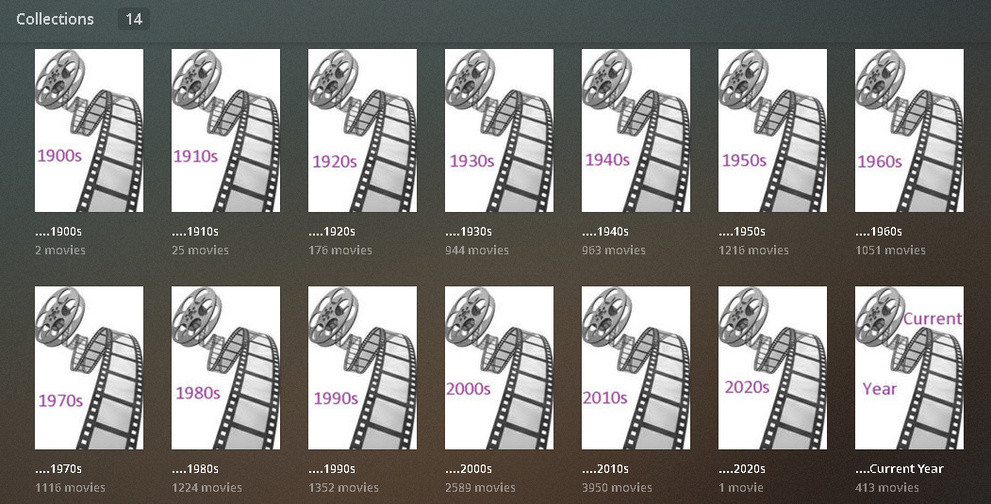
I have Decades’ Collections as well as standard Collections and Genre Collections. The difference at my house is if a movie is in a collection I don’t put it in another one - but I could. I’m easily confused so I don’t, but you could.
Thanks for the reply. I see what you did and it’s perfect for it.
My problem is I don’t want to mix decades with filmographies or sagas… the only way I could think right now is create separate libraries, every one of them with all my movies, and then create the collections I want.
But it’s a pain in the ass, sadly…
But you have all the collections together, right?
I want them apart, every on in one library… I think my only solution will be create several “full” libraries (all my movies) and then create the collections I want…
It’s not the most easy way, but well…
Question: can you create collections taking the “genre” tags of the movies?
Drill for and generate a display of the Genre of your choice.
Select the first one via the little circle in the upper left.
Hold Shift and Select the last one - all in between are now selected.
Hit the ‘Pencil’ above - If you don’t have one there’s a ‘collection’ in the group - un-select it (and any others) and the Pencil will appear, then add all those selected items to a Collection.
It’s manual, in nature, but you can do it easily enough.
That’s why you’re using Collections. So you won’t need to have 50 Libraries - Plex doesn’t play well with more than one library per type. It’s just how it’s designed and Plex doesn’t seem interested in changing the design.
Make no mistake - what we’re doing is a Work-Around. Work it how you have to - to make it work for you.
If you aren’t using pristine file names and structures that enjoy an instant natural match, or are fighting Plex tooth and nail over embedded Titles in MP4/M4V files - it could happen.
I disagree, we are fixing a limitation in PMS, it should be a media manager but comes up short… We are making it work the way it should in a round about way. It’s just one of many hacks that users need to do since it seems Plex is not interested in updating the media manager within PMS… Just look at the Feature requests that are years old.
‘An Employee’ told me - in no uncertain terms - that what we are doing is something Collections were NOT intended for. Abusing the intent of the feature, in other words.
Yea, we can pretty much say we’re spanking the intent - to create something we’re missing.
Plex is still trying to figure out why I’m not in LOVE with 31 clicks in my Roku App to generate a Westerns Genre Display - and until they figure that out - they won’t be able to figure this out.
I would like to do the same thing for a different reason. Right now I am out of space on my primary drive so I am putting new movies on an external drive. This means that I have two movie libraries, one on each disk. I would like to be able to create a collection that spans both of these physical drives.
Furthermore, my brother and I are sharing our Plex libraries. Ideally, I could also include his movies with mine as a collection. For example, between us we own all of the available Star Wars movies. But, it seems that I can’t create a collection that spans my library and his library.
I would love to see this feature added, but it seems that Plex has indicated that it is not in their plans. Is this what you understand as well?
you can have as many drives or paths to a single library as you want, you do not need to create a new library for a new drive.
as far as your brothers library, if they are separate shared server at a remote location, then there is no way to combine both libraries into one.
if you both live at the same location and are on the same network, and you can access each other files directly over the network, then you could add his network path to your library (and vice versa).
Yea, those folders actually once represented Genre Libraries, but now only serve to separate all my Movies into Genres for the Collection Abuse… helps me keep track of things, but does make for quite a folder list…lol