Hi all!
I’ve been a Plex user for a little while now after using Kodi for many years, and so far I definitely prefer Plex! So much easier to use and no need to sideload onto any tv or Firestick I have tried. Love it!
One query though. I ripped all my Blu-rays and DVDs years ago to use with Kodi and have gotten Plex to show these folders without issue. They all play perfectly, but after watching the latest movies I have showing up in ‘Recently Added in films’ in Plex, they are still there in that ‘bar’ or whatever it may be called.
Shouldn’t it disappear from there once watched? I think I may be doing something wrong or may not have something ticked in settings?
To a new user, the settings can be a little over whelming, but I clearly need some help here.
I suppose watching a video won’t change if it’s been recently added.
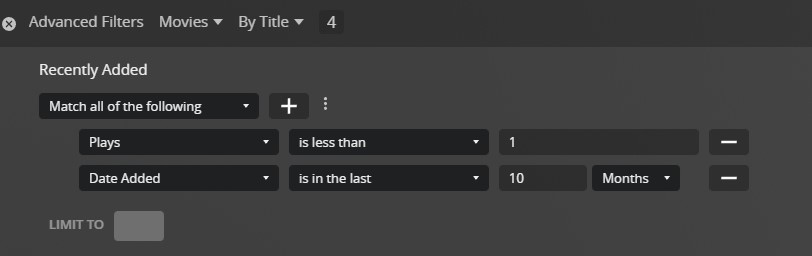
You could create a smart collection with the criteria of your choice and publish it to the home screen as an alternative (e.g. showing all movies added in the last 4 months which haven’t been watched)
Yeah, I was kinda hoping it would be removed from ‘recently added’.
I will look into your solution in more detail when I have more free time, but for now, I just removed ‘recently added for films’ from my Home screen entirely.
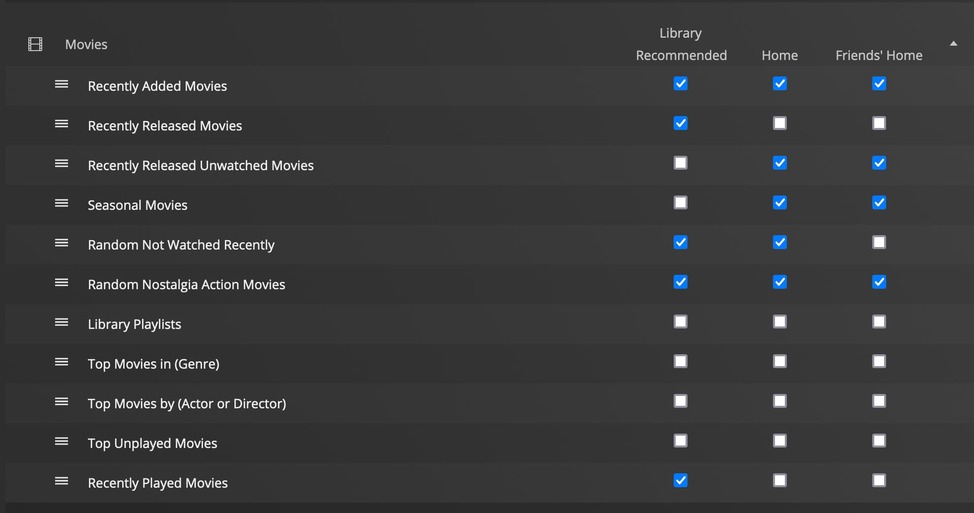
Setup on the home screen it creates a more dynamic row by removing the movies I watch from the collection as I watch them.
You could do a similar one with “recently added” to get what you’re wanting by simply replacing the sort function with “by date added” instead of “by release date” (and removing the Release Date filter).
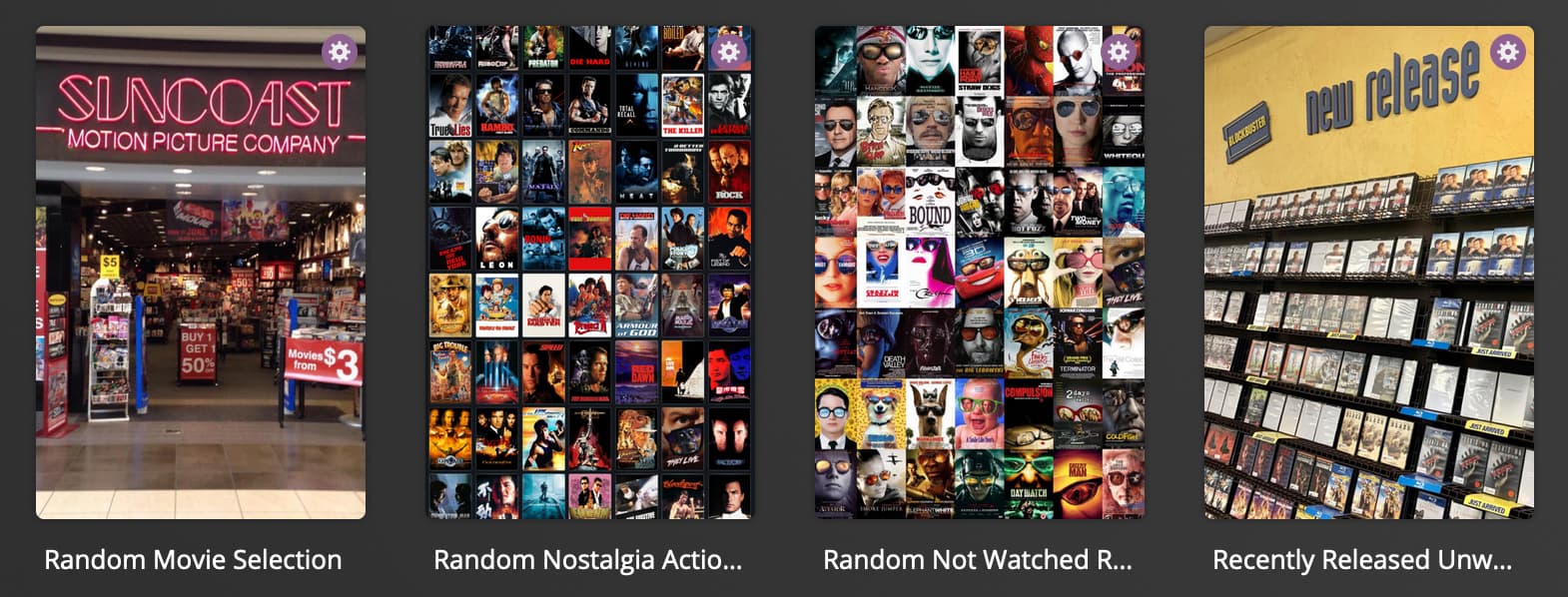
I use a couple of those dynamic Collections as rows to help with decision fatigue by reducing the selection to a few random options:
Hi again!
Thank you for you replies. It is greatly appreciated!
I have tried to publish a collection, but for some reason I can’t find the ‘Visible On’ option. I have all the other ones mentioned but not that on. Am I missing something?
Server wise, I’m on 1.30.1.6562-700
As for the Web app, I’m on 4.87.2
Thanks
You can see some of the custom ones I built there.
Sometimes the rows can get funny if you add them, and then change the filters on the collection. Sometimes you have to remove and re-add the row (visible on).
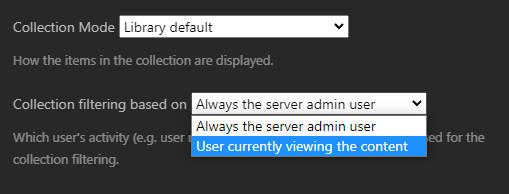
Just thought I’d mention… the smart collections use only the admins watched status, so they are not quite as useful to any other users you may have accessing your libraries. So if you have watched a movie released yesterday, they will not be able to see it in the collection.
Unless there has been a change in smart collections to allow for the users view status…
So until I eventually get a pass, I can’t use the feature at all? I was planning on getting a pass anyway, especially for the ‘skip intro’ thing on TV episodes. This might hasten that!
Thank you everybody for all your help and for your VERY quick replies.
I love that this community is so helpful
Hi all again.
I got myself a Plex Pass (finally)! I signed up for the monthly one to see if it’s something I’d like to keep.
I’m getting very frustrated now, and the only reason I would want to keep the Plex pass would be for the ‘skip intro’ feature, although for the price I don’t think it’s worth it.
I managed to get what I wanted in the ‘recently added’ bit, but I’m very disappointed that I have to manually remove them from the collection once I’ve watched them. And even in saying that, I’ve tried to remove them from the collection manually and they just won’t go away! I don’t understand if it’s something I’m doing wrong or if it’s just not a feature yet. Surely Plex should know that I’ve watched a movie and remove it from my ‘recently added’. I know, in theory. ‘recently added’ is just that - but come one! Kodi was able to do that.
Is it just me? Please tell me it is! Plex is so much nicer to use than Kodi
If you look at my filter example above for “recently released unwatched”, I use the “unplayed = true” instead of “plays is less than 1 minute”. That has worked well for me. If the movie is played, it won’t show up anymore.
Depending on your client, it can take a minute for the row to update as well. On Roku it’s pretty quick but not instant.
Edit: Plex Pass goes on sales occasionally so keep an eye out for it. There’s a bunch of nice features with Plex Pass and you might find more of them are useful as you use it (there’s even a “skip credits” coming so you can jump right to an end credits scene).