Server Version#: 1.27.2.5929
Player Version#: 1.48.2.3124-647ff031 (Mac)
Player Version#: 4.86.1 (Web)
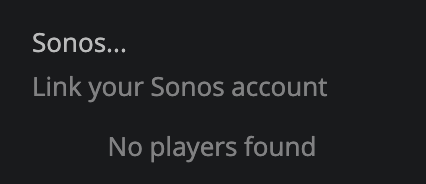
I applied an update to Sonos today. I know, my mistake. Afterwards, I can no longer cast to Sonos from any of my clients. None of my Sonos speakers are shown and on the Web client, it indicates I need to link my Sonos account. I tried a logical fix, going to Other Services and removing and relinking my Sonos account. That proceeds without issues but it does not correct the problem.
I’m still screwed trying to get this to work. I have tried removing/addng Plex on Sonos and reauthorizing/removing/adding Plex in Other Services.
I guess I’m the only one. Plex (and especially Plexamp) is soooo close to being perfect. It’s the random issues like this one that get no support response and take weeks to clear (magically, with no explanation) that kill the experience.
Hi - I had the same issue and am running PMS 1.29.0.6244. I ended up removing ALL Authorized Devices and also clearing Plex Cache (there may be an old root CA cert. in your directory that will be get redownloaded upon restart/upgrade of PMS.
Doing this (clearing Cache on PMS, and even reinstalling PMS), removing all Authorized Devices including previous Sonos, and then reAuthorizing Sonos to access PMS finally got things working again…I can see Sonos in my Player list (web desktop):