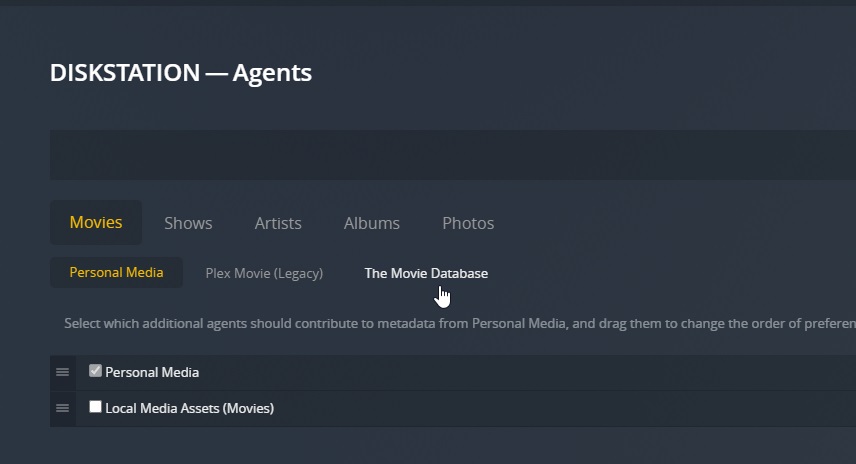
I’ve read through the Plex documentation but I still don’t get it. I just have movies. I see there is Personal Media, plex movie legacy, and The movie Database tabs, but I don’t understand what these options are and the options inside. Maybe a video tutorial or something?
e.g. There’s a checkbox for Local Media Assets (Movies) and the gear icon asks for where my local music video path is? I’m very confused.
If you mean the “Agents” section under
Settings - Server
you can pretty much forget about it.
It is only used with the old “legacy” agents. Which are deprecated and will vanish at some point in the future.
If you create a new library nowadays, you are already using the new agent. All relevant settings for this new agent are to be found in the properties of the library, on the Advanced tab. This applies to movies, tv series, and music libraries.
Keep both scanner and agent at “Plex Movie” in a movie library.
Don’t switch them around willy-nilly, or your library may start behaving erratically.
“Plex Video Files” is a scanner for home videos (i.e. which are not “match-able” to those listed at e.g. TheMovieDB.org)
BUT it is pretty much in alpha-development state, so shouldn’t be used yet – unless for experimenting.
Nope. The Plex Movie agent is entirely configured in the library’s Advanced tab. The server-wide settings are only effecting the legacy agents like Plex Movie (legacy), The Movie Database… (which will go away at some point).