I got new Internet today and Plex is back to being very mean to me. 
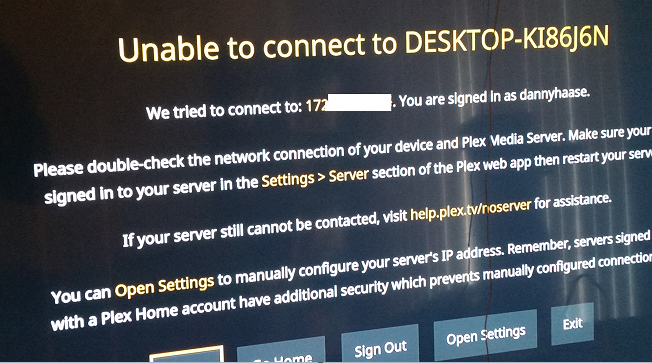
There should be something easy I’m missing. It says it can’t connect to this IP address: https://i.gyazo.com/b63822a4b513afec5109459c7ef0db4e.png
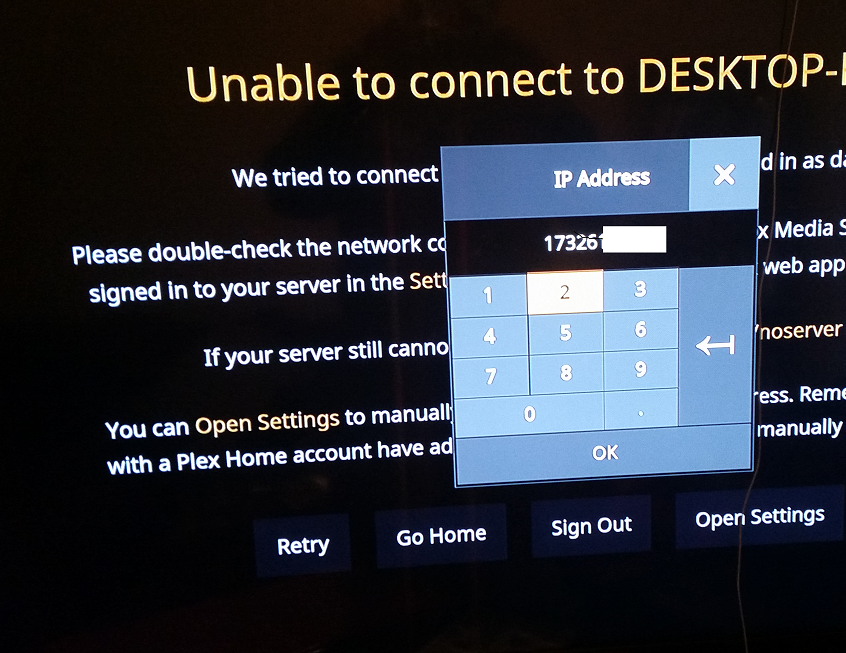
ok, fine, that’s not my IP address anymore. so I click open settings and type in my new IP address. https://i.gyazo.com/59f9eceaa472343d67268a73c0b0321f.png
But it still tries to login to my old one!! What do I do???
I’ve already tried uninstalling and resinstalling. I’ve messed with all my antivirus software. I’ve looked all over the web app and googled everything I can find on this topic.
I would very much like a way to change the IP address that my Plex is looking for. How do I do that?
Hmm well I am trying to mess with post forwarding and that’s surprising that the IP address it is looking for is IPv4 address.and just has 3 numbers more that it’s searching for than my Default Gateway. What do I do about that?
oops I didn’t even realize I was in the Netherlands forum. I’ll move it, sorry.