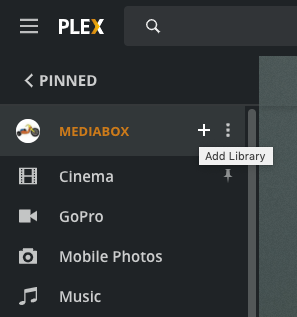
I am keeping my music library separated into different styles and country. I have noticed a change in available space to add libraries after the recent update that included adding the checkmark for “Merge recently added items”. After I have added a few libraries, the “add library” button at the top of the page (Dashboard-Manage-Libraries) is going out of sight and reach. I can increase the window size using apple-minus a few times, and the button reappears again, but that only works up to a certain point. After having added 23 libraries, it’s impossible to add more. I feel this behavior was not there before the recent update. I had been able to scroll through that page with ease, and get to the add library button. I suspect some formatting for that page has been messed up with the update.
This happens on the Plex-web app, using Mac Safari browser.
This is my first post, please let me know if other info needed.
Here is a screen shot, of what I don’t see:

On the left, the first two libraries, and on the right a darker sliver but no add library button.
 button next to server name (Click MORE on home menu side bar to see full server list)