Server Version#: 1.23.6.4881 (DSM 7)
Player Version#: 1.33.0.2444
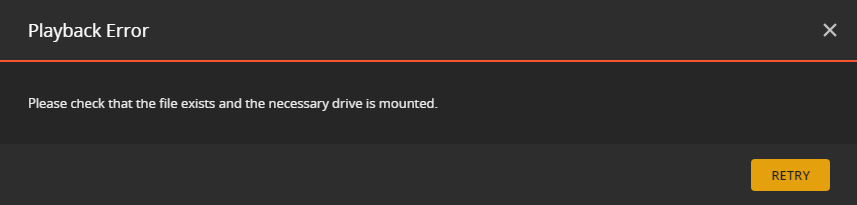
Hello, I have run into a problem while trying to upgrade from DSM 6 to DSM 7 on my DS718+ NAS. I cannot locate my data and for some reason I cannot see it via filestation and my network location for my plex data on my windows computer is not accessible (it will no longer accept my credentials). Plex gives me an error stating: “Please check that the file exists and the necessary drive is mounted” when i try to play anything.
When using DSM 6, the location of my media was under: “/volume1/Plex/Library/Application Support/Plex Media Server/Media/” and I think that is where the issue is. I am an amateur in regards to plex and NAS troubleshooting and im not sure how to access my data or fix the problem(s).
I was sent here when i tried to post the issue to the Synology discord, they stated that you guys would know more about the issue. I am confused because I cannot see any of my files, but my hard drives state that they are still holding data (which I am assuming is my media). I am really confused and I am just hoping that my media isn’t lost… if anyone can help me out, it would be really appreciated!
Thank you Trumpy81. i appreciate it, i realize that issue now. Will I have to essentially rebuild all of my meta data as well? since all the file paths have to move anyways, right?
I have a concern: The contents of my media is what is taking up all this space on my storage pool. l won’t have enough space to hold two copies then. What happens when i run out of space?
Trumpy, i used the plex installer in that thread and it worked! All of my data appears to have migrated under /volume1/PlexMediaServer/AppData/Plex Media Server/Media! I am quite relieved that my data is intact and the install process was pretty quick, maybe 20 mins or so. I have a few questions now:
Since I was not supposed to really put any media in a the old plex folder to begin with and I read in that thread: " DO NOT PLACE MEDIA ANYWHERE INSIDE THE PlexMediaServer SHARED FOLDER" … Should I move all my data to a different shared folder and/or location?
If I do move it to a new folder, will I have to go in and manually rebuild all of my metadata? I tried to go into plex to play something as a test and it still gives me the error: “Please check that the file exists and the necessary drive is mounted.” I am guessing because all the file paths are now incorrect.
I am about to go offline for the night but can answer this for you now.
Yes. Move all media files out of the PlexMediaServer shared folder to a new one of your choice.
Yes, you will need to either create a new library section -or- (most commonly) update the appropriate library sections to point to those new locations.
Thank you Chuck, your work/those guides have helped me immensely. Much appreciated!! I will get on migrating all my data right away. Would I have to move the localhost folder as well?
Hey there all, I figured I would give an update on the situation, in case anyone else made the same mistake I did or ran into a similar problem:
The installer ChuckPa provided in that thread worked great! the installation and migration took about 15 mins or so. Migration was very smooth, all my files were moved to a new location and exactly as I left them.
After that I had to update the file paths for my library sections, which took a bit of grease work since plex messed some of the metadata up, but otherwise it was pretty smooth all things considered! Big Thanks to @FordGuy61, @ChuckPa, @trumpy81 for helping me out! Appreciate yall!