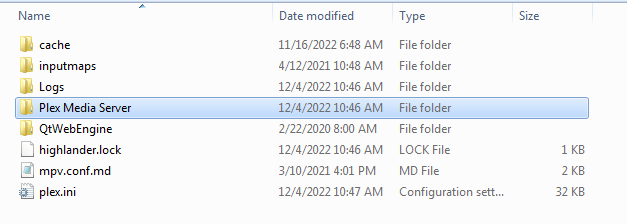
Server Version#:1.29.2.6364
Player Version#:1.29.0.1885-67668ec3
Several of my user defined libraries that were previously working, no longer work. The have a yellow circle with an exclamation point and if I click on them, nothing happens. Three libraries (all user defined) are affected the stock libraries are fine. These libraries work fine on my iPhone Plex app. I only have the problem on my desktop app and it used to work on the desktop. Image attached.
By user defined I mean a library that I added as opposed to Movies, TV shows, Music or Photos. The three libraries in question were created as type “Other Videos”. I guess it was the wrong terminology to call them “user defined”. Oddly enough, if I go to “Setting/Manage/Libraries” and click on the library name, the videos show up, so I know Plex is able to access them from the server. It just can’t see them from the Home or Pinned view.
Please try the current version of Plex HTPC, which is v 1.30.1.3391
(I’ve also tested “Plex for Windows”, which is currently at v 1.58.1.3380, so I’m not sure which app you have there. Is it possible that you haven’t updated in months or even years?)
How would I tell which app I have? The app I have is not run from a browser, it is an app on my hard drive. I have been updating both the app and the server. The app shows as up to date (see pic)
What is the exclamation point inside the yellow circle indicative of?
This is not the version of the app, that is the server’s version.
Apparently you have “Plex for Windows”, stuck at a version from more than 2 years ago.
Deinstall it (only “Plex”, not “Plex Media Server”)
open your appdata folder (just paste %LOCALAPPDATA% into the address bar of Windows file explorer and press Enter)
Now dive into the subfolder “Plex” (again, not “Plex Media Server”) and clean it out.
Download the current version of Plex for Windows and install it.
Actually, looks like the latest Plex For Windows client requires Windows 10. I am using Windows 7. Maybe that is why I was never notified to upgrade. So now what? I’ve already uninstalled my Client, can I get that back?
This is the download for the Plex Media Server.
We are talking about “Plex for Windows” which is a pure Plex client and separate from Plex server.
You want a “Plex app” https://www.plex.tv/media-server-downloads/#plex-app
Ok, I was able to get the previous version back from the cache folder, thanks for that. Windows 10 is not an option for me right now as I have a couple of very important programs that don’t run under it. I know eventually I’ll have to make the switch, but putting it off as long as I can. Windows 7 runs everything beautifully for me. Can you tell me what the exclamation point inside the yellow circle indicates? Thanks for all your help.