I’ve got a strange issue with attempting to cast from an android device to my vizio TV.
If I login as a managed user on the TV and on the phone, the casting function on the phone cannot find the TV.
If I login as a managed user on the TV and as the admin on the phone, the casting function will occasionally find the TV, but will not display the TV name, and will allow casting of content that the managed user doesn’t have access to.
If I login on plex web as either the admin or managed user and the TV as managed user, I can cast to the TV just fine.
I’ve tried over an Ethernet connection for my TV, and over WiFi.
Here is a screenshot from my android phone as the admin account. The blank cast option is the vizio TV.
The icon in your screen shot indicates Plex companion, which is the protocol Plex clients use to cast to each other. AFAIK, the Plex for Vizio app doesn’t support Plex Companion, so if it shows up in the list, that is a bug. I’ve seen similar reports for LG TV’s which also don’t support that feature. This shouldn’t matter what account is signed in.
Your Vizio TV should have a built in Chromecast and the app should be able to cast using that. It should appear in the list with a different looking icon. If you don’t see that, hit the refresh button on that list, then get me the log from the app.
If the plex app for vizio doesn’t support Plex Companion, then why is it an option in the settings for my TV?
Also, my vizio TV is an older model which does NOT have a chrome-cast built-in.
I’ve got two pictures from the settings section on my TV attached. The settings clearly say companion player, and plex for vizio.
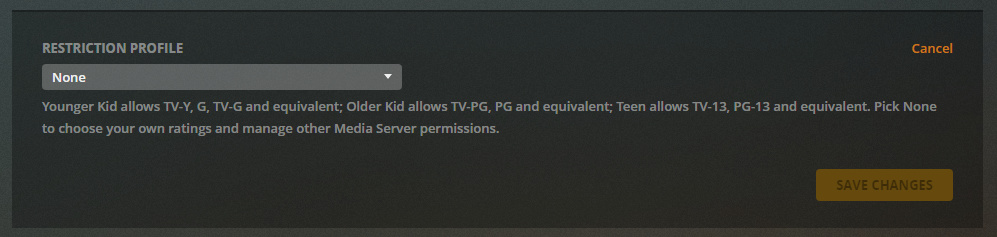
That app wouldn’t understand these, since this is a new feature, so the casting could be getting confused. If so, try setting the profile for that user to none and see if that fixes it.
I don’t use restriction profiles, as they are not granular enough for my uses. (I would like to restrict based on tags and other metrics, but those are not yet available. For example, there are some R rated movies that I don’t want my managed user to have access to, while select other R rated movies are allowable.)
I instead restrict on a per library basis. I either grant access to the library, or not at all, no limitations on content rating or otherwise.
So I have access to libraries as the admin that my managed user does not have access to, and using the casting/companion feature (as an admin when I can make it work) I can get content from my libraries to cast to the vizio TV while signed in on the TV as the managed user.
I’m not too concerned about the possible bug in the cross library casting, I’m more concerned about the instability/un-reliability/functionality of the casting itself. I just thought that it might be related and additionally helpful in the analysis of why casting doesn’t seem to be working right.
For example, some movies we have a hard time locating on the TV due to the interface. James Bond movies are a prime example. I created a collection for all the movies, but collections don’t show up in the search system on the TV. So, its easier to use our tablet to find out which movie we want to watch, then search for that particular one.
Another movie has a dash in the name (U-571) which shows up just fine when searching using the tablet or a phone app, but the TV app doesn’t recognize/allow the dash character and will not find the movie even if you search for just 571.
Having casting work in these particular situations would be extremely beneficial and time-saving for us (and I suspect others as well) as we could just pull the movie up on the tablet, and then fling it to the TV, eliminating the need for searching.
The Plex app isn’t supported any longer on that TV, so it’s unlikely to get any fixes.
We have a new app we are testing for Vizio TVs, but it needs to run their newer OS. You might have better luck getting a Chromecast and attaching that to the TV.