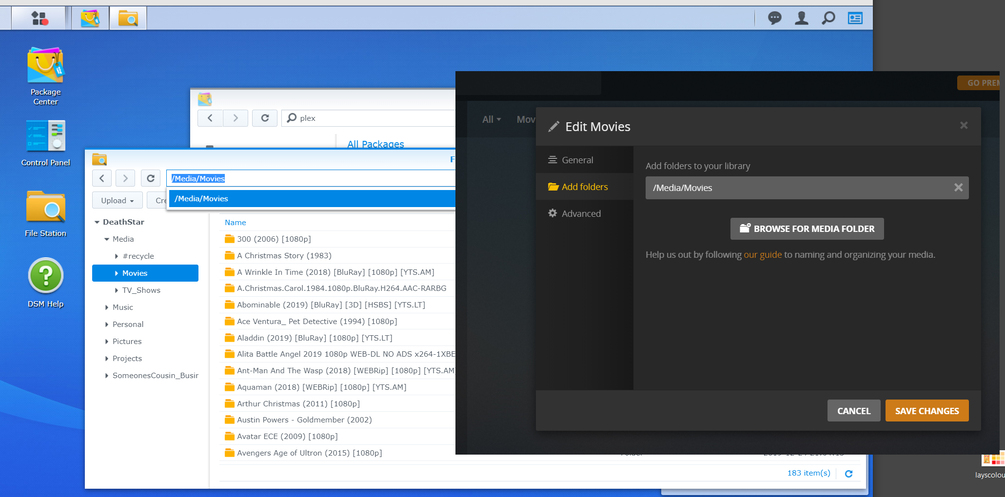
Server Version#: Synology DS415+
Player Version#: 1.16.5.1552
To whom it may concern,
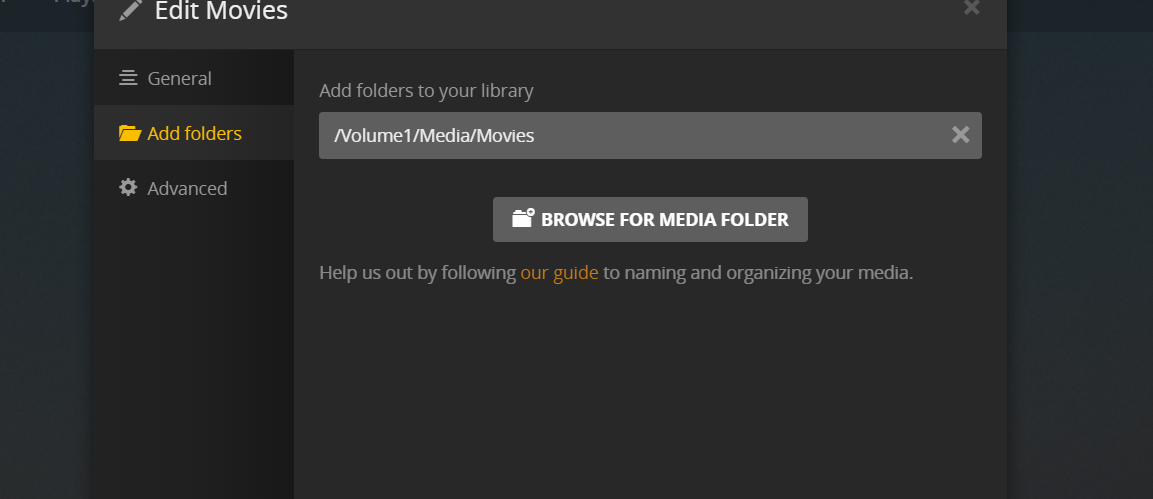
I think I had a corrupted database. My computer crashed while copying a movie and then I restarted the server. I followed the steps in here https://support.plex.tv/articles/201100678-repair-a-corrupt-database/ and then realized that my media paths weren’t setup per “plex” standard of naming and location. So I fixed that too. Now plex can no longer finds my files. Even after setting up the new paths it keeps saying “There are no items in this library”. So now I have re-installed. It still doens’t work!? I have attached an image of my paths.
I’m not overly techie so may need some gentle guidance. ; )
On Synology, everything lives under the Volume (e.g. /volume1 or (sometimes) `/volume2). FileStation hides the volume prefix from what you see. Rather than typing in the pathname, have you attempted to browse to it.
If you can’t find what you’re looking for, consider: