I can’t install Plex Media Server version 1.22.3.4523. The installation fails with fatal error 0x080070643 (logs attached). I tried uninstalling then re-installing every Visual C++ redistributable listed in Windows 10 control panel. Alas, still can’t get PMS installed. Any help appreciated.(screenshot attached)
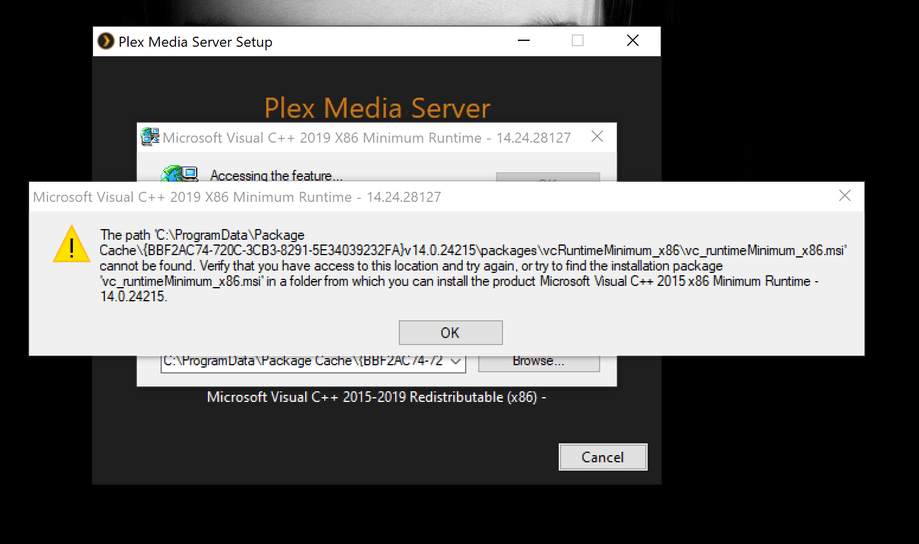
Try installing the package from MS themselves (not just uninstalling/reinstalling what was already there / didn’t work before).
I think this should be the one:
https://www.microsoft.com/en-US/download/details.aspx?id=48145
thanks , just tried the MS link unfortunately it also fails to install, got a different error code this time - (0x80070666)
Looks like there’s something messed up with your Win10 setup.
Not sure you’ll find good help here as this is not specific to Plex.
Google offered this thread from MS’s own forums which points out that the error you got is about a version incompatibility (library / newer version already installed)
https://social.msdn.microsoft.com/Forums/vstudio/en-US/a267deb0-c98e-4941-909b-fd0c4e7dd0d2/i-cant-uninstall-microsoft-visual-c-2015-redistributable-x64?forum=vssetup
This is the latest link for downloading from Microsoft. Plex uses the VC++ 2019 x86 runtime.
The latest supported Visual C++ downloads
But I’m not sure what’s going on with OP’s system. The bundled version that comes with Plex should obviously work.
thanks for the help, looks like I’m headed for re-installing windows 10, this error keeps keeps surfacing when installing new software, I’ve run out of fixes, think a clean install is the way to go, cheers.
