Server Version#: 1.32.0.6973-7000
Player Version#: 9.23.0
Hi
Yesterday I was asked to log in to my Plex account on my Shield TV after some time of using it without doing so (months). Everything seemed OK as I think this has happened before so no biggie. It sends me to the “please go to plex.tv/link and type in code…” screen. Again, no biggie. Go to plex.tv/link on my phone, and typed in the code. I’m redirected and it tells me my server is inaccessible. I go to the server via the Synology UI and it seems Plex has stopped. Again, no biggie, I click run and everything seems fine, I’m logged in at the server end no problem. Now I try to login on my phone again and I just get a spinning wheel… “redirecting, please wait”. Now I get the same on my Chrome browser login.
Sometimes I can press back and get back to the ‘enter the code’ screen but it then says “unable to authenticate” in red text.
The frustrating thing at this point is there is no option to log-in via email on my Shield TV (At least there doesn’t seem to be???) and no I have no access to my Plex account (I also pay for Plex Pass) on my primary client via the code system.
Any help would be appreciated here as I’m at a complete loss.
I’ve already tried re-installing Plex on the Shield to no avail.
TIA
Hi @FordGuy61, thanks for your reply. Answers to your questions below:
1 . 7.1.1-42962
2. Funnily enough, yesterday I could but every time I try now it asks me to agree to various terms:
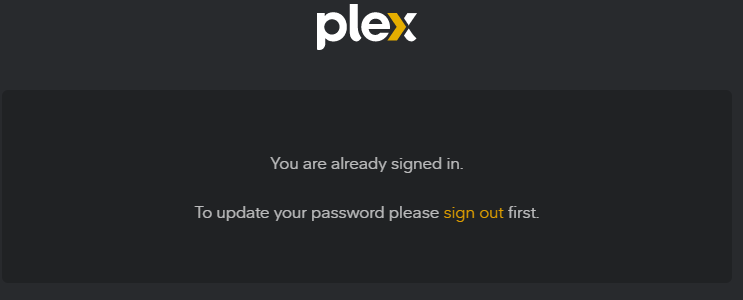
The first time I tried it today, it asked me for a PW reset, so I went through the email link and this happened (would not allow me to update PW):
After trying to log in again, I got this:
-
Claimed status is “1”
-
-
See attached logs folder.
Thanks for your help again with this. I’m almost considering a complete reset of my account/library/apps as this all looks a bit broken.
Thanks
Edit: Logs removed as no longer required
Forgot to mention that there is no problem with my Android app on my Samsung S21, I can even cast to the Shield TV from there. This is not my ideal workflow though
No problem watching from nas.ip.address/32400/web either
Hi @FordGuy61
I’ve managed to solve my problem. It seems there was some kind of authentication issue. My solution was:
-
Delete all cookies for last 7 days on my Chrome browser (problem started less than 7 days ago)
-
Log in to Plex.tv on same browser
-
Change password. During this process, check the box that says “sign out of all devices”
-
attempt login to Shield with the TV code. Used browser as above - SUCCESS
-
I had to re-adopt my server at this point but was a simple process
All is fine now, I’ve reset my PW again.
Thanks
 button. It will insert at the cursor location.