Server Version#: 1.20.0.3181
Player Version#: 4.34.4
Tuner Make/Model: HD Homerun Prime 3
Guide/Lineup name: ?
Using XMLTV?: ?
Channel number/Name: Any
I have two HD Homerun Prime Tuners. The have been identified in plex. My Plex DVR can record shows without much incident. However, I can’t tun into live programming: On my phone, my ipad, or over plex web (using Chrome)
All other DVR functions seem to be working.
My question is: how can I troubleshoot this so I can figure out how to fix this issue?
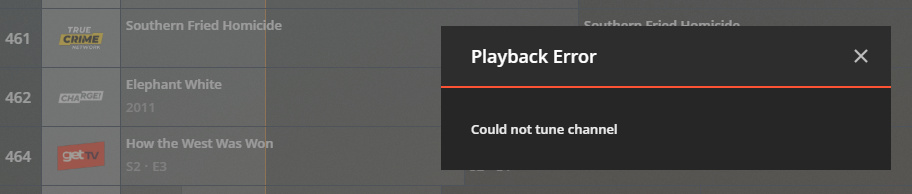
Here is an image when I click on play in the DVR menu. Plex web in Chrome seen here. However the results are the same no matter which client I use iPad, iphone, web, etc.
I know TV is working as the DVR is recording shows.
So, to back up a little bit. I had one tuner. Then I got a second. I wanted to reassign the IP address for both tuners so I did that (which meant that the original one had an IP address change)
I then noticed that I could not view live TV. So I removed and deleted the DVR period. I went back to start, setup one tuner, then added the second one. The see the channels, can record shows etc.
However, I just can’t view live TV.
I can see live TV with Emby, that works fine but not with plex.
When you record, Plex writes to .grab folder in your tv/movie library. When you watch live TV it writes to the Transcoder directory which needs read/write/execute permissions. It also needs sufficient space so RAM drives are not the best solution.
Stared at 10:25 AM
Chrome Web trying to play live video trying channel 600 CNN (I know its not encrypted) Playback error Could not tune channel
Trying with Edge same channel same result
Firefox Same thing
Iphone 11 Latest FW and latest v of plex The request timed out Code 5000
Samsung TV - Playback Error - The file associated with this item is not accessible by the server. Please verify the file exists and the necessary drive is available
Ipad The request timed out Error code 5000
TCL TV with Roku - Live TV Playback could not be started
The basic condition is that your server is taking too long to setup the live stream and the client is timing out killing the stream. Live TV can be a little demanding on CPU and it doesn’t look like you have HW transcoding to fallback on.
First, try a client that can direct play mpeg2 like Plex for Windows to see if you have any success. Except for the ROKU, it doesn’t look like you have any clients that will direct play the stream.
Second, a little housekeeping, optimize database, clean bundles and empty trash. You have numerous SLOW QUERY messages and unless your system is overloaded or has a failing disk this will be a factor.
Third, perform a full refresh of the EPG, hopefully this will clear up the epg messages.
Ok, I was able to complete all of the tasks requested. I have also pulled all the guide data down again.
I fired up Plex for Windows and got the same error. Also, after doing all of the tasks I did restart the docker image just to keep things fresh but still ended up with the same error.
I was about to ask for a new set of logs but I see another person on the same beta version and HD prime having similar issue. You can rollback to 1.19.5.3112 to see if a regression has crept in.
Thanks. I’m going to make some time today to roll back this docker version and see what I get. I have been trying to be very careful and read the release notes before updating.
So @pl_5309 I was able to rollback to v 1.19.5.3112 without issue. Now, what’s odd is. I have been able to view some live tv (even outside of the house) and then sometimes it fails. I’ll be checking this versions notes an I’ll be checking the release notes for future versions. Thanks for your help on this and if there are more ideas to smooth this up some I’ll gladly try them.