Server Version#: 1.30.0.6442
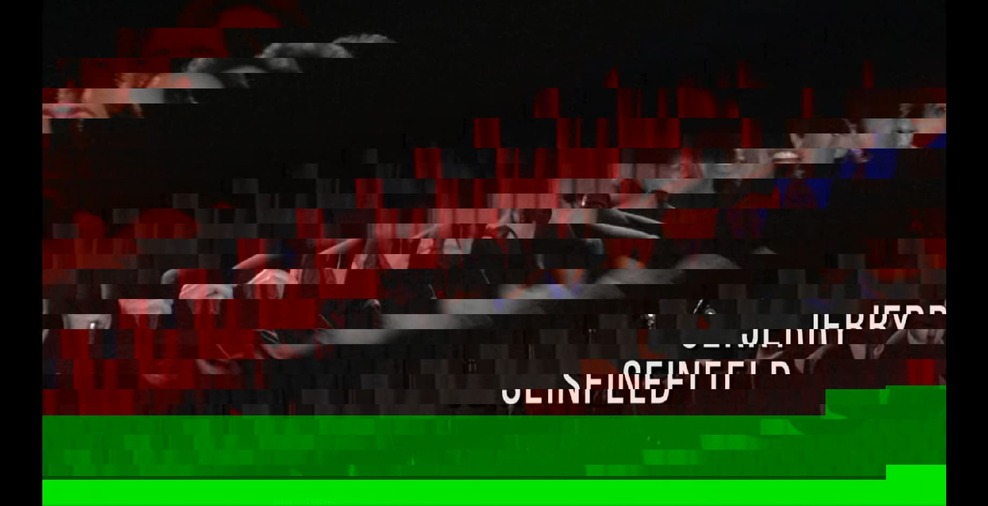
I just updated Chrome to 108 on Ubuntu 22.04 kernel 5.15.0.53 and tried playing back some HEVC videos through Plex Web. There is artifacting on all videos; some just have a few green lines through them, and some are completely distorted (see screenshots). I’m using the iGPU from my i9 12900k.
My server is also on Ubuntu 22.04 kernel 5.15.0.53 and has an iGPU from an i7 8600k and a GTX 1050 TI.
It looks like only 1080p videos are direct streaming; any other resolution is transcoding to H264 (4k HDR is transcoding to H264 4k SDR some of which is artifacting some of which is not).
Can’t reproduce.
May I have a sample of the file which reproduces this?
The attached zip has two files:
original.mkv is a sample of the original file. It plays fine in VLC, and Chrome can’t play it at all (probably because it’s an MKV)
original.mp4 is a sample of the original file using mp4 instead of mkv. Playing it in Chrome directly results in the same artifacting that is seen when playing in Plex Web.
samples.zip (9.3 MB)
Please forgive me being pedantic here:
Playing in Chrome directly – Using Plex/web player ?
Opening in a Chrome tab directly
ChuckPa
December 1, 2022, 10:02pm
6
If you’re using Chrome, not Plex/web, to play a file (hence you’re outside of Plex)
then you need to report that to Google/Chromium project.
Am I understanding you correctly ?
Asking because I can’t reproduce in Plex/web
If I attempt to play in Chrome directly , I get a blank screen
ChuckPa
December 1, 2022, 10:15pm
7
Supplemental:
Using a known-good HEVC file, I get proper output
I did discover a small issue with Plex/web and will be taking that to the Plex/web team to resolve.
That file you sent plays fine for me directly in Chrome, but has artifacting in Plex Web.
ChuckPa
December 1, 2022, 11:04pm
9
I have issues with Plex/web too. (Ubuntu 20.04.5 here on ASUS 4K display and DisplayPort)
In Chrome directly, it’s beautiful
This is the conversation I’ll have with the Plex/web team.
As for your video, sadly I’m going to point to the source file.
You can’t play it and I can’t play your files either.
ChuckPa:
As for your video, sadly I’m going to point to the source file.
You can’t play it and I can’t play your files either.
It plays fine locally (using VLC) and direct plays through Plex on other platforms (Chromecast, Android TV, Android, etc…) with no problems though.
ChuckPa
December 1, 2022, 11:42pm
11
It will play on those players which have local processor support (a thicker app).
The issue in this case seems to be that it isn’t transcoding (it’s direct stream). Maybe the issue is the mkv → mp4?
Although if I put original.mp4 on the server, and play it through Plex Web, it direct plays and still has the artifacting so maybe not.
ChuckPa
December 2, 2022, 1:20am
14
I will work with both plex/web and transcoder teams on this.
I, too, need to understand what’s happening here now that Chrome has the native capability.
Maybe this is a Chrome issue since I’m seeing something similar with certain YouTube videos - Lamar Jackson Can’t Get a Prize at the Gridiron Heights Carnival | S7E5 - YouTube
ChuckPa
December 2, 2022, 6:40pm
16
I fully expect there to be small bumps along the way with this.
HEVC HDR support native in Chrome on Linux is a big deal (albeit long overdue)
@ChuckPa was something changed on the Plex side? I see it is no longer allowing HEVC on Chrome 108 on Ubuntu.
ChuckPa
December 16, 2022, 7:05am
19
You need to show me what changed (?).
I’m not aware of any changes. I know Chrome still has issues which are getting ironed out.
I will also need to see the XML of a file which should play. (I"m interested in the <media> segment. I don’t need anything else.
The change is that the media no longer plays and I get an error that changes between s3016 (Media) and s3014 (Media).
If I uncheck Direct Stream in Plex Web Debug settings then the media plays (and transcodes to h264).
<Media id="92995" duration="1369430" bitrate="1498" width="1920" height="1080" aspectRatio="1.78" audioChannels="6" audioCodec="aac" videoCodec="hevc" videoResolution="1080" container="mkv" videoFrameRate="24p" audioProfile="lc" videoProfile="main">
  <Part accessible="1" exists="1" id="112972" key="/library/parts/112972/1574707799/file.mkv" duration="1369430" file="/disks/storage/plex_tv/Friends/Season 1/teneighty-friendss01e01.x265.mkv" size="257199285" audioProfile="lc" container="mkv" deepAnalysisVersion="6" requiredBandwidths="2574,2574,2574,2574,2574,2574,2574,2574" videoProfile="main">
    <Stream id="270895" streamType="1" default="1" codec="hevc" index="0" bitrate="1244" language="English" languageTag="en" languageCode="eng" bitDepth="8" chromaSubsampling="4:2:0" codedHeight="1080" codedWidth="1920" colorRange="tv" frameRate="23.976" height="1080" level="120" profile="main" refFrames="1" requiredBandwidths="2352,2352,2352,2352,2352,2352,2352,2352" scanType="progressive" width="1920" displayTitle="1080p (HEVC Main)" extendedDisplayTitle="1080p (HEVC Main)"> </Stream>
    <Stream id="270896" streamType="2" selected="1" default="1" codec="aac" index="1" channels="6" bitrate="255" profile="lc" requiredBandwidths="256,256,256,256,256,256,256,256" samplingRate="48000" displayTitle="Unknown (AAC 5.1)" extendedDisplayTitle="Unknown (AAC 5.1)"> </Stream>
  </Part>
</Media>