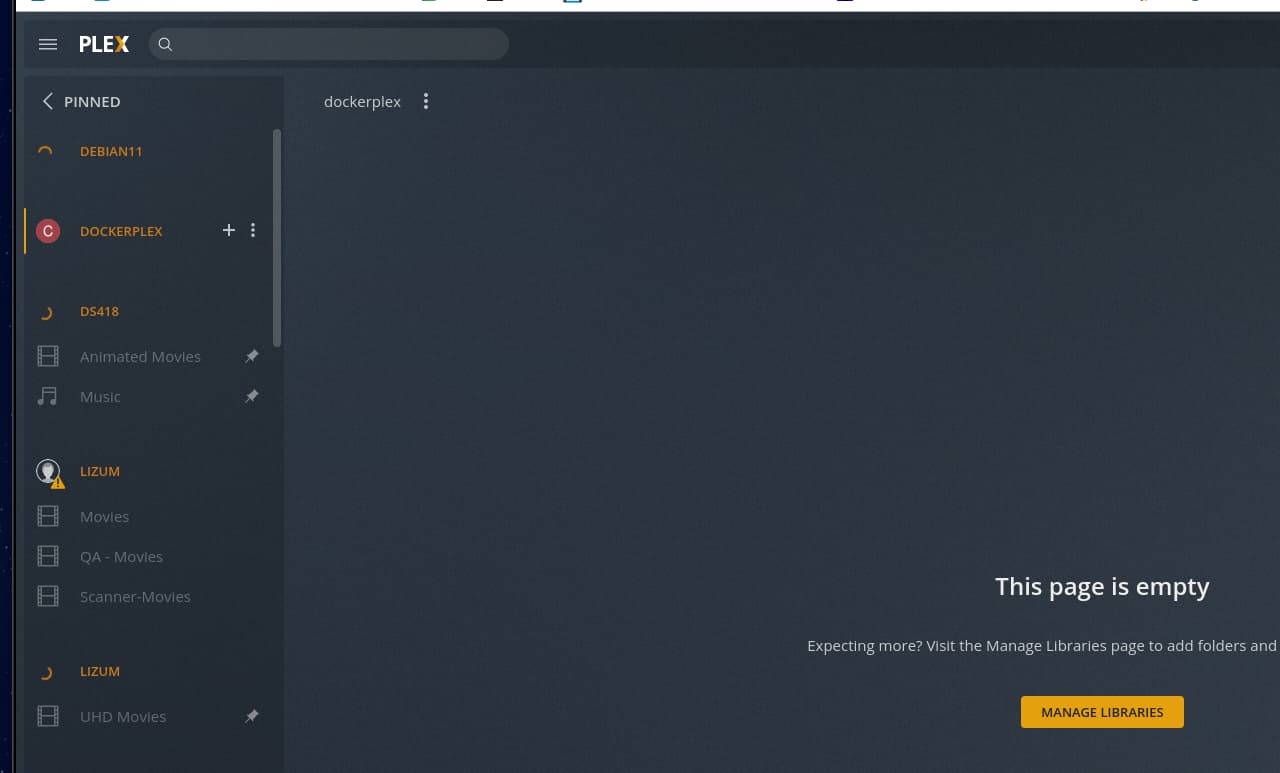
Server Version#: 1.24.3.5033-757abe6b4
Player Version#: 4.65.1
When passing PLEX_CLAIM - the claim is processed in the log - but the server is never claimed properly. It seems it’s clearly “claimed” it appears in my devices. -but I can’t manage it, add libraries etc.
[s6-init] making user provided files available at /var/run/s6/etc...exited 0.,
[s6-init] ensuring user provided files have correct perms...exited 0.,
[fix-attrs.d] applying ownership & permissions fixes...,
[fix-attrs.d] done.,
[cont-init.d] executing container initialization scripts...,
[cont-init.d] 40-plex-first-run: executing... ,
Creating pref shell,
Attempting to obtain server token from claim token,
  % Total    % Received % Xferd  Average Speed   Time    Time     Time  Current,
                                 Dload  Upload   Total   Spent    Left  Speed,

  0     0    0     0    0     0      0      0 --:--:-- --:--:-- --:--:--     0
  0     0    0     0    0     0      0      0 --:--:-- --:--:-- --:--:--     0
100  7432    0  7432    0     0   6147      0 --:--:--  0:00:01 --:--:--  6152,
Token obtained successfully,
Plex Media Server first run setup complete,
[cont-init.d] 40-plex-first-run: exited 0.,
[cont-init.d] 45-plex-hw-transcode-and-connected-tuner: executing... ,
[cont-init.d] 45-plex-hw-transcode-and-connected-tuner: exited 0.,
[cont-init.d] 50-plex-update: executing... ,
Attempting to upgrade to: 1.24.3.5033-757abe6b4,
  % Total    % Received % Xferd  Average Speed   Time    Time     Time  Current,
                                 Dload  Upload   Total   Spent    Left  Speed,

  0     0    0     0    0     0      0      0 --:--:-- --:--:-- --:--:--     0
  0     0    0     0    0     0      0      0 --:--:-- --:--:-- --:--:--     0
100   190    0   190    0     0    172      0 --:--:--  0:00:01 --:--:--   172,

 42 82.9M   42 35.4M    0     0  19.4M      0  0:00:04  0:00:01  0:00:03 19.4M
100 82.9M  100 82.9M    0     0  31.4M      0  0:00:02  0:00:02 --:--:-- 58.4M,
dpkg: warning: failed to open configuration file '/config/.dpkg.cfg' for reading: Permission denied,
Selecting previously unselected package plexmediaserver.,
(Reading database ... 7274 files and directories currently installed.),
Preparing to unpack /tmp/plexmediaserver.deb ...,
PlexMediaServer install: Pre-installation Validation.,
PlexMediaServer install: Custom environment detected.  Skipping preinstallation validation.,
Unpacking plexmediaserver (1.24.3.5033-757abe6b4) ...,
Setting up plexmediaserver (1.24.3.5033-757abe6b4) ...,
PlexMediaServer install: Custom environment detected.  Skipping postinstallation tasks. Continuing.,
[cont-init.d] 50-plex-update: exited 0.,
[cont-init.d] done.,
[services.d] starting services,
Starting Plex Media Server.,
[services.d] done.,
/bin/mkdir: cannot create directory ‘/config’: Permission denied,
chown: cannot access '/config/Library/Application Support': Permission denied
Locked out as in Certificate throttled ?
Locked out due to PlexToken ?
If you change the paths, and create the directories, you can try mine.
I suggest because I saw Permission Denied in your logs which suggests directories were missing / incorrect UID/GID
The errors you referenced appear to be a red herring - it can access those directories just fine - the error is it doesn’t have permission to create an existing directory (for mkdir) and it doesn’t have permission to change ownership (for chown).