Hello everyone,
I have a common problem of not being able to “claim” my server. I don’t have any problems when I do it from a laptop, but it blocks when I do it on a VPS, Linux or Windows server.
The subject has been discussed many times and I’ve tried various solutions to solve the problem:
- reinstallation
- cleaning the registry (under Windows server 16)
- cleaning the Preferences.xml file (under Ubuntu)
- Open Plex” in the Windows toolbar
I systematically encounter the same problem. No warning that it’s not possible to install Plex on a VPS server. I’ve tried all the solutions suggested on the forum.
Do you have any suggestions? I have Plex premium
Thanks for your help,
Windows on remote machines: New Claiming Requirement for Windows
Linux machines not in the local network: https://support.plex.tv/articles/200288586-installation/ “On a different network”
Many thanks Otto for your quick answer!
I followed the suggested steps, including “Method2.2” with the reg file to claim the server again.
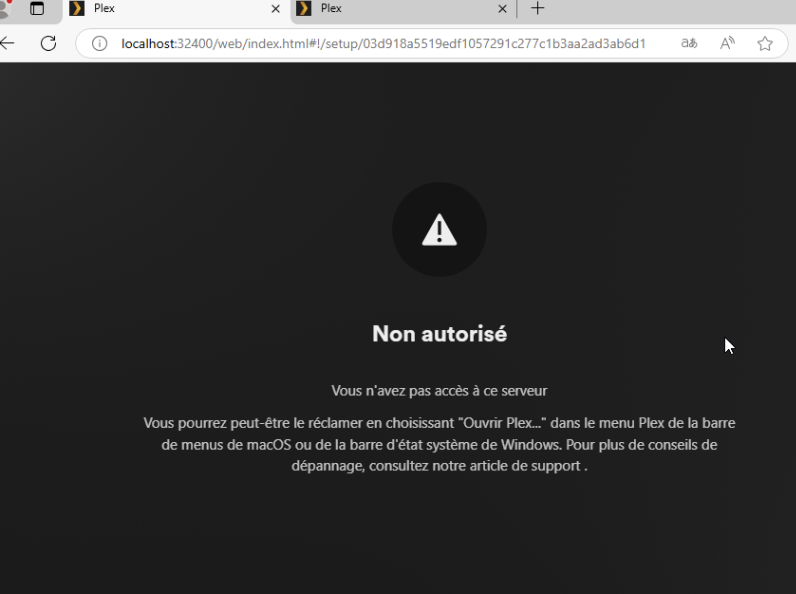
I still get the same message:
“Not authorized
You do not have access to this server”.
Using the “setup Plex.html” link allows me to connect to the Plex application, but not to the server: I can’t set up my local server from this link.
with setupPlex.html
localhost
127.0.0.1
Hetzner
Nuremberg, Germany
That won’t fly. Hetzner cannot be used with Plex.
Oh, right…
That explains why I’ve been pulling my hair out for days…
Thanks a lot for the information!
Is there a list of non-compatible hosts?
This is currently the only one.