I did a clean install on my iMac, and I have all the application support and preferences files backed up. Just not the app itself…
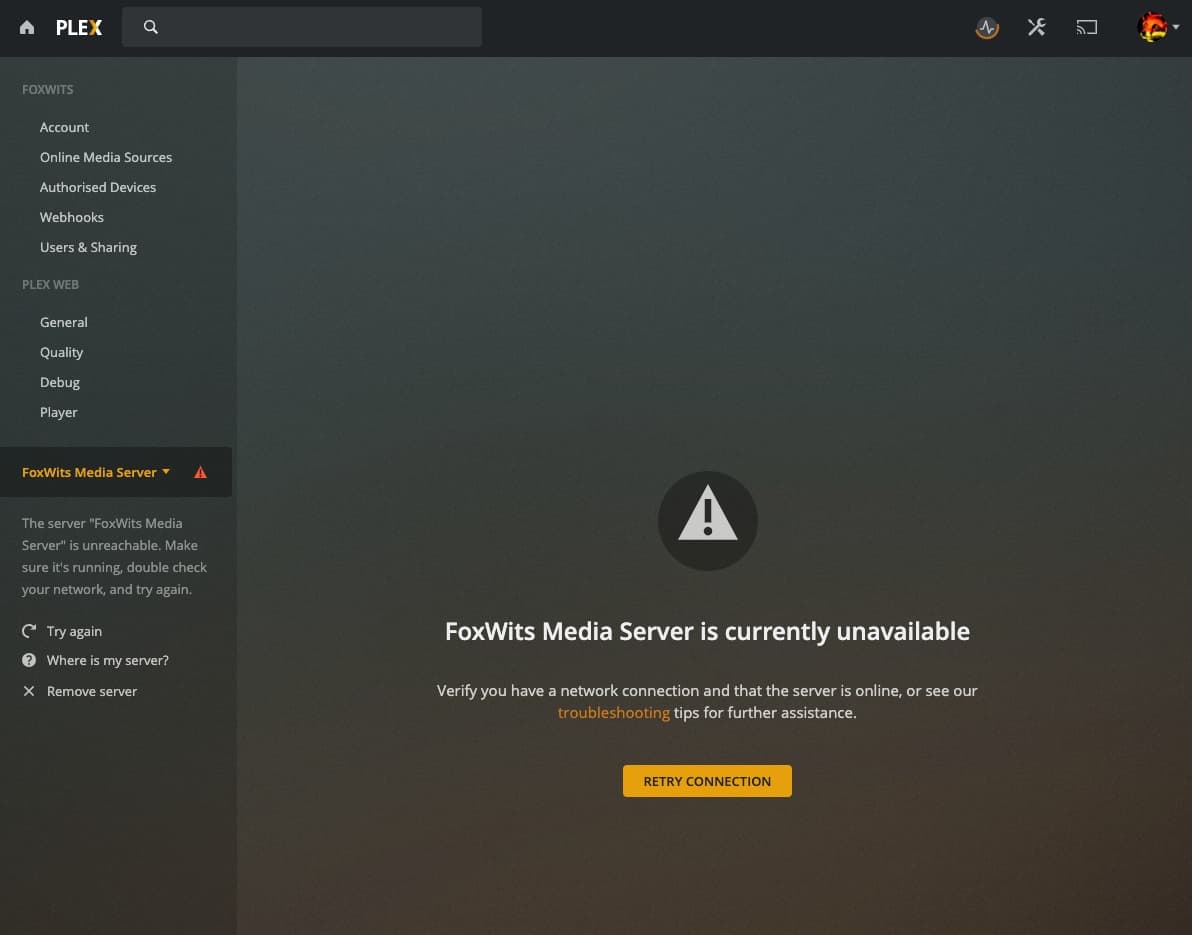
After installing PLEX media server on my fresh OS X, I copied all the PLEX files at where they were located. I did see my old server, but it kept saying it was offline, and I couldn’t connect to it. Then suddenly it showed two of them. So I didn’t know wtf was happening, so I deleted one. The other one stayed, but still on offline. So I deleted that one too, cause I just couldn’t access it from anywhere. I did get it to work eventually on the iMac, I saw all the media and watch history etc, but couldn’t get any device to use the old server.
So I deleted all and decided to just do it all over again. But this time, it just created a brand new server! Everything I ever rated and watched, all data gone. There were over 1000 song ratings that I used to make playlists etc… Years of work.
Anyway, is there a way to still retrieve it? Was I supposed to keep the original Plex Media Server app with the old data stored into it?
Thanks
edit: looks like for some reason after yet another fresh PLEX Media Server install, it shows up again. Still, I can’t connect to it:
Don’t know how you had your network setup but if you gave your iMac a dedicated IP address using the DHCP server feature on your router, then the fresh install would keep the same ip address that matched the iMac network or WiFi MAC address. If you don’t use the DHCP server method and your iMac got a fresh install, then the IP address that it was given when it reboots will be automatically refreshed each reboot or every time the imac gets disconnected from the network. Why this is important is because the IP address given or saved in the old original backup needed to be the same also… perhaps, not connecting to Plex.tv api servers and therefore related that it was offline.
If you backed up to a usb or external drive, then you’ll be fine. You can can drag and drop and replace the files and directories back in place as many times needed to get this corrected. Just because you deleted a server off the Plex.tv website under AUTHORIZED DEVICES doesn’t mean the actual data is gone. That data of playlists, ratings, metadata, all live in the Plex Server directory and the plist file. That’s more important to have backed up. The deletion of the server from AUTHORIZED DEVICES actually just disconnects the server from your account until or unless you wish to “RECLAIM” it, like you might have to do.
Yes, I have tried to copy the old Plex backup files to my new install. And also the -library ‘Application support’ and ‘Preferences’ folders. When I do a clean copy from backup to present, Plex won’t start. When I then delete some of the Plug-in support/Database, it starts again, but my old server keeps saying its offline, and that I can’t connect to to it. I didn’t follow the ‘Move an install to Another System’ steps because I’ve done it like this before, but this time it doesn’t work like before.
I’m just trying to delete files one by one now, and hope I find which files are responsible for all this…
Thanks for helping Tom. I tried to do what Volts says, but Terminal says it can’t find com.plexapp.plexmediaserver. Not after closing PMS and ensuring the .plist file is in fact in the preferences folder.
When I open PMS now, after doing yet another fresh copy from the backup files to the current PLEX Application support folder, it says “A problem has been detected with a core component of Plex Media Server.” with a link taking me to a page that starts talking about the PMS Logs folder in -library, and how it is important.
My backup does not have this Logs folder in any -library. Not in users -library, and not in system-library. Maybe thats where things go wrong?
edit:
Oke I found that the application itself was also backed up. So I deleted everything on my fresh install that had something to do with PMS. The application, preferences, application data, and copied everything before I started PMS. Then it wouldn’t start, so I deleted the Database files in PMS -library. It started, and it connected to my old server. Finally. But, the music ratings, and watch history did not come with the backup. Also had to set up the library’s anew, cause the backed up library’s had exclamation marks behind them and didn’t work. So one step forward at least, I got my old server back, nothing else yet
edit 2:
Okay its gone again… Did the exact same thing as the first time and now my old server shows unable to connect again… This is all unstable af
Is there any reason why PMS won’t start when the original (backup) com.plexapp.plugins.library.db is in ‘Plug-in Support/Database’ ?
The file is 75mb and is probably holding all the info of my old server. How can I make it so PMS starts again using the original .db file? If I get that to work, I think it will then load all the original server info, doesn’t it?
You might want to check that database file for corruption. Time Machine could have taken a backup while Plex was still writing information to the database – this could create some inconsistencies.
First, for some reason the most recent PMS application backup I had was made on the 22th of July, while the backup files only dated back to the 28th of August. So I was trying to backup files to an outdated PMS app. I deleted every file or folder associated with PLEX again, and copied all the backup files to my fresh install, again. Only this time, I used the backup files from the 22th of July instead.
Also, because the backup files are always protected, I had to add myself to the list of permissions on the copied -library/Application support/PlexMediaServer/ folder by right clicking it and going to ‘get info’ then + to add your own account and set it to ‘Read & Write’ and last but not least, click on the little cog wheel below, and select “Apply to enclosed items…” so your account and system can get to all those PLEX files. Do the same with the Plex preferences file in -library/Preferences
When I opened PMS, I could immediately see my data was just as I left it pre-wipe. When I logged back into my master account (with plex pass) I lost sight of the library’s again, but I could reclaim it by going into settings, and stick it back to my master account. Oh and also had to update the server, obvs, since it was from the 22th of July. And bam, finally. Two days without PLEX and my family already missed it lol.
Thanks guys, couldn’t have done it without you. Now to save this page so I can slap myself in the face with it next time I clean install.