Server Version#: 1.29.1.6316
Player Version#: 4.92.0
So once again this morning, I open Plex to watch some music videos and once again, just about every music video has fallen out of its collection again.
This has happened to me so many times, and each time I spend ages carefully putting them all pack into my carefully curated collections, only to have them all “fall out” again sometime later.
Can anything be done to diagnose why this happens and fix the bug? Logfile wise, I have no idea “when” this happened because I don’t open Plex every day.
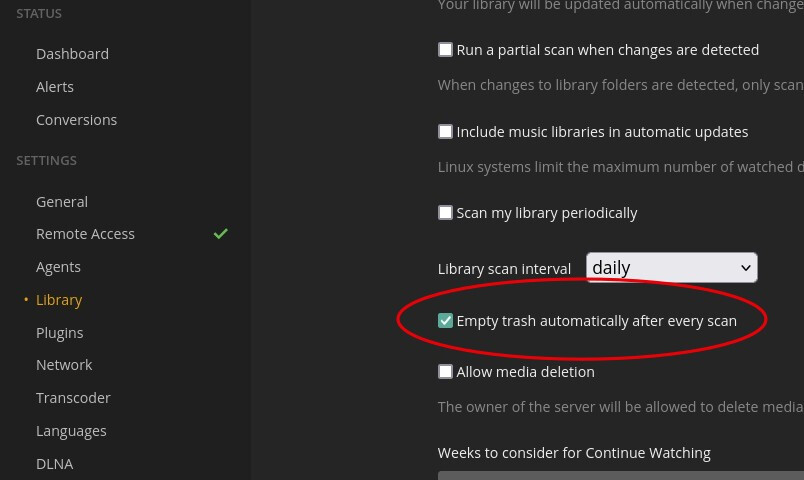
The most common situation that I’ve seen that causes this kind of behavior is when your media files are stored on an NAS or external drive of some kind. When Plex periodically refreshes metadata, if the external drive doesn’t wake up from its standby state in time, Plex may think the files have been removed, so Plex removes them from the library, which automatically removes them from any playlists or collections they might be in.
The recommended solution is to disable the Empty trash automatically after every scan option.
Thanks for the suggestion. Would that be the case if both the files AND Plex server are on the NAS though? That’s one reason why I started using Plex server on the Synology NAS, so everything was co-located…
I will say my frustration with Plex, and I have no idea why this issue still exists…There isnt a setting that tells Plex to strictly read just the metadata when manual metadata exists…
I know many will say the settings in Agents will do this, but it does not work consistently. Plex will continually arbitrarily overwrite metdata I had set, or make a change to something that had been previously set.
There should be a way we can either choose o set the metadata for good ourselves, instead of relying on the flawed Plex scans.